
This is what happens when your computer gets infected with ransomware

The first ransomware targeting Apple’s Mac computers running OS X recently infected the installer for Transmission, a cross-platform BitTorrent client.
Ransomware is nothing new, with infections reported on Windows machines, Linux servers, and Android smartphones.
Attackers use many methods to get their malicious software onto the devices of unsuspecting users.
These include e-mail trojans that exploit Microsoft Word macros, support scams, and compromising the website of an app like Transmission to replace the legitimate installer with one infected with ransomware.
YouTuber Rogueamp has published numerous videos showing what happens when ransomware takes over your machine.
Step-by-step breakdowns of two of his videos are shown below, beginning with the new KeRanger ransomware for OS X.
KeRanger for OS X
This ransomware infected the installer of Transmission 2.90 for OS X, as reported by Palo Alto Networks.
While updated OS X installations should no longer be vulnerable to KeRanger, Rogueamp’s demonstrations are conducted within a virtual machine. Don’t try this at home.
The infection begins after you install and run Transmission 2.90.

Transmission 2.90 contains General.rtf, which looks like a document, but is actually KeRanger’s executable.

When KeRanger executes, it encrypts all your documents and media files.
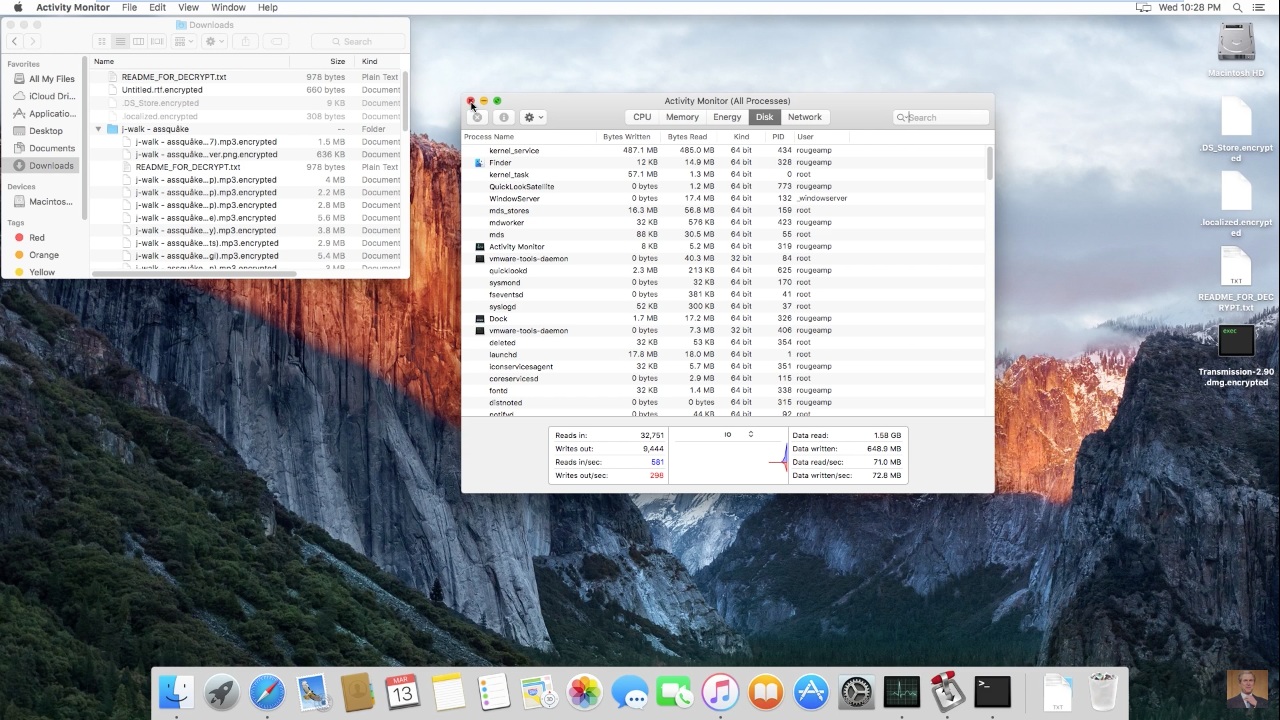
KeRanger places a notice in each folder where it has encrypted files.

It directs you to go to a URL, where you must log in with a key the attackers provide.

You must pay the ransom of 1 Bitcoin (R6,300) to the wallet they specify to get the key you need to decrypt your files.

Locky for Windows
Ransomware like KeRanger and Locky all work on the same principle: encrypt the victim’s files, and extort money from them in the form of Bitcoin.
Unlike KeRanger, Locky was distributed through a malicious Word macro in an e-mail with a fake invoice. After opening the invoice and enabling macros, it downloads and runs the ransomware from a server on the Internet.
As before, Rogueamp’s demonstration is conducted within a virtual machine.
After Locky runs, it encrypts all your files and then displays this notice.

Locky can encrypt unmapped network shares.

As with all ransomware, it directs you to a page where you can pay to get a key to unlock your files.
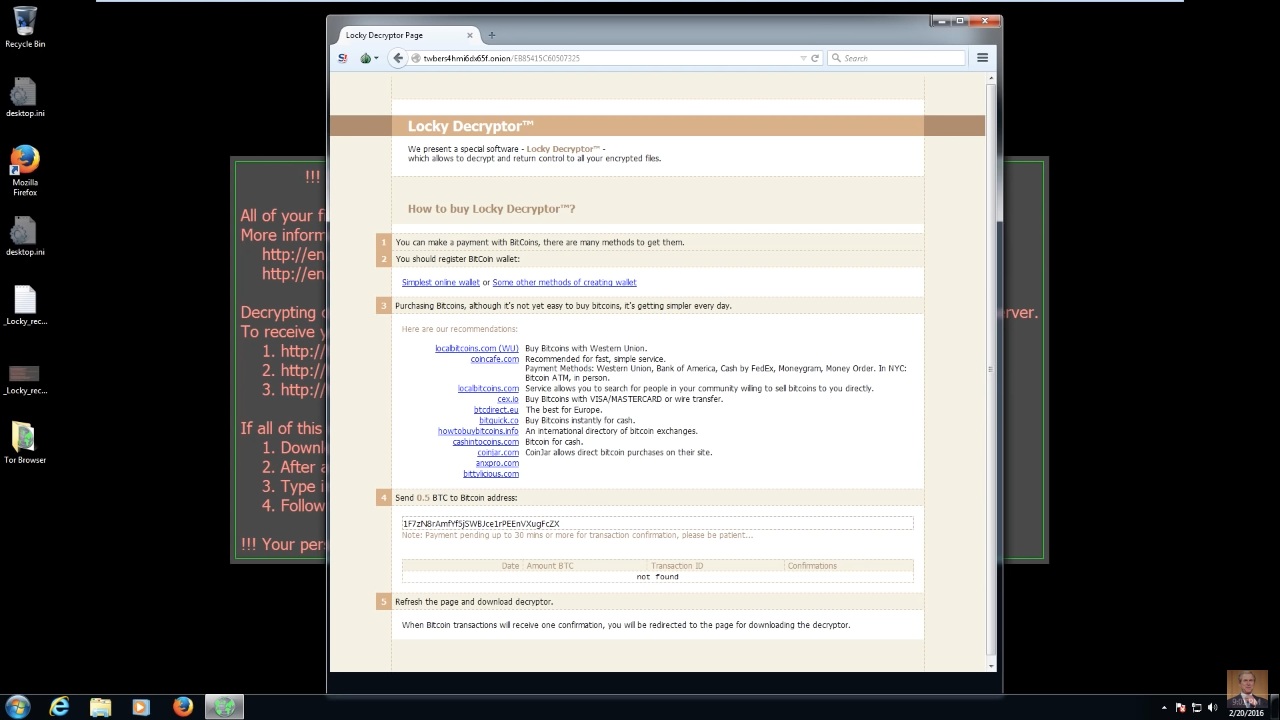
Watch Rogueamp’s ransomware demonstrations below
More on ransomware
Apple users targeted in ransomware attack
Ransomware – what it is, and how to protect your files from it
Android porn app ransomware warning
Linux encryption ransomware hacked – how to get your files back
Don’t give in to ransomware – prepare your system


 Loading ...