
Mistakes to avoid when building a PC

Assembling a PC is a straightforward process, unless you’re building something advanced like a case mod or a custom liquid-cooling system.
While building a PC is not as difficult as beginners think, there are common mistakes you should avoid.
These range from installing your components in the wrong order to forgetting to install your IO shield before mounting your motherboard.
Even experienced builders occasionally fall victim to these simple errors.
Below are a several pitfalls to watch out for when building your own PC.
Incompatible parts
This mistake is most often made by beginners with limited knowledge of PC hardware.
There are many different compatibilities for each PC component and it is important to ensure that all your components work with each other.
This can range from problems like chipset and processor incompatibility, to less obvious issues such as buying an mSATA drive for an M.2 slot.
Ask the retailer where you are purchasing the parts if they are compatible with one another, or do a quick check online.

Cheap PSU
One of the most overlooked purchases for a PC is a quality power supply.
If you’re building a PC with powerful hardware inside, you should power your components with a reliable PSU.
Cheap power supplies are prone to malfunction, which could damage components.

I/O shield
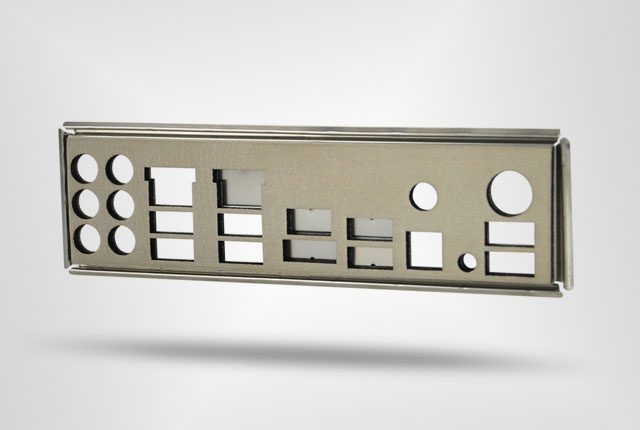
The I/O shield should be the first component you install, as it is impossible to insert into your chassis once other components are in.
If you forget to install this protective shroud, you will have to disassemble your build and start over.
This can be a great frustration, especially if you have installed a liquid cooling loop.
CPU installation
The most nerve-wracking part of building your own system is the installation of your processor.
Although newer Intel processors have more refined pins and mounting systems, it is still important to follow the included instructions and double-check your orientation before installation.
Forcing your processor into the socket could bend socket pins, rendering the CPU unusable.

Thermal compound
Many system builders and overclockers have different opinions regarding the ideal amount and brand of thermal paste you should apply to your CPU.
It is generally recommended that you apply a pea-sized amount of compound to the lid of your CPU and then mount your cooler onto the processor – letting the heat sink contact spread the paste.
Make sure your cooler has pre-applied thermal compound and that the plastic covering the heat sink contact is removed.

DIY
If a component doesn’t fit into a slot or a cooler does not fit on your CPU or motherboard, the components are not compatible.
Shaving down connections or drilling holes will probably destroy expensive components and cause serious problems.
There are exceptions to this rule, but any DIY tasks should be conducted by someone with a sufficient knowledge of the hardware.

Fan orientation
Fans are mounted as intakes and exhausts in order to achieve optimal airflow through the chassis.
Mounting fans in the wrong orientation (example: three intakes instead of two intakes and one exhaust) could result in high PC temperatures.

Brute force
While components like RAM modules may require a bit of elbow grease to lock into place, applying brute force to motherboard connections is not a good idea.
This is especially true for processor and graphics card installations, where a need to use brute force probably indicates a connection or compatibility problem.
A bit of pressure is fine, but leaning your whole body onto your graphics card will result in tears.

Static electricity
Electrostatic discharge can be a real danger to your components and it is important to neutralise any static charge when working on a PC.
Avoid working in carpeted areas or wearing clothes prone to static build-up when building your system.
It is recommended that you either use an anti-static wrist strap or periodically maintain contact with the chassis when installing and touching components.

Now read: Asus Tinker Board vs Raspberry Pi 3 – Specifications and Pricing


 Loading ...