Home Assistant : Q&A, Tips & Tricks, Your Configs

View attachment 1893750

or

template:
- trigger:
- platform: state
entity_id: switch.your_switch_name # Replace with your entity ID
sensor:
- name: "Your Switch Trigger Source"
unique_id: switch_trigger_source_001
state: >
{% set id = trigger.to_state.context.user_id %}
{% set parent = trigger.to_state.context.parent_id %}
{% if id is not none %}
User
{% elif parent is not none %}
Automation
{% else %}
Physical/Manual
{% endif %}
icon: mdi:information-outline


  • user_id: If this is not empty, a specific user logged into the Home Assistant UI or App toggled the switch.
  • parent_id: If this is not empty, the change was triggered by another process, most commonly an Automation or a Script.
  • Neither: If both are empty, it usually indicates the change happened at the device itself (e.g., someone physically pressed the wall button) or the integration polled a change from the hardware.
Tried this but haven't moved on .. I get user/automation but I want to know which user specifically (have a few in the house).

YAML:
alias: TEST
description: ""
triggers:
  - entity_id: switch.bathroom_geyser_switch_1
    trigger: state
actions:
  - data:
      message: >
        {% set id = trigger.to_state.context.user_id %} {% set parent =
        trigger.to_state.context.parent_id %} {% if id is not none %}
          Switch was triggered by a User
        {% elif parent is not none %}
          Switch was triggered by an Automation
        {% else %}
          Switch was triggered Physically/Manually
        {% endif %}
      title: Switch Trigger Source
    action: notify.mobile_app_theboss

CoPilot says I need to build a usermap - something I am trying to avoid

YAML:
alias: TEST
description: ""
trigger:
  - platform: state
    entity_id: switch.bathroom_geyser_switch_1
action:
  - service: notify.mobile_app_theboss
    data:
      title: "Switch Trigger Source"
      message: >
        {% set id = trigger.to_state.context.user_id %}
        {% set parent = trigger.to_state.context.parent_id %}
        {% set usermap = {
          "abcd1234userid": "Alice",
          "efgh5678userid": "Bob"
        } %}
        {% if id is not none %}
          Switch was triggered by {{ usermap[id] if id in usermap else 'an Unknown User' }}
        {% elif parent is not none %}
          Switch was triggered by an Automation
        {% else %}
          Switch was triggered Physically/Manually
        {% endif %}
        (New state: {{ trigger.to_state.state }})
 
Wanted a way to get notified if I need to top up the prepaid electricity meter. Haven't had the desire to make the meter smart so the next best thing is to just create some sensors and templates in Home Assistant and when I top up I just enter the meter reading afterwards and it uses my inverter grid energy usage to estimate the consumption.

1774010171229.png

Had Claude generate most of it and had it make this dashboard card. Probably won't be perfect but good enough to just remind me when the meter is getting low.
 
Wanted a way to get notified if I need to top up the prepaid electricity meter. Haven't had the desire to make the meter smart so the next best thing is to just create some sensors and templates in Home Assistant and when I top up I just enter the meter reading afterwards and it uses my inverter grid energy usage to estimate the consumption.

View attachment 1894851

Had Claude generate most of it and had it make this dashboard card. Probably won't be perfect but good enough to just remind me when the meter is getting low.

That should be reasonably accurate. I agree that automated monitoring is very important. Don't wanna check the prepaid meter manually! My HA gets decidedly nervous as the prepaid balance depletes.....

alias: Conlog power top-up reminders
description: ""
triggers:
- trigger: numeric_state
entity_id:
- input_number.conlog_power_reading
below: 210
id: Below 210
- trigger: numeric_state
entity_id:
- input_number.conlog_power_reading
below: 100
id: Below 100
- trigger: numeric_state
entity_id:
- input_number.conlog_power_reading
below: 30
id: Below 30
- trigger: numeric_state
entity_id:
- input_number.conlog_power_reading
below: 5
id: Below 5
- trigger: numeric_state
entity_id:
- input_number.conlog_power_reading
below: 4
id: Below 5
- trigger: numeric_state
entity_id:
- input_number.conlog_power_reading
below: 3
id: Below 5
- trigger: numeric_state
entity_id:
- input_number.conlog_power_reading
below: 2
id: Below 5
- trigger: numeric_state
entity_id:
- input_number.conlog_power_reading
below: 1
id: Below 5
conditions: []
actions:
- choose:
- conditions:
- condition: trigger
id:
- Below 210
sequence:
- data:
data:
notification_icon: mdi:weather-pouring
importance: high
title: Prepaid laag
message: >-
Omtrent 1 week oor. Daar is {{
states('input_number.conlog_power_reading') }} eenhede oor!
action: notify.family_phones
- conditions:
- condition: trigger
id:
- Below 100
sequence:
- data:
data:
notification_icon: mdi:weather-pouring
importance: high
title: Prepaid laag
message: >-
Omtrent 3 dae oor. Daar is {{
states('input_number.conlog_power_reading') }} eenhede oor!
action: notify.family_phones
- conditions:
- condition: trigger
id:
- Below 30
sequence:
- data:
data:
notification_icon: mdi:weather-pouring
importance: high
title: Skrik wakker!! Prepaid is baie laag :(
message: " Maak 'n plan teen more!!! Daar is {{ states('input_number.conlog_power_reading') }} eenhede oor!"
action: notify.family_phones
- conditions:
- condition: trigger
id:
- Below 5
sequence:
- data:
data:
notification_icon: mdi:weather-pouring
importance: high
title: Prepaid is moeg. Maak nou 'n plan!!!
message: >-
Prepaid is blerrie laag :( Daar is {{
states('input_number.conlog_power_reading') }} eenhede oor!
action: notify.family_phones
mode: single
 
That should be reasonably accurate. I agree that automated monitoring is very important. Don't wanna check the prepaid meter manually! My HA gets decidedly nervous as the prepaid balance depletes.....

alias: Conlog power top-up reminders
description: ""
triggers:
- trigger: numeric_state
entity_id:
- input_number.conlog_power_reading
below: 210
id: Below 210
- trigger: numeric_state
entity_id:
- input_number.conlog_power_reading
below: 100
id: Below 100
- trigger: numeric_state
entity_id:
- input_number.conlog_power_reading
below: 30
id: Below 30
- trigger: numeric_state
entity_id:
- input_number.conlog_power_reading
below: 5
id: Below 5
- trigger: numeric_state
entity_id:
- input_number.conlog_power_reading
below: 4
id: Below 5
- trigger: numeric_state
entity_id:
- input_number.conlog_power_reading
below: 3
id: Below 5
- trigger: numeric_state
entity_id:
- input_number.conlog_power_reading
below: 2
id: Below 5
- trigger: numeric_state
entity_id:
- input_number.conlog_power_reading
below: 1
id: Below 5
conditions: []
actions:
- choose:
- conditions:
- condition: trigger
id:
- Below 210
sequence:
- data:
data:
notification_icon: mdi:weather-pouring
importance: high
title: Prepaid laag
message: >-
Omtrent 1 week oor. Daar is {{
states('input_number.conlog_power_reading') }} eenhede oor!
action: notify.family_phones
- conditions:
- condition: trigger
id:
- Below 100
sequence:
- data:
data:
notification_icon: mdi:weather-pouring
importance: high
title: Prepaid laag
message: >-
Omtrent 3 dae oor. Daar is {{
states('input_number.conlog_power_reading') }} eenhede oor!
action: notify.family_phones
- conditions:
- condition: trigger
id:
- Below 30
sequence:
- data:
data:
notification_icon: mdi:weather-pouring
importance: high
title: Skrik wakker!! Prepaid is baie laag :(
message: " Maak 'n plan teen more!!! Daar is {{ states('input_number.conlog_power_reading') }} eenhede oor!"
action: notify.family_phones
- conditions:
- condition: trigger
id:
- Below 5
sequence:
- data:
data:
notification_icon: mdi:weather-pouring
importance: high
title: Prepaid is moeg. Maak nou 'n plan!!!
message: >-
Prepaid is blerrie laag :( Daar is {{
states('input_number.conlog_power_reading') }} eenhede oor!
action: notify.family_phones
mode: single
Went down a little rabbit hole earlier trying to figure out a way to get the voucher pulled into HA somehow, FNB only gives me an option to send to a mobile number. If I could capture that voucher and pass it to a webhook in HA I could have it automatically add the new credits on.

The only other option I have now is to read the bank notification in my email, but that's only the rand value and not the units purchased so would need to infer the units which wouldn't always be accurate depending on how many units have been bought in that month already.
 
Went down a little rabbit hole earlier trying to figure out a way to get the voucher pulled into HA somehow, FNB only gives me an option to send to a mobile number. If I could capture that voucher and pass it to a webhook in HA I could have it automatically add the new credits on.

The only other option I have now is to read the bank notification in my email, but that's only the rand value and not the units purchased so would need to infer the units which wouldn't always be accurate depending on how many units have been bought in that month already.
Andriod or IPhone?
 
Wanted a way to get notified if I need to top up the prepaid electricity meter. Haven't had the desire to make the meter smart so the next best thing is to just create some sensors and templates in Home Assistant and when I top up I just enter the meter reading afterwards and it uses my inverter grid energy usage to estimate the consumption.

View attachment 1894851

Had Claude generate most of it and had it make this dashboard card. Probably won't be perfect but good enough to just remind me when the meter is getting low.
Code share ?
 
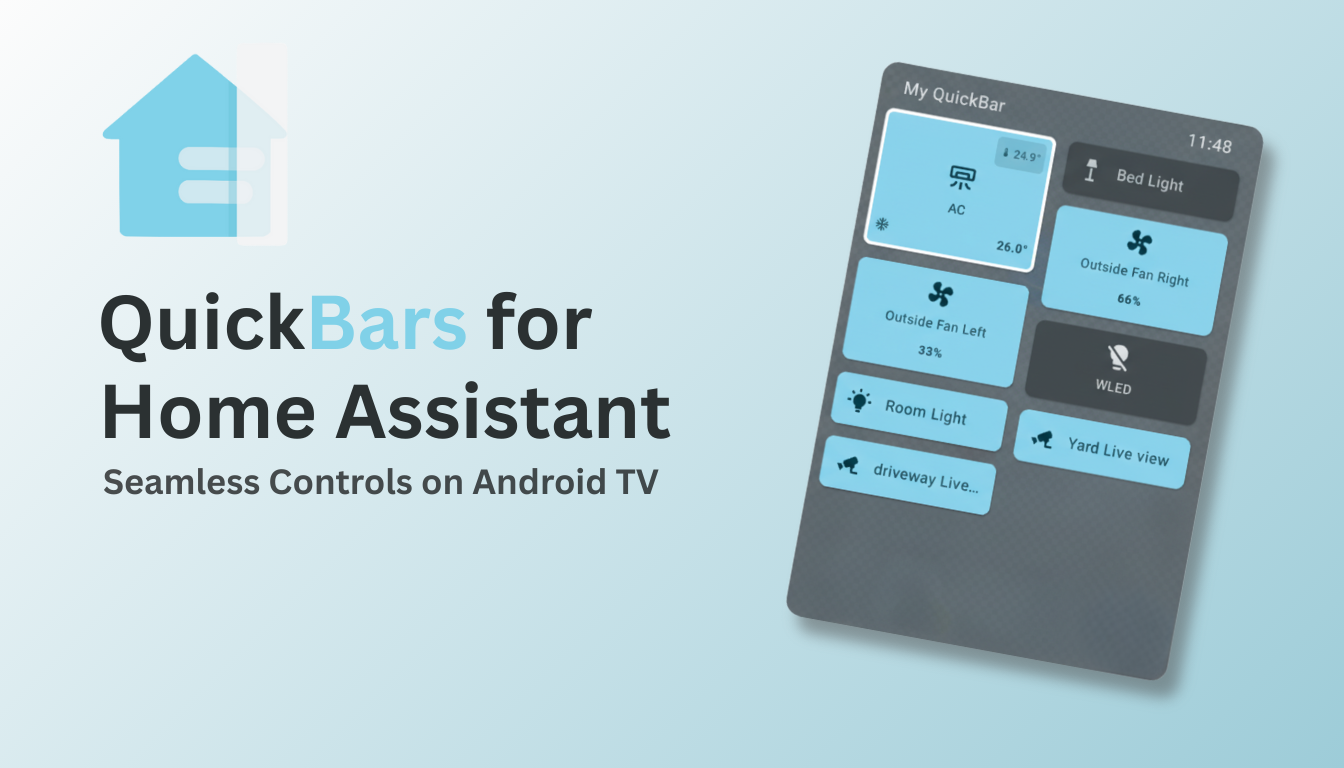
Can't live with myself if I don't share this find.

This little Google TV HA app is incredible and it literally just changed my life a little by solving a few issues I just assumed would never be solved.


Last edited:
Is anyone using ceiling mounted presence sensors?

I bought a couple Zigbee ones to install during my renovation but they've turned out to be extremely unreliable. I was sold on the dream of being able to tell if somebody was in the room or not but the reality is that there are so many false positives that it's essentially useless for that function.

After hours of trying to tweak the settings to get them to work reliably I think it's just the devices that are not good.
 
Hi guys,

I saw some info on these motion sensors for home automation. (Zigbee Motion Sensor SNZB-03P). Do any of you guys know how this would be wired to existing sonoff light switches? Are they compatible? How?
The way I understand these, you wire them in series to the bulb in question, and they are then the "switch" for that room? But wired like that, would make the wall mount switches obsolete..

Dunno how this would work with them myself?

Al
 
Hi guys,

I saw some info on these motion sensors for home automation. (Zigbee Motion Sensor SNZB-03P). Do any of you guys know how this would be wired to existing sonoff light switches? Are they compatible? How?
The way I understand these, you wire them in series to the bulb in question, and they are then the "switch" for that room? But wired like that, would make the wall mount switches obsolete..

Dunno how this would work with them myself?

Al
Easiest way is to use the appropriate bridge (Sonoff Zigbee Bridge Pro) and then automate switching via the eWeLink app. Or just use Home Assistant with your choice of Zigbee coordinator.
 
I have the Ewelink Home setup and timers for on and off etc. Also plugged that into google home assistant. But I want to know how a sensor gets wired to a wall switch, or light circuit, because from my electrical understanding, if you wire a sensor into a light circuit, it becomes the control switch for the light, and disables the wall switch.. this is where I'm confused. But let me go read up on this bridge you mentioned.
 
I have the Ewelink Home setup and timers for on and off etc. Also plugged that into google home assistant. But I want to know how a sensor gets wired to a wall switch, or light circuit, because from my electrical understanding, if you wire a sensor into a light circuit, it becomes the control switch for the light, and disables the wall switch.. this is where I'm confused. But let me go read up on this bridge you mentioned.

Have a look at the Sonoff Mini which is designed for light switches where you can activate it via eWelink, Home Assistant, etc. but also by the physical switch.
 
Have a look at the Sonoff Mini which is designed for light switches where you can activate it via eWelink, Home Assistant, etc. but also by the physical switch.
You would still need an automation to keep them in sync.

I know it is more expensive but I added a Sonoff Zigee Light Switch, I like the feel of physical button, you don't need a neutral as well.

 
You would still need an automation to keep them in sync.

I know it is more expensive but I added a Sonoff Zigee Light Switch, I like the feel of physical button, you don't need a neutral as well.


Oh yeah, the neutral, it wasn't an issue in our last house but is in our current, so I have a bunch of Mini's just lying around :rolleyes: I don't have Zigbee but there are other options for similar physical switches.
 
Top
Sign up to the MyBroadband newsletter
X