WWDC 2026 IOS, MACOS, IPadOS

iPhone 11 getting iOS27. Crazy stuff.

This was rumoured to be a release focused on optimization so if it could run iOS26 it should run iOS27 even better.


Zero interest in the new Siri though, I control my own phone thanks. If I need AI I'll open ChatGPT or Gemini like I usually do.
Which I suppose is a good thing since it's mostly on the latest devices only
- 17 Pros/Air
- 2026 iPad Air
- 2024 iPad Pro 512Gb/1Tb and all 2025/2026 Pros.
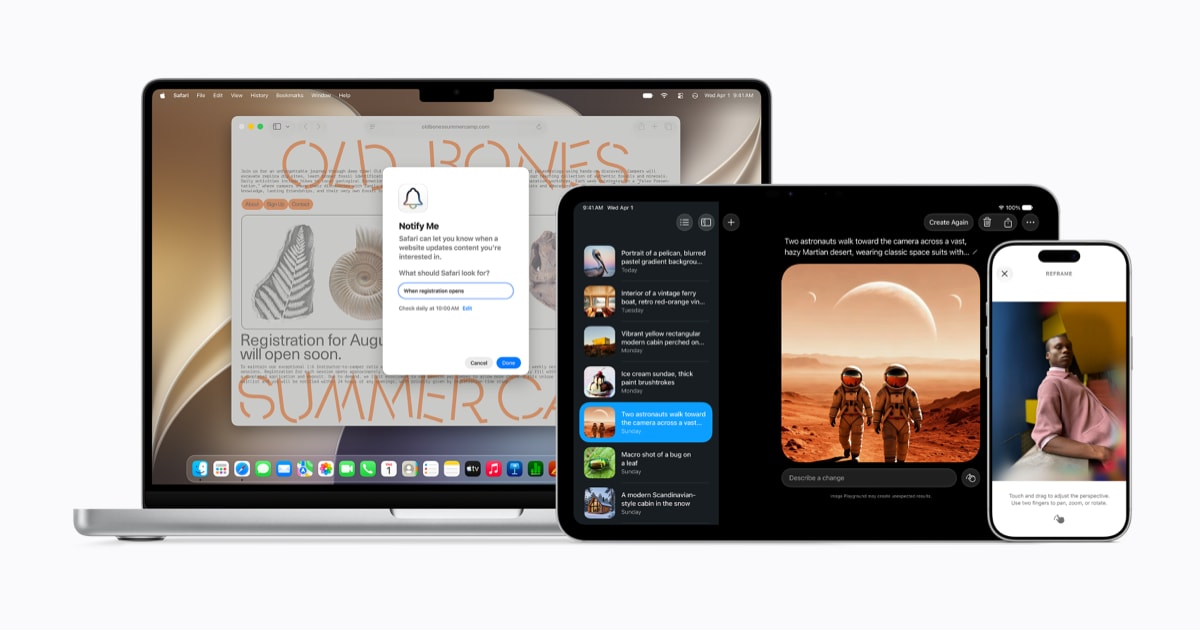
 
This was rumoured to be a release focused on optimization so if it could run iOS26 it should run iOS27 even better.


Zero interest in the new Siri though, I control my own phone thanks. If I need AI I'll open ChatGPT or Gemini like I usually do.
Which I suppose is a good thing since it's mostly on the latest devices only
- 17 Pros/Air
- 2026 iPad Air
- 2024 iPad Pro 512Gb/1Tb and all 2025/2026 Pros.
Will see how it stacks up. Only having to pay one subscription might be a big win.
Increased access is available with most iCloud+ subscription plans, which also include Apple Intelligence support for compatible Home cameras.
 
So this update was basically fix broken iOS 26 , AI and Liquid Glass slider hardly a new version of an OS
 
People on Twitter saying it’s decent enough for a main driver. Whether your apps will work though is the question.

Mac seems to have some gaps
 
So, I installed the Beta on my spare 13 Mini and it's just better software as a whole. Even in its very early Beta 1 state it's just better after the initial indexing. This is basically what iOS 26 should have been from the off... Even the clearest Liquid Glass setting fixes legibility issues though I still prefer a more tinted look. The removal of the icon highlights also create a cleaner aesthetic as the icons don't appear lopsided. And yes, the icons look much better. A good mix of iOS 18 and 26.

Some frame drops here and there as expected for a beta but everything works. FNB and Capitec banking apps work just fine.
 
Need someone with Discovery + Standard Bank to confirm they can access those and will through the beta on my main phone :D
 
Need someone with Discovery + Standard Bank to confirm they can access those and will through the beta on my main phone :D

Brave man... I'm waiting for the indexing to finish up on my spare to see what battery life is really like before I go all in. But as far as experience goes. Beta 1 is better than 26.5. Hands down. There are some beta quirks but they're minor thus far.
 
Everyone who has installed the iOS27 Beta1 update seems to be very happy.
Tempted to install on my 17 Pro Max, but I think I will give it a month until it is more polished.
 
So still indexing and update was quick.. I guess there are no new features :D

No big issues so far but phone feels snappier. Not travelling for the next month so can manage some wobbles
 
  1. New UI language for English (Canada) and English (Philippines)
  2. Faster AirPlay connections to Apple TV and HomePod
  3. More relevant Spotlight search suggestions
  4. Web audio no longer interrupts system audio
  5. Undo and Redo Home Screen edits in iPadOS
  6. Faster PDF saving
  7. Improved Top Results in Mail
  8. Filter photos and videos in Shared Albums
  9. More document formats in Preview
  10. Drawing in Notes in macOS
  11. New keyboard layout for Slovenian and Estonian
  12. Control Center access in iPhone Mirroring
  13. Audio scrubbing in CarPlay Now Playing
  14. Add keywords to photos and videos in Photos
  15. Extra-large widgets in Today view in iPadOS
  16. Live Activity for Precision Finding with Friends
  17. Better battery efficiency on Apple Watch
  18. Smart downloads on Apple TV
  19. Else if support in Shortcuts
  20. Faster board previews in Freeform
  21. More accurate step tracking on Apple Watch
  22. Sort by completed Fitness+ workouts
  23. Faster message loading in Mail
  24. Improved connectivity for Thread home accessories
  25. Automatic punctuation when typing on multilingual keyboards
  26. Faster smart home accessory updates
  27. Option-click to secondary sort
  28. More efficient emergency alert monitoring
  29. AppleCare coverage details in Settings in tvOS
  30. More intuitive journaling streaks
  31. More consistent positioning persistence across external displays
  32. Updated video podcasts experience in macOS
  33. Natural language time formats for Chinese and Hindi
  34. Enhanced power efficiency for Safari in iOS and macOS
  35. Drawing app in Messages
  36. Faster data updates in the Health app
  37. Call Recording transcriptions support for Traditional Chinese, Japanese, and Brazilian Portuguese
  38. Improved game controller settings
  39. Easier reading and editing of PDFs using VoiceOver
  40. Improved battery insights
  41. Smoother scrolling in App Library
  42. Improved navigation in Game Overlay
  43. Smoother unlocking on iPhone
  44. Use your panoramas for Environments in visionOS
  45. Faster window closing in iPadOS
  46. Improved performance in News App
  47. Edge-to-edge sidebars
  48. More reliable right-to-left text editing in Freeform
  49. Find offloaded media in Messages
  50. All options displayed in Camera settings
  51. Password help accessible from the Lock Screen
  52. Group conversation support in Shortcuts
  53. New keyboards for languages including Afrikaans, Basque, Baybayin, English (Philippines), Galician, Guaraní, Luxembourgish, Xhosa, and Zulu
  54. Smoother Freeform board performance
  55. Improved PlayStation Access controller support
  56. Improved reliability of Apple Music streaming
  57. New AutoMix transitions
  58. Camera uses less power in Low Power Mode
  59. Extra-solid widget option in visionOS
  60. Refreshed album pages in Apple Music
  61. iCloud sync status for Journal entries
  62. More responsive Control Center in tvOS
  63. Faster network file browsing
  64. Ethernet status in menu bar in macOS
  65. Perimenopause and menopause symptom logging in the Health app
  66. Improved Wi-Fi connectivity in watchOS
  67. Faster multilingual text processing for handwriting in multiple languages
  68. Guest key in watchOS
  69. Expanded Get What’s On Screen capabilities in Shortcuts
  70. Faster HomeKit accessory pairing
  71. Faster Now Playing view loading in Music
  72. Faster start page content loading in Safari
  73. Increased attachment limits in Journal
  74. More accurate route maps in the Fitness app after workouts
  75. New keyboards for Indigenous languages, including Blackfoot, Comanche, Cree, Kiowa, and Tsuut’ina
  76. Switch between two iPhone devices with the same phone number
  77. Content-based recipient suggestions for sharing photos and links
  78. Album organization improvements in Photos
  79. Perimenopause and menopause education in the Health app
  80. Improved RDMA over Thunderbolt
  81. Customize Liquid Glass
  82. Support for 4K camera recordings in the Home app
  83. Faster Camera launch in Low Power Mode
  84. Colorful sidebar icons
  85. Faster Voice Control response in iOS
  86. More accurate Visited Places in Maps
  87. Improved Messages syncing across devices
  88. Dual camera in FaceTime
  89. Faster browsing and transfers in Files in iPadOS
  90. Full-resolution photos and videos in iCloud Shared Albums
  91. Faster Lock Screen switching
  92. Store data in Shortcuts
  93. Additional participant permissions in Shared Albums
  94. Guides in Maps available in more places
  95. New windows with curvature in visionOS
  96. Enhanced Flyover in Maps
  97. Customize slideshows in Photos
  98. Section links in Notes
  99. More power-efficient Personal Hotspot on N1 devices
  100. Stylized notes from third-party Calendar accounts
  101. Improved Control Center in visionOS
  102. Perimenopause and menopause support in the Health app
  103. Optional persistent menu bar on iPad
  104. Lock Screen consistently stays awake while scrolling notifications
  105. Faster AirDrop transfers
  106. Dark Mode adaptive canvas in Freeform
  107. More flexible sharing options in Find My
  108. Captured by Me collection in Photos
  109. Extra-large widgets in iOS
  110. Failed messages automatically retry sending
  111. Save any slideshow as a video in Photos
  112. Faster web application performance in Safari
  113. Expire your Shared Albums
  114. Faster loading of emoji and sticker keyboards
  115. GymKit on iPhone and AirPods Pro 3
  116. Redesigned Podcasts app for tvOS
  117. Consolidated Find My app in watchOS
  118. Improved distance accuracy during treadmill workouts
  119. Find My UI enhancements
  120. Chāizi typing
  121. Richer iCloud collaboration link previews
  122. Improved Bluetooth power management
  123. Access requests for items shared via iCloud
  124. Expanded touch support in Sidecar
  125. Faster Text Recognition in photos and documents
  126. Support for Mac mirroring in 5K resolution
  127. Smoother Calendar scrolling
  128. Smoother animations and graphics in Safari
  129. Refreshed artist pages in Apple Music
  130. Search within shows in Podcasts
  131. Look and Tap to view and respond to notifications in visionOS
  132. Improved navigation heading and GPS accuracy in CarPlay
  133. Smart language and keyboard configuration suggestions
  134. Faster workout start in the Workout app
  135. Updated Liquid Glass
  136. Independent alarm volume
  137. Smoother camera switching when zooming in video
  138. Faster app extension launch in watchOS
  139. Recent activity in Shared Albums
  140. Offline Maps update improvements
  141. Improved FaceTime quality on poor connections
  142. Tap gesture on Apple Watch
  143. Synced step count in the Health and Fitness apps
  144. AirPods Custom EQ
  145. Faster media playback in watchOS
  146. Faster workloads and actions indexing in Spotlight
  147. Multilingual grammar checking
  148. Faster loading of new captures in Photos
  149. Copy and paste as Markdown in Notes
  150. Redesigned Shortcuts editor
 
Top
Sign up to the MyBroadband newsletter
X