My new portable workflow

bwana

MyBroadband
Super Moderator
Joined
Feb 23, 2005
Messages
97,643
Reaction score
37,758
Location
Plz
I was looking for a lightweight solution for holidays, day trips, etc that also had a bit of firepower if I needed it.

attachment.php

(Canon DSLR, eye-fi card with CF adapter, and iPad.)

First I needed to get the pic onto the iPad. I use the eye-fi and shuttersnitch but the camera connection kit works just as well
attachment.php


When it comes to image editing there are lots of choices available - some free, others not. Snapspeed is a great app (PS express is a bit blah) but when it comes to editing there is a new king of the hill as far as I am concerned - Filterstorm. The controls are unparalleled.
attachment.php


For this exercise I decided to crop the image
attachment.php


Clone out the TV antenna
attachment.php


Do a bit of masking while converting most of the image to B/W
attachment.php


And if I needed to submit the photo with IPTC then it's got that too.
attachment.php


From there you can send it to flickr, ftp it or email.

I bought the Pro version of Filterstorm so I could do batch work ($13) but there is cheaper version for $4 that seems to offer most of the same features. The pro version is iPad only but Filterstorm v3 is a universal app so you can load it onto an iPhone if you want even more portability. :)
 
Last edited:
Ah yes, this looks like one of those "how do I justify the cost of the ipad to the missus" threads!

:p

(Looks nice, but I'll stick to my netbook + 2TB external drive :D)
 
Ah yes, this looks like one of those "how do I justify the cost of the ipad to the missus" threads!

:p

(Looks nice, but I'll stick to my netbook + 2TB external drive :D)
On the contrary, I could justify a second iPad considering how useful the missus thinks mine is. ;) My netbook, on the other hand, was the single biggest WTF device I've owned in a long time - it comes close in my books to the Pet Rock fad of the early 80's - coincidently both make excellent paperweights. :D

I've tried [really hard] to use a netbook for mobile photography and it just didn't cut it. The software is better suited for larger, faster machines. Filterstorm however makes such good use of the hardware, especially the touch interface, that editing is soooo easy.
 
This makes the iPad slightly more interesting to me :) Two questions:

1. Does adding IPTC info write it to the files?

2. How do you get pictures into Aperture afterwards?

On the contrary, I could justify a second iPad considering how useful the missus thinks mine is. ;) My netbook, on the other hand, was the single biggest WTF device I've owned in a long time ..... I've tried [really hard] to use a netbook for mobile photography and it just didn't cut it.

Same here. Mine, despite being one of the more powerful ones out there (dual core Atom + nVidia graphics) was a spectacular waste of money. Off to eBay it goes.
 
This makes the iPad slightly more interesting to me :) Two questions:

1. Does adding IPTC info write it to the files?

2. How do you get pictures into Aperture afterwards?
Ok, I had to test this to see what's what but as far as I can tell . . .

1) Yes, upon export.
2) That bit was simple - after I exported it to the photo library Aperture just picked the device up when I plugged in the iPad.
 
Cool. There is another app that looks absolutely fabulous - http://blog.photosmithapp.com/

It has a sync plug-in for Lightroom, but not yet for Aperture. I don't have an iPad though - MacBook Air seems more up my alley :)
Looks ok but I was after something that would let me edit my photos before I tagged and released them and from what I understand that isnt offered in this app?
 
Yeah sorry, I only looked at the organising/tagging functions and didn't pay much attention to the rest. Maybe "absolutely fabulous" wasn't quite appropriate :o
 
So I have the iPad and Canon DSLR... but no eye-fi card with CF adapter :( Me sad

arg.jpg
The camera connection kit works well. You would then bypass the shuttersnitch app and work directly with the photo library.
 
The camera connection kit works well. You would then bypass the shuttersnitch app and work directly with the photo library.
Sweet... Now I know I can use a bit of storage in Moz in Dec. Will try to get one of said camera kit today.

And I agree Filterstorm Pro is the best App ever...
 
Bwana, I see the Eye-fi cards now work in Direct Mode with Shuttersnitch.

2 questions:
1a. Are you using this?
1b. If so, experiences?

2. What's the average time from shutter to screen?
 
Bwana, I see the Eye-fi cards now work in Direct Mode with Shuttersnitch.

2 questions:
1a. Are you using this?
1b. If so, experiences?

2. What's the average time from shutter to screen?
Yes, I've been using them with shuttersnitch almost since eye-fi released the direct mode firmware. As long as you don't try and run the eye-fi app at the same time it works very well, in fact I rarely use the eyefi software at all.

The time to screen is a few seconds depending on resolution and network speed.
 
Yes, I've been using them with shuttersnitch almost since eye-fi released the direct mode firmware. As long as you don't try and run the eye-fi app at the same time it works very well, in fact I rarely use the eyefi software at all.

The time to screen is a few seconds depending on resolution and network speed.

Thanks, I sense an iPad purchase with subsequent eye-fi and app purchases in the not so distant future...
 
Bought Shuttersnitch... no RAW support sadly (Should have stayed with my Eye-Fi free app)
I will look into the others suggested here aswell, Tx for the tips !!
 
Bought Shuttersnitch... no RAW support sadly (Should have stayed with my Eye-Fi free app)
I will look into the others suggested here aswell, Tx for the tips !!

Are you sure? Have you disabled "Accept JPGs only" in the system prefs?
 
Bought Shuttersnitch... no RAW support sadly (Should have stayed with my Eye-Fi free app)
I will look into the others suggested here aswell, Tx for the tips !!

I think it's supposed to do raws as well IIRC. Thats said the Transcend is a hit and miss it seems. It either works really well or not al all.
 
Cool. There is another app that looks absolutely fabulous - http://blog.photosmithapp.com/

It has a sync plug-in for Lightroom, but not yet for Aperture. I don't have an iPad though - MacBook Air seems more up my alley :)

Since someone else necro'd the thread, and since I'm on iPad number three, I thought I'd write a short update on this. I was looking for something I can use to import my images from either the camera or CF/SD cards, and add keywords on the go while things are fresh in memory while travelling. The obvious requirement would then be that I can export the raw files with metadata attached so that it shows up in Aperture.

Before my December trip last year, I first looked through the Google Play store and found a few apps that looked promising. I bought a Nexus 7 and tried them all. They all sucked hard. The best app (I think it was Photo Mate) was able to add keywords, but it clearly wasn't designed to be part of the workflow. You had to open an image full screen, then navigate through three layers of menus, type in the keyword, save, and then do it all over again. For each keyword. For each image. Not very practical.

Just then, Apple announced the iPad Mini. So I got one and bought Photosmith. Just to be clear: Photosmith is *not* an image editing app. It can't even crop. The only thing it can do is rotate images. Photosmith is a photo organising and metadata mangement app. It allows you to:

  • Add star ratings to photos
  • Add colour labels to photos
  • Add "flagged" attribute to photos
  • Add "rejected" attribute to photos
  • Add keywords to photos
  • Add captions to photos
  • Add other metadata to photos
  • Sync all of the above with Lightroom. This is the killer feature for me.
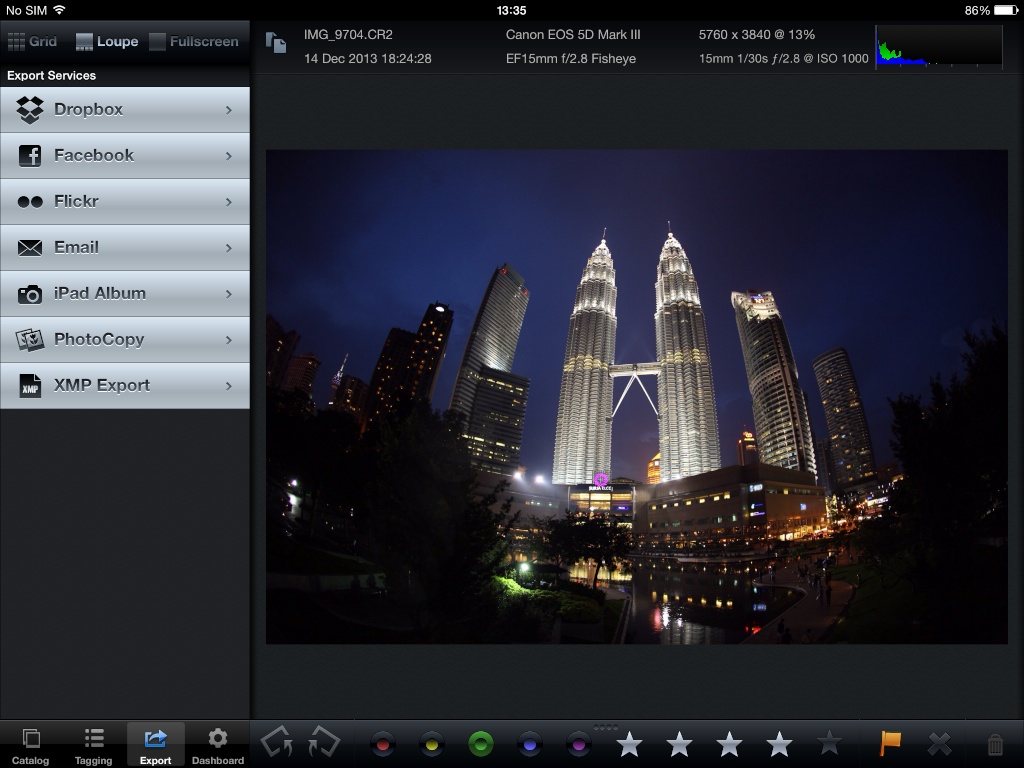
  • Export photos to a variety of services

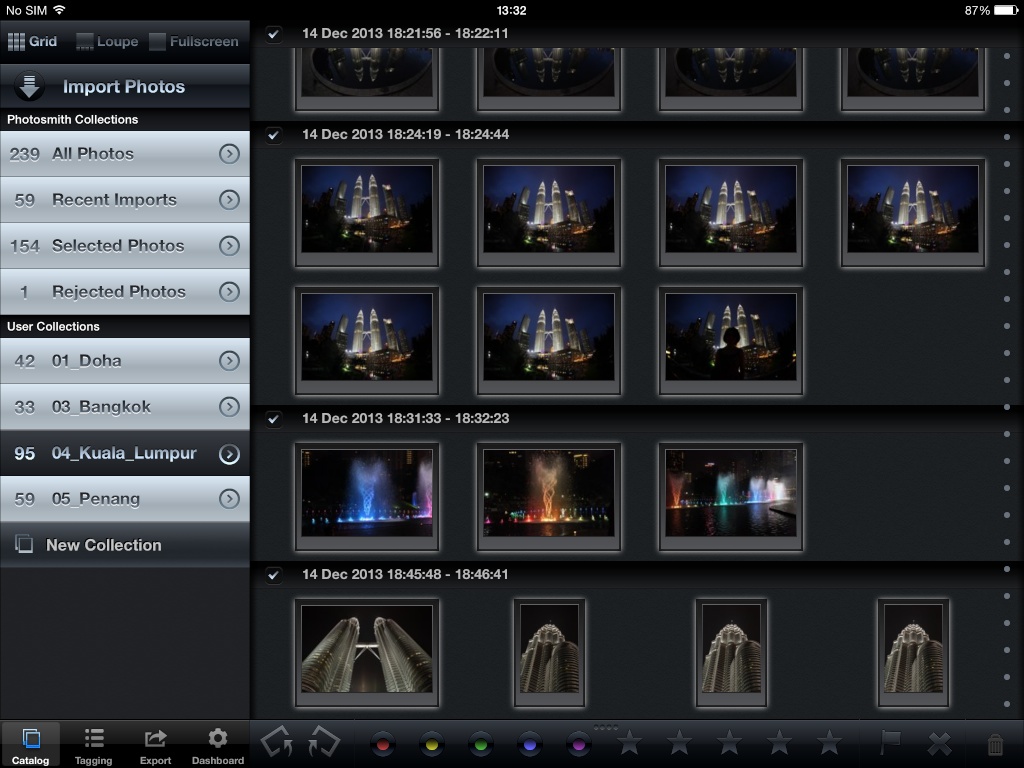
Photosmith will either import images from the iOS photo library to its own library (there are some benefits) or just link to the iOS library (some other benefits), or it can import from FTP (presumably for importing from a wireless grip) or from Eye-Fi:

Photosmith_01.jpg


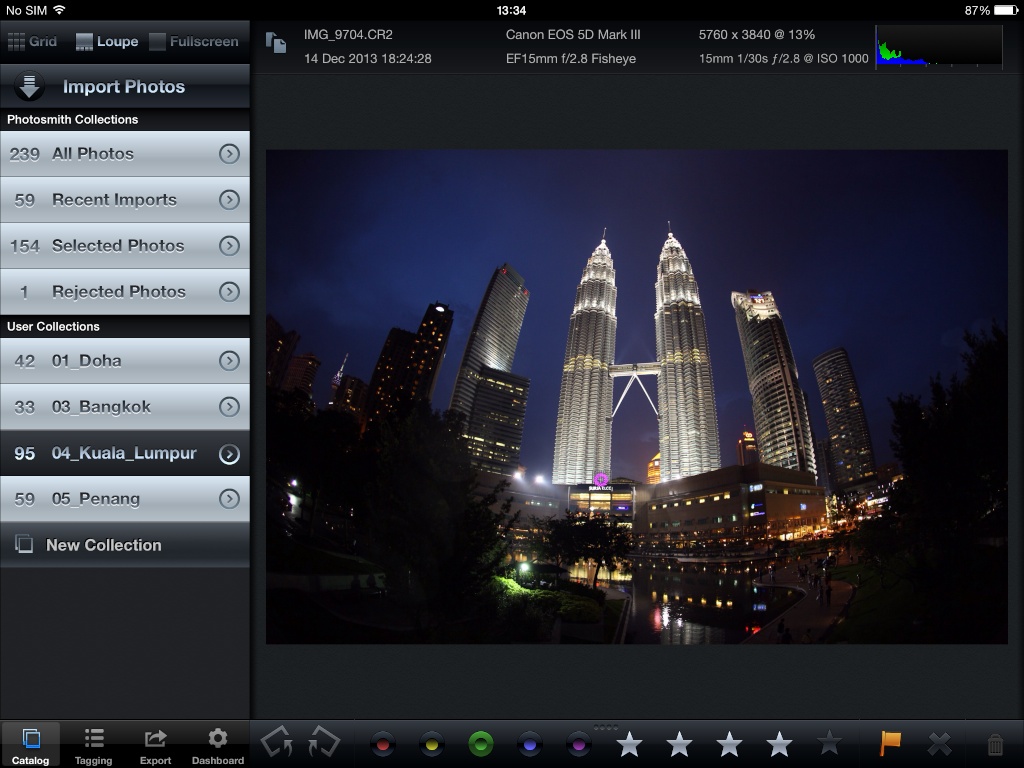
Full image view with labels/ratings below:

Photosmith_02.jpg


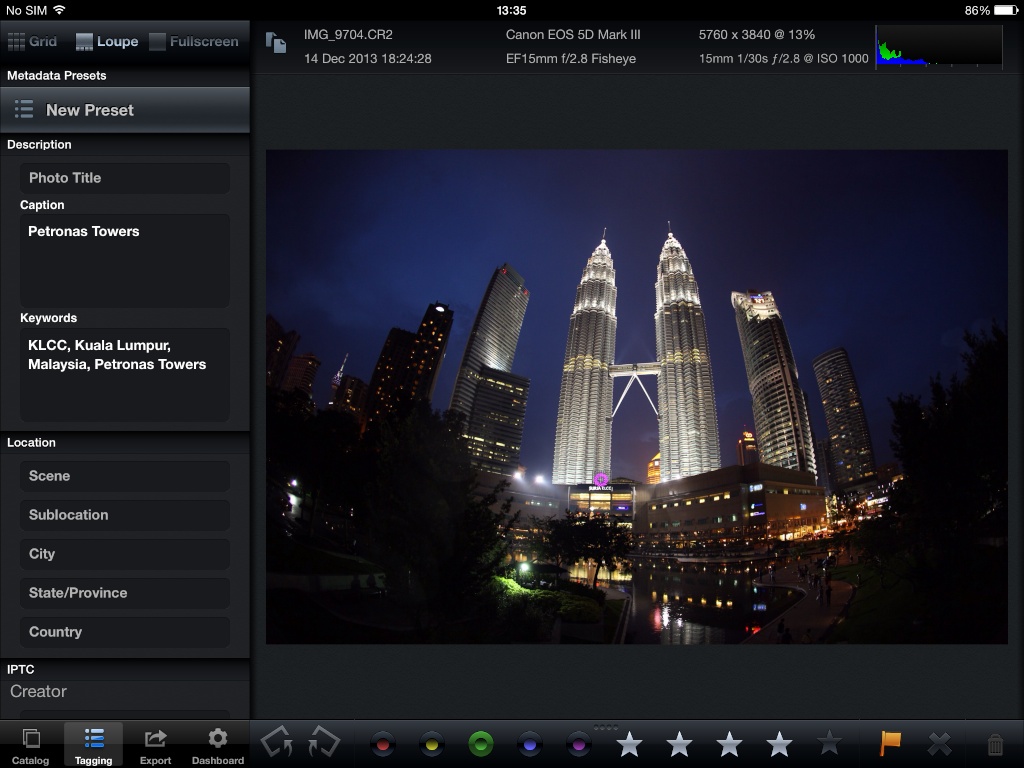
Metadata view:

Photosmith_03.jpg


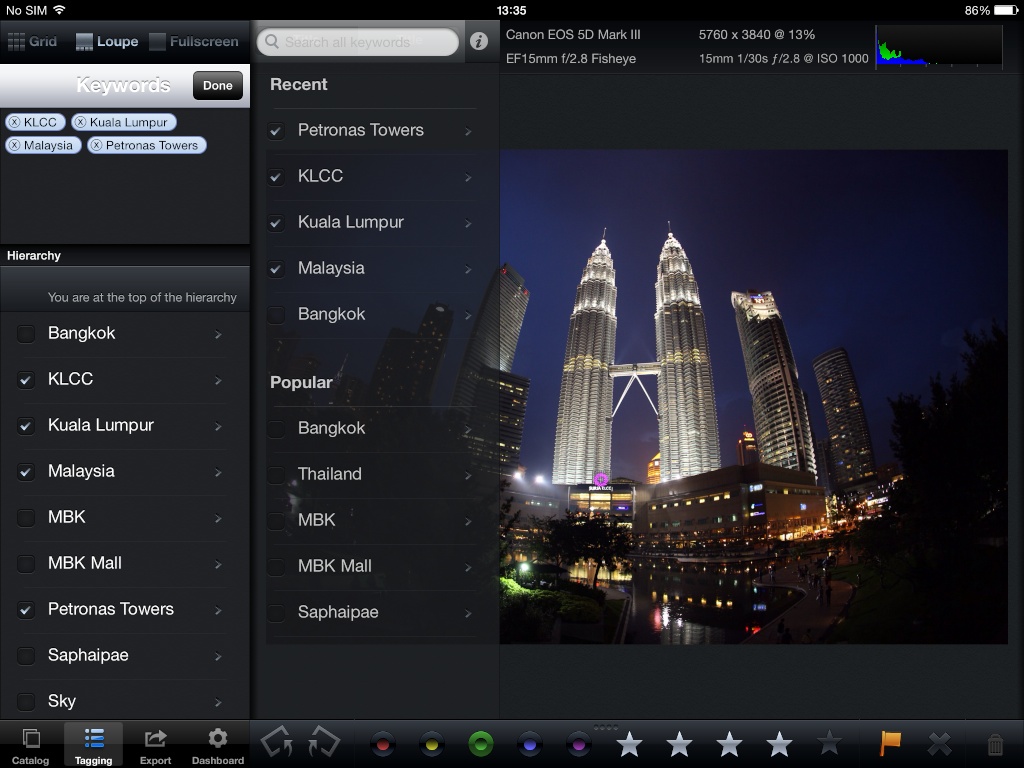
Adding keywords. Notice that it remembers keywords I've used before, and allows me to just tap them for each image. You can also build metadata pre-sets to make it even faster.

Photosmith_04.jpg


Export options:

Photosmith_05.jpg


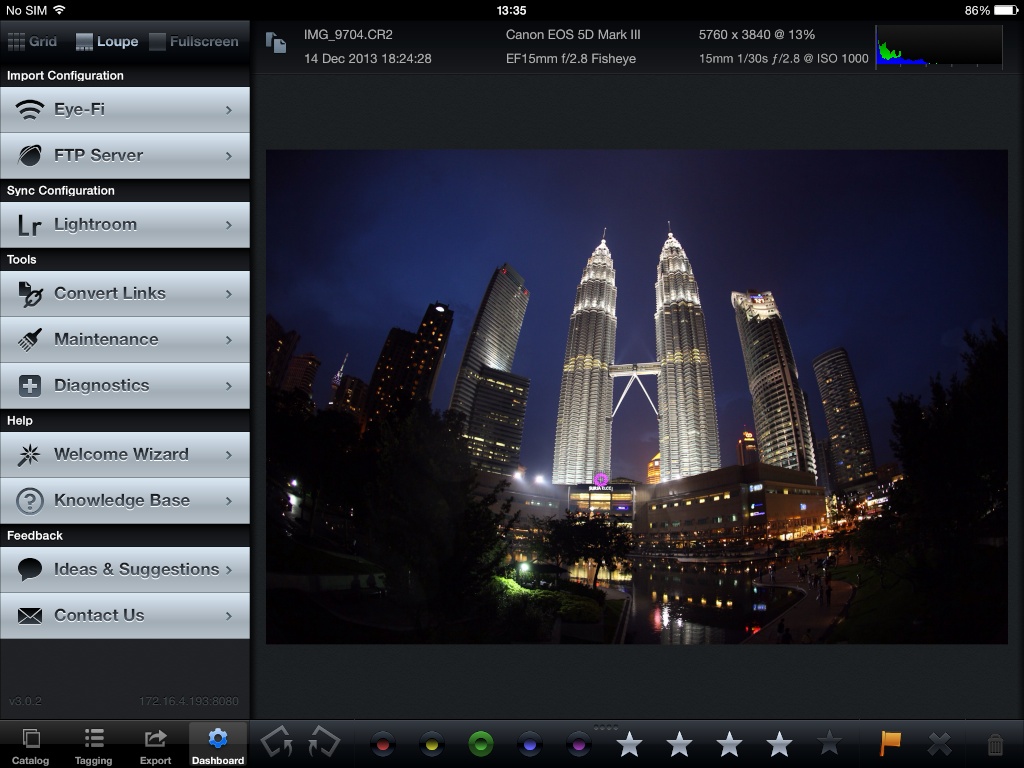
Extra import options and Sync configuration. Basically, it uses a Lightroom plugin that creates a network service that Photosmith connects to.

Photosmith_06.jpg


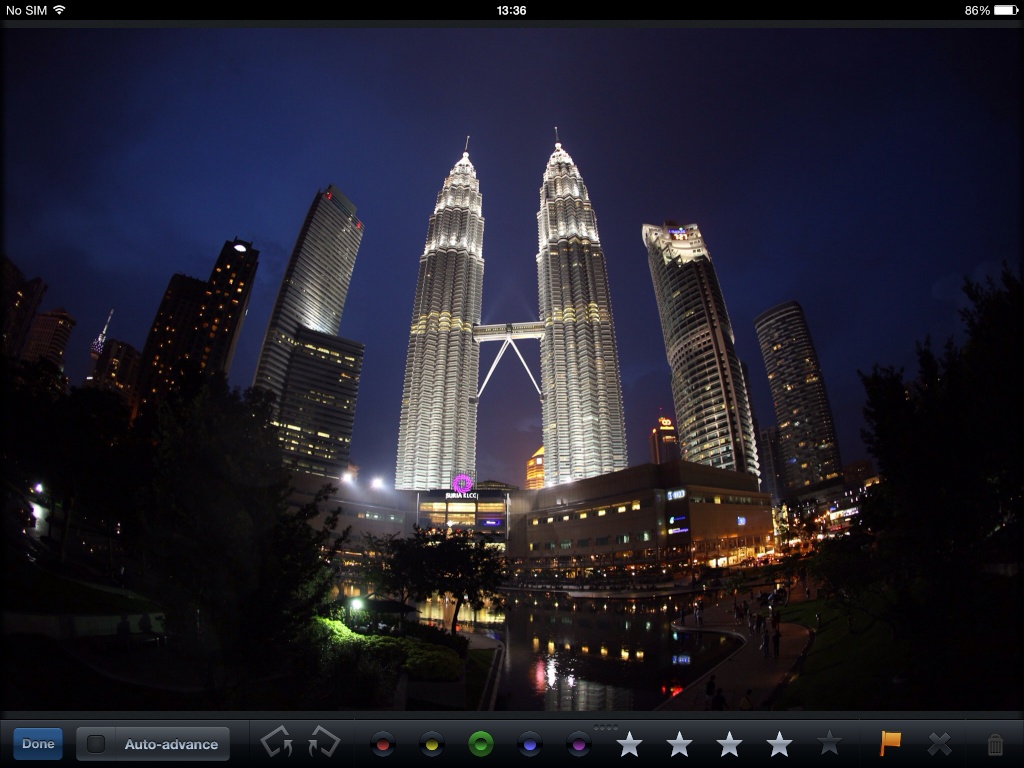
Full screen view:

Photosmith_07.jpg


The only issue for me is, I don't use Lighroom, but I do own a copy, and I can export the raw files with metadata and import them into Aperture. I lose some of the information (in part because I have a very old version of Lightroom), but it's really only the keywords that I care about, so it works for me.

Importing is a bit of a hassle, and since the 5DmkIII has both CF and SD card slots (I use it in a save-to-both fashion for redundancy), I'm thinking Eye-Fi might be a good idea for me now.
 
@koffiejunkie - if only they had Aperture integration…
 
Top
Sign up to the MyBroadband newsletter
X