-
- News
-
Categories
- 5G
- ADSL
- AI
- Banking
- Black Friday
- Broadband
- Broadcasting
- Business
- Business Telecoms
- Cellular
- Cloud and Hosting
- Columns
- Cryptocurrency
- Energy
- Enterprise
- Fibre
- Gadgets
- Gaming
- Government
- Hardware
- Industry News
- Internet
- Internet of Things
- Investing
- IT Services
- Motoring
- Reviews
- Science
- Security
- Smartphones
- Software
- Technology
- Telecoms
- Trending
- Wireless
- Press Office
- Forum
- Industry News
- Features
- Company hub
- Speed Test
- About us
- Advertise with us
- Contact
- Careers


-
Join the MyBroadband community
South Africa’s biggest forum. Discuss, discover, and connect with thousands of members.
-
Question of the Day: If you were buying a TV today, which brand would you choose?

You are using an out of date browser. It may not display this or other websites correctly.
You should upgrade or use an alternative browser.
You should upgrade or use an alternative browser.
DStv working on broadcasting 2023 Rugby World Cup in UHD
- Thread starter Jan
- Start date

Pak Fa Fui
Honorary Master
- Joined
- Dec 6, 2021
- Messages
- 11,840
- Reaction score
- 5,314
It work on the explora ultra with no internet connectionIs DSTV going to launch a 4k capable satellite?
Seems the current satellite is only 720x480p/1280x720p/1920x1080i capable.
Or is this only for internet streaming?
I use British TV - All Sport you ever want and +- 8000 channels in HD and 4K from around the world. Works very well on mutiple devices like Andriod TV etc. Month to month and yearly packages available.What IPTV service do you make use of?
www.britishtv.org

system32
Executive Member
It work on the explora ultra with no internet connection
The explora ultra can upscale from 720p/1080i to 4k, but Is the satellite feed 4k or 720p or 1080i?
How do you check what the satellite is transmitting?

Thanks, does this work outside of the UK?I use British TV - All Sport you ever want and +- 8000 channels in HD and 4K from around the world. Works very well on mutiple devices like Andriod TV etc. Month to month and yearly packages available.
www.britishtv.org

sand_man
Honorary Master
Giving this a whirl but missing a piece of the puzzle, that being the server URL? Can you assist?I use British TV - All Sport you ever want and +- 8000 channels in HD and 4K from around the world. Works very well on mutiple devices like Andriod TV etc. Month to month and yearly packages available.
www.britishtv.org
@MEG101
Pak Fa Fui
Honorary Master
- Joined
- Dec 6, 2021
- Messages
- 11,840
- Reaction score
- 5,314
I dont knowThe explora ultra can upscale from 720p/1080i to 4k, but Is the satellite feed 4k or 720p or 1080i?
How do you check what the satellite is transmitting?
If it was that simple all channels will be upscaled easily

Lupus
Honorary Master
- Joined
- Apr 25, 2006
- Messages
- 89,652
- Reaction score
- 60,178
Barely anyone has moved to 8k.The rest of the world moved on to 8k already https://www.whathifi.com/news/the-2019-rugby-world-cup-will-be-broadcast-in-8k. Just die already DStv. Not sure why MyBB gives these clowns airtime.
New Research Shows 8K TVs Just Aren’t Catching On
8K TVs continue to struggle to find a market
 www.forbes.com

NR7
Expert Member
For those living under a rock, 4K broadcasts were already around for the FIFA World Cup - both on the Explora Ultra using the 4K satellite feed and on DSTV Now streaming in upto 4K on certain devices.
After the World Cup ended, no more 4K channels because they claimed to not have enough 4K content to keep it going - so back to the normal 720p/1080i upscaled on decoders, and upto 1080p on DSTV Now.
So for the Rugby World Cup and Olympics to also be 4K, that's almost expected. What would be more interesting is more sport outside of big once-off events - like F1, Premier League, etc.
After the World Cup ended, no more 4K channels because they claimed to not have enough 4K content to keep it going - so back to the normal 720p/1080i upscaled on decoders, and upto 1080p on DSTV Now.
So for the Rugby World Cup and Olympics to also be 4K, that's almost expected. What would be more interesting is more sport outside of big once-off events - like F1, Premier League, etc.
Yes, you can use the service anywhere in the world.Thanks, does this work outside of the UK?
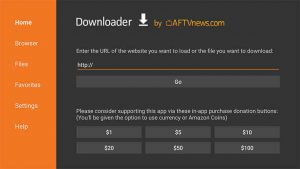
Please use "One Cloud TV" app available for download on the website.Giving this a whirl but missing a piece of the puzzle, that being the server URL? Can you assist?
@MEG101
Apps - BritishTV.org
 britishtv.org
Follow instructions for your device, example Smart TV, Streaming Box, Firestick etc.
Add Name British TV and your Username and Password as received in the email from them.
Click "Add User" and welcome screen will appear. Click "Live TV" to access the channel category list on left.
There you can access the list of channels in each channel category available. You can add your favorite channels to the "Favourites" tab.
The service works anywhere in the world where you have a fast stable internet connection. Even on your smartphone, you can take it with you to watch your favourite channels.
Let me know if I can assist further. Happy viewing.

Heisenborg
Honorary Master
- Joined
- Dec 15, 2006
- Messages
- 21,485
- Reaction score
- 14,196
Leading upto the fifa world cup some of the premier league games were in 4k. Wish they would just step upFor those living under a rock, 4K broadcasts were already around for the FIFA World Cup - both on the Explora Ultra using the 4K satellite feed and on DSTV Now streaming in upto 4K on certain devices.
After the World Cup ended, no more 4K channels because they claimed to not have enough 4K content to keep it going - so back to the normal 720p/1080i upscaled on decoders, and upto 1080p on DSTV Now.
So for the Rugby World Cup and Olympics to also be 4K, that's almost expected. What would be more interesting is more sport outside of big once-off events - like F1, Premier League, etc.

ArmatageShanks
Honorary Master
Sure, just add a ton of compression and various other degradations to ensure its an easy stream to decode.
Better yet, some mild upscaling with a ton of saturation to the normal stream and the kind of people that do dstv people things will be absolutely amazed.
Better yet, some mild upscaling with a ton of saturation to the normal stream and the kind of people that do dstv people things will be absolutely amazed.
sand_man
Honorary Master
The britishtv/iptv smarter player combo isn't working at all for me on Windows.
No issue on android or ios.
What could the issue be do you think?
No issue on android or ios.
What could the issue be do you think?

The rest of the world moved on to 8k already https://www.whathifi.com/news/the-2019-rugby-world-cup-will-be-broadcast-in-8k. Just die already DStv. Not sure why MyBB gives these clowns airtime.
That's Japan, those guys are on a different level.
system32
Executive Member
Upscaling - fancy word for what a graphics card does when it takes 720p content and outputs to match a 4k screen - no AI required.I dont know
If it was that simple all channels will be upscaled easily
Does not improve image detail.
AFAIK, DSTV satellite transmission is only 720p,1080i and not 4k.
Pak Fa Fui
Honorary Master
- Joined
- Dec 6, 2021
- Messages
- 11,840
- Reaction score
- 5,314
The TV picks up the 4k feed from the source and the picture looks way better than normal it even sounds differentUpscaling - fancy word for what a graphics card does when it takes 720p content and outputs to match a 4k screen - no AI required.
Does not improve image detail.
AFAIK, DSTV satellite transmission is only 720p,1080i and not 4k.
Not sure on the technicalities but it is better
superskully
Expert Member
HiPlease use "One Cloud TV" app available for download on the website.
Apps - BritishTV.org
Follow instructions for your device, example Smart TV, Streaming Box, Firestick etc.
Add Name British TV and your Username and Password as received in the email from them.
Click "Add User" and welcome screen will appear. Click "Live TV" to access the channel category list on left.
There you can access the list of channels in each channel category available. You can add your favorite channels to the "Favourites" tab.
The service works anywhere in the world where you have a fast stable internet connection. Even on your smartphone, you can take it with you to watch your favourite channels.
Let me know if I can assist further. Happy viewing.
So easy to get this to work on android phone.
But can’t get it to work on xiaomi mi box.
Also can’t get it to work on iPhone and Samsung tv, but the latter 2 are not that important.
Any advice
Good dayHi
So easy to get this to work on android phone.
But can’t get it to work on xiaomi mi box.
Also can’t get it to work on iPhone and Samsung tv, but the latter 2 are not that important.
Any advice
The One Cloud TV app should be downloaded from the website in order to work on Xiaomi Mi Box. Click on App Link and select "Amazom Fire TV and Fire Stick" and follow the instructions. You will be able to download and install the One Cloud TV app and add your Username and Password. Then you can select your channel choice. I am not sure if it works on Iphone and Samsung TV, I will have a look at it.
Attachments


superskully
Expert Member
Awesome thanks.Good day
The One Cloud TV app should be downloaded from the website in order to work on Xiaomi Mi Box. Click on App Link and select "Amazom Fire TV and Fire Stick" and follow the instructions. You will be able to download and install the One Cloud TV app and add your Username and Password. Then you can select your channel choice. I am not sure if it works on Iphone and Samsung TV, I will have a look at it.
I tried the android link and it gave an error.
Will try the Amazon one tomorrow