-
- News
-
Categories
- 5G
- ADSL
- AI
- Banking
- Black Friday
- Broadband
- Broadcasting
- Business
- Business Telecoms
- Cellular
- Cloud and Hosting
- Columns
- Cryptocurrency
- Energy
- Enterprise
- Fibre
- Gadgets
- Gaming
- Government
- Hardware
- Industry News
- Internet
- Internet of Things
- Investing
- IT Services
- Motoring
- Reviews
- Science
- Security
- Smartphones
- Software
- Technology
- Telecoms
- Trending
- Wireless
- Press Office
- Forum
- Industry News
- What's Next
- Company hub
- Speed Test
- About us
- Advertise with us
- Contact
- Careers


-
Join the MyBroadband community
South Africa’s biggest forum. Discuss, discover, and connect with thousands of members.
-
Question of the Day: How do you normally pay for purchases in stores?

You are using an out of date browser. It may not display this or other websites correctly.
You should upgrade or use an alternative browser.
You should upgrade or use an alternative browser.
Windows 11 Support Thread
- Thread starter UrBaN963
- Start date


dualmeister
Honorary Master
Jirre.
I have a system that keeps crashing under Windows 11, but Widows 10 is stable
I have a system that keeps crashing under Windows 11, but Widows 10 is stable

Dimpie (JIGSAW)
Honorary Master
Done


Seems ok
Seems ok
Dimpie (JIGSAW)
Honorary Master
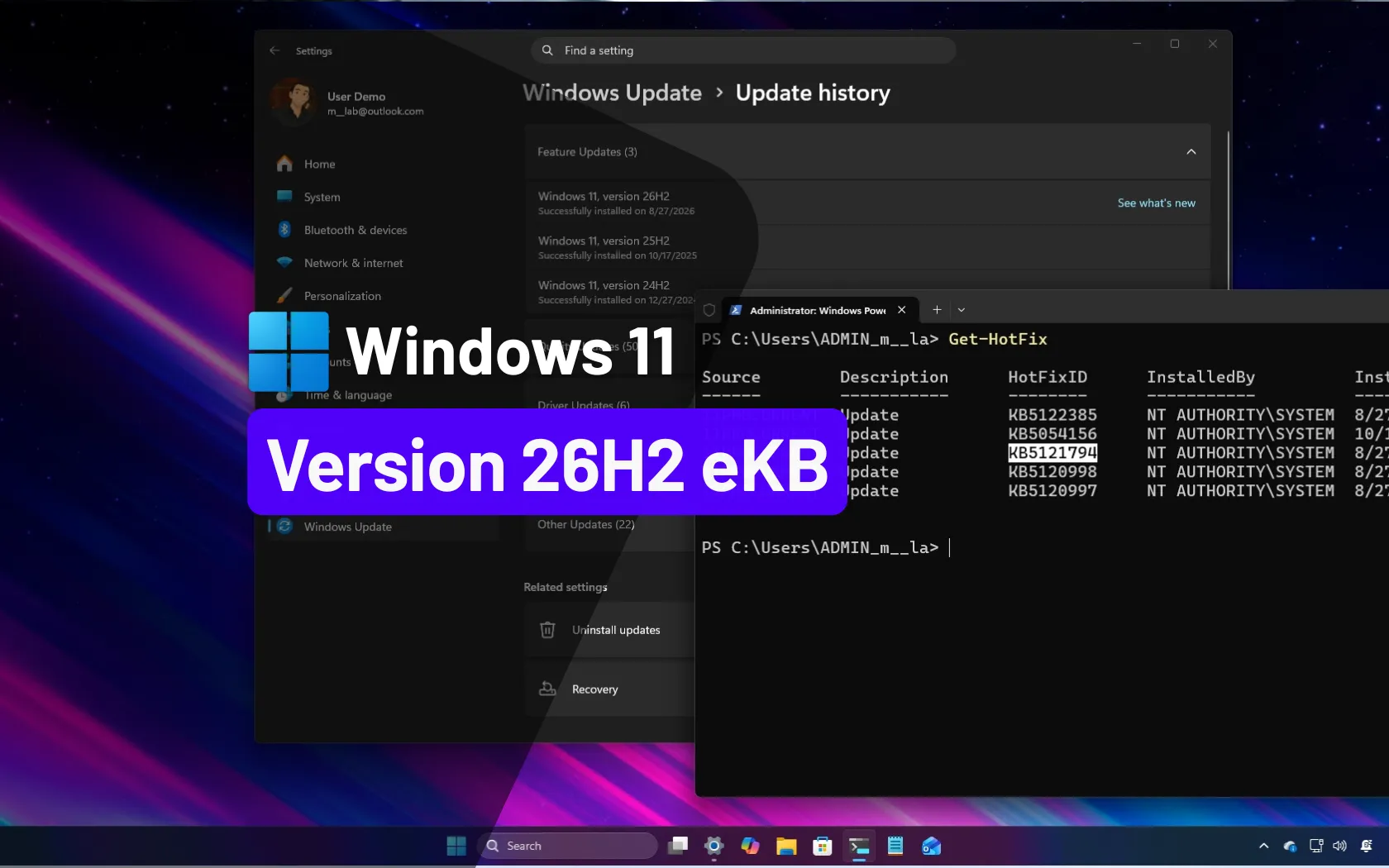
Also updated to 26H2 by using the "enablement package" (±2min to install + restart)

Link + details:
 pureinfotech.com
Link + details:
Windows 11 26H2 is now available to download as a final enablement package
KB5121794 download as the Windows 11 26H2 enablement package for x64 or ARM64 and learn which update your PC needs before upgrading from 24H2 or 25H2.
pureinfotech.com
Bluetooth on Windows 11 is finally getting the attention it needs, after years of major connection and user interface bugs.
As reported by Windows Latest, Microsoft is rolling out major Bluetooth fixes for Windows 11, starting with update 26200.9359 for testers via its preview channel. Windows Latest notes that this includes nine notable fixes, particularly to iron out connectivity bugs.
One fix is designed to "correctly reflect" when a Bluetooth device is connected or disconnected — one of the biggest issues I've noticed is that disconnecting a device (a very slow process) effectively prevents you from connecting to another right away, and when you try, Bluetooth completely malfunctions — so it's promising to see it tackled.
dualmeister
Honorary Master
After lot's of troubleshooting the issue was an Ethernet driver. The system was only happy with an Intel driver from 2023.Jirre.
I have a system that keeps crashing under Windows 11, but Widows 10 is stable
The newer ones did not work properly
Dimpie (JIGSAW)
Honorary Master
After lot's of troubleshooting the issue was an Ethernet driver. The system was only happy with an Intel driver from 2023.
The newer ones did not work properly
Even the Realtek ethernet drivers under W11 is a b|tch .... they love to cause blue screens


HAL 9000
Honorary Master
- Joined
- May 27, 2008
- Messages
- 22,274
- Reaction score
- 25,983
Microsoft admits Windows 11’s biggest September update is breaking multiple features, days after it warned users not to delay updates - Windows Latest

Windows 11 KB5124008 was supposed to be one of the year’s best updates, at least on paper. It restored Windows 10-era features, including a movable taskbar and a resizable Start menu, but unfortunately, it’s causing issues on some PCs.
Windows 11 KB5124008 was released on September 8 as a mandatory patch, and Microsoft says the update breaks WSL-based apps and Remote Desktop sessions.
But our investigation found more bugs, including one that breaks File History backups and another that causes Explorer.exe crashes and system/GPU stability issues.
Ironically, all of this comes days after Microsoft warned users not to delay updates due to increasing AI-assisted security threats.
“If you’re not delivering critical quality updates with security fixes until a couple of weeks after they’ve been issued, that’s ample time for attackers using AI to find and exploit known security gaps,” the Microsoft 365 director warned.
“To address this, we’ve updated our recommendations for deploying Windows updates to less than three days as the deferral period for quality updates, setting deadlines for those updates to zero or one day, and the update grace period to a maximum of two days.”
https://www.windowslatest.com/2026/...s-after-it-warned-users-not-to-delay-updates/
Dimpie (JIGSAW)
Honorary Master
^ I had file explorer issues. It opens blank ... have to restart via task manager.
I've unticked this setting ...

Seems ok now
I've unticked this setting ...
Seems ok now

EmmanuelGoldstein
Expert Member
- Joined
- Apr 26, 2016
- Messages
- 4,462
- Reaction score
- 4,362
Can someone perhaps help me with a problem I have?
I have a Windows 11 host. Everything is fine except it keeps being rebooted by MS every few days.
I am not sure if it's the updates but the problem is, I cannot stop it from doing this.
The host is used to run DVR software for surveillance cameras, and it does this at 3 in the morning and we only find out it's been rebooted when we have to look at footage.
Is there any way I can force it to NOT REBOOT unless I explicitly want it to reboot by the usual means?
I have a Windows 11 host. Everything is fine except it keeps being rebooted by MS every few days.
I am not sure if it's the updates but the problem is, I cannot stop it from doing this.
The host is used to run DVR software for surveillance cameras, and it does this at 3 in the morning and we only find out it's been rebooted when we have to look at footage.
Is there any way I can force it to NOT REBOOT unless I explicitly want it to reboot by the usual means?
HAL 9000
Honorary Master
- Joined
- May 27, 2008
- Messages
- 22,274
- Reaction score
- 25,983
From Gemini AI...Can someone perhaps help me with a problem I have?
I have a Windows 11 host. Everything is fine except it keeps being rebooted by MS every few days.
I am not sure if it's the updates but the problem is, I cannot stop it from doing this.
The host is used to run DVR software for surveillance cameras, and it does this at 3 in the morning and we only find out it's been rebooted when we have to look at footage.
Is there any way I can force it to NOT REBOOT unless I explicitly want it to reboot by the usual means?
To prevent a Windows 11 PC from automatically rebooting at 03h00 for updates, adjust your Active Hours or toggle off auto-restart notifications in the settings.
Adjust Active Hours
- Open the Settings app by pressing Windows + I.
- Click on Windows update on the left menu, then select Advanced options on the right.
- Scroll down to Active hours and change the drop-down from Automatically to Manually.
- Set the start and end times to cover the period when your computer might otherwise reboot (for example, setting it to cover 03h00 or expanding the window to its maximum 18-hour span). [1, 2, 3, 4]
- In Settings > Windows update > Advanced options, find the toggle labeled "Notify me when a restart is required to finish updating" and switch it On.
- This stops Windows from silently scheduling an overnight reboot and instead prompts you for permission before restarting.
And also, you can disable Windows Update service to prevent system update. Press Win+R to open Run, and run services.msc, you can find Windows Update service and set the Startup Type to disabled.
Dimpie (JIGSAW)
Honorary Master
The fact that it reboots every few days is concerning as MS doesn't release updates every few days tho.
EmmanuelGoldstein
Expert Member
- Joined
- Apr 26, 2016
- Messages
- 4,462
- Reaction score
- 4,362
There's no issue and to be clear, it's not every few days, its variable.The fact that it reboots every few days is concerning as MS doesn't release updates every few days tho.
EmmanuelGoldstein
Expert Member
- Joined
- Apr 26, 2016
- Messages
- 4,462
- Reaction score
- 4,362
I've tried some of this.. but I will checkFrom Gemini AI...
To prevent a Windows 11 PC from automatically rebooting at 03h00 for updates, adjust your Active Hours or toggle off auto-restart notifications in the settings.
Adjust Active Hours
Enable Restart Notifications
- Open the Settings app by pressing Windows + I.
- Click on Windows update on the left menu, then select Advanced options on the right.
- Scroll down to Active hours and change the drop-down from Automatically to Manually.
- Set the start and end times to cover the period when your computer might otherwise reboot (for example, setting it to cover 03h00 or expanding the window to its maximum 18-hour span). [1, 2, 3, 4]
- In Settings > Windows update > Advanced options, find the toggle labeled "Notify me when a restart is required to finish updating" and switch it On.
- This stops Windows from silently scheduling an overnight reboot and instead prompts you for permission before restarting.
And also, you can disable Windows Update service to prevent system update. Press Win+R to open Run, and run services.msc, you can find Windows Update service and set the Startup Type to disabled.
EmmanuelGoldstein
Expert Member
- Joined
- Apr 26, 2016
- Messages
- 4,462
- Reaction score
- 4,362
Hmmm... none of these were set... I wonder what was going on there...From Gemini AI...
To prevent a Windows 11 PC from automatically rebooting at 03h00 for updates, adjust your Active Hours or toggle off auto-restart notifications in the settings.
Adjust Active Hours
Enable Restart Notifications
- Open the Settings app by pressing Windows + I.
- Click on Windows update on the left menu, then select Advanced options on the right.
- Scroll down to Active hours and change the drop-down from Automatically to Manually.
- Set the start and end times to cover the period when your computer might otherwise reboot (for example, setting it to cover 03h00 or expanding the window to its maximum 18-hour span). [1, 2, 3, 4]
- In Settings > Windows update > Advanced options, find the toggle labeled "Notify me when a restart is required to finish updating" and switch it On.
- This stops Windows from silently scheduling an overnight reboot and instead prompts you for permission before restarting.
And also, you can disable Windows Update service to prevent system update. Press Win+R to open Run, and run services.msc, you can find Windows Update service and set the Startup Type to disabled.
Thank you so much
Dimpie (JIGSAW)
Honorary Master
There's no issue and to be clear, it's not every few days, its variable.
I only said that, cause that's what you said originally.
Keep us updated after setting it as per above.
EmmanuelGoldstein
Expert Member
- Joined
- Apr 26, 2016
- Messages
- 4,462
- Reaction score
- 4,362
Will do, I applied all those settings and I am monitoring it.I only said that, cause that's what you said originally.
Keep us updated after setting it as per above.
Also noticed some other weird stuff that went away after a proper reboot (a manual one)
Dimpie (JIGSAW)
Honorary Master
^ I had file explorer issues. It opens blank ... have to restart via task manager.
I've unticked this setting ...
View attachment 1936941
Seems ok now
I've noticed that option have now been removed ??? ....

HAL 9000
Honorary Master
- Joined
- May 27, 2008
- Messages
- 22,274
- Reaction score
- 25,983
There's another 'Security Update' pending yet again...

HAL 9000
Honorary Master
- Joined
- May 27, 2008
- Messages
- 22,274
- Reaction score
- 25,983
Windows 11 KB5121003 allegedly corrupts BIOS leading to installation fails on HP systems - Neowin
Windows 11 update KB5121003 causes installation failures on HP, potentially linked to BIOS corruption.
Last week, the latest Windows 11 Patch Tuesday landed and as is usually the case, there are various issues users are having to deal with. For example, certain with AMD GPUs are experiencing graphics driver bugs after the update and unfortunately, a rollback seems to be ineffective.
One case where a rollback certainly is working though is an issue that was introduced with the previous Windows 11 25H2/24H2 update, in which case, Lenovo PCs (mainly) are experiencing random AC power cut outs on their devices. We may now know why it's happening thanks to a thorough investigation of one user.
The suspect update in question is KB5121003 and it seems the update has more problems that than. For example, many online with HP notebooks have complained that their system can not install the update.
A user, Grady, who was one of the first people to flag the issue, explained:
"I just obtained a brand new HP laptop and am completely unable to install this update."
The thread, on Microsoft's official support forum, got upvoted by many who were likely facing the same issue. One of the users on the thread, KP, commented that they too were facing a similar problem on their Omnibook X 14-KC0013DX, a 14 inch model HP device.
The user adds that HP support confirmed to them that Microsoft's update apparently corrupted the BIOS, and as such, they had to reset the BIOS settings to default to fix the issue.
Upon coming across this, I checked up on HP's support site and it looks like there is certainly a link between the BIOS corruption and Windows update, as the new BIOS update version: F.07 Rev.A (sp174502.exe), mentions in the description that it "Improves system stability when Windows Update is run."
This new BIOS was released earlier this month on September 4, 2026.
As such, if you happen to be running into Windows Update installation issues on your HP device, updating your PC's BIOS could be worth a shot.
To do so, look up your PC's model number using the built-in System Information utility (msinfo32) and search for the associated support section via Google. You can also use the HP Support Assistant app.