Windows 11 Support Thread

But Wait, There's more 'Dark Clouds Looming' (MyBB™️) for MS Excel users as well...

Microsoft confirms KB5002914 Excel update breaks copy and paste - Bleeping Computer​

1789462356348.png

Microsoft has confirmed that copy and paste may silently fail for some Excel users after installing the September 2026 KB5002914 security update.

This follows a wave of customer reports on Reddit and the Microsoft Q&A forums that the KB5002914 Office security update is breaking copy-and-paste, autofill, and formula dragging in Excel.

The company has confirmed these issues, saying they affect Microsoft Excel 2024, 2021, 2019, and 2016.

"Although users try to paste content, the source remains selected and the destination is unmodified," Microsoft said in an updated support document.

"When this issue occurs, users receive no indication of the failure, such as a beep or error message. Microsoft is researching the issue and will post more information in this article when the information becomes available."

While Microsoft is still working to resolve this bug, affected Excel users have reported that uninstalling KB5002914 restores copy-and-paste functionality on impacted systems.

Full details at the link below:


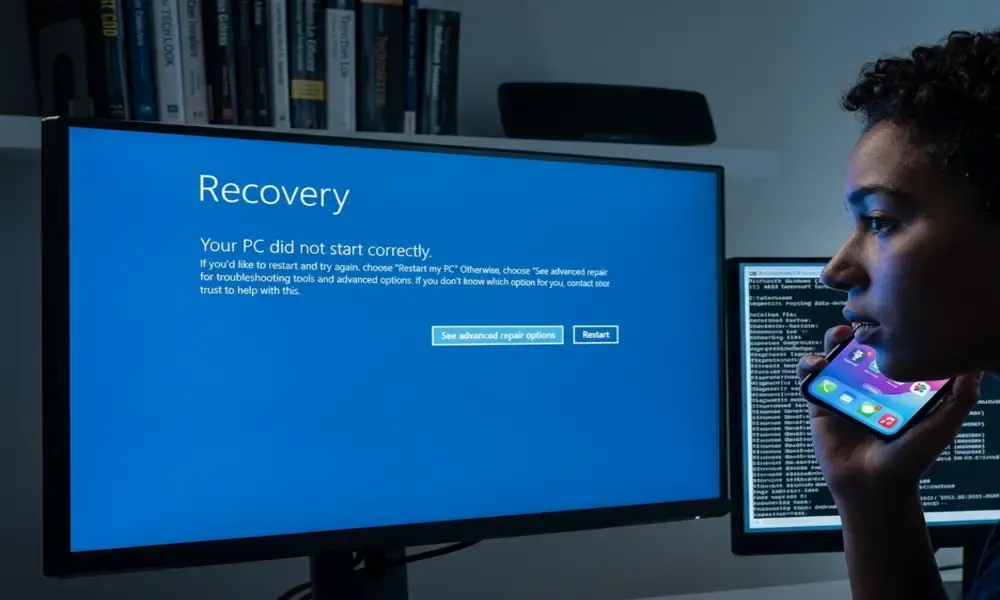
What 8 Months of Windows Boot Failures Reveal About AI-Written Code - Hackernoon​

1789485012361.png

I still remember the exact moment my HP EliteBook 840 G3 started doing it. Power button, HP logo, and then straight into Automatic Repair — on its own, no update in progress, no warning.

I spent hours in Command Prompt on that machine. Cleared the hard drive. Ran every troubleshooting flow Windows offered. Rebooted more times than I can count. Some of those sessions fixed it. Some didn't, and I'd be right back at the same repair screen a few weeks later.

That was years ago, on hardware that had every excuse to be flaky — a 6th-gen i5 running an OS it wasn't really built for. I bring it up because I write Windows troubleshooting guides for a living now, and what should have been a hardware-era problem has followed me into 2026, except now it's not old laptops causing it. It's the updates themselves.

Four Updates, Four Boot Failures, Eight Months

I run a site that covers Windows 11 problems as they happen, which means I've now published four separate articles on four separate updates that put people's machines into boot loops.

January's was KB5074109. February, KB5077181. April, KB5083769. This August, KB5121003. Different builds, different months, same result: restart, repair screen, restart again.

I went back through the public reports on each one before writing this — Microsoft's own Q&A forum, Reddit's r/sysadmin and r/pcmasterrace — looking for whether these were actually connected or just four unlucky coincidences that happened to rhyme.

One thread changed my read on the whole pattern.

The Detail That Connects January to August

Back in January, when the first of these hit, a sysadmin on Reddit floated a theory almost nobody picked up on: Microsoft was mid-rollout on new UEFI Secure Boot certificates, because the old ones expire this June. Most machines wouldn't notice. A rare few might hit a bootloader conflict while the new certificate installed.

Eight months later, KB5121003's own release notes confirm it, almost word for word: the update includes "additional high confidence device targeting data, increasing coverage of devices eligible to automatically receive new Secure Boot certificates."

Same rollout. Further along. Hitting more machines, some of them straight into a "Secure Boot Fail" screen instead of a quiet certificate swap.

Every writeup I found on these incidents — including my own first draft, if I'm honest — treated each one as its own isolated story. A January bug. An April bug.

Nobody connected the certificate thread running underneath two of them, eight months apart, until I sat down and read the reports side by side.

What the Sysadmins Are Actually Saying

The technical detail is one thing. The tone in these threads is another, and it's worth paying attention to if you build software for a living.

The recurring joke across the reports I read is that Microsoft is shipping AI-written code without the testing depth that used to catch this kind of regression before it reached a release build. Satya Nadella has said publicly that AI now writes a meaningful share of Microsoft's code.

Whether or not that claim connects directly to any single one of these four incidents, it's clearly shaping how the people dealing with the fallout talk about it — and, more practically, how they troubleshoot.

"Check what update just landed" has become a genuinely useful first diagnostic step in a way it wasn't a few years ago, specifically because the base rate of update-caused breakage has gone up enough for people to notice a pattern.

There's a sharper version of this argument buried in one of the threads, and it's the one that actually stuck with me: if updates keep carrying a real chance of bricking a machine, a lot of people's rational response is to turn automatic updates off — which just swaps one risk for a worse one, since it's the security patches getting skipped, not just the buggy parts.

Nobody wins that trade. Least of all the people writing the patches.

Four Root Causes, Wearing the Same Costume

None of these four incidents share one underlying bug, which is itself worth sitting with. BitLocker interference, generic boot corruption, an aging certificate migration, and at least two separate graphics-driver conflicts — that's four distinct engineering failures that all happen to present as the same symptom on screen.

A support engineer looking at any single ticket has no easy way to know which of the four they're looking at without doing real diagnostic work, which is exactly why the reports I read are full of people trying fixes that were never going to touch their actual problem.

That's the part that would worry me most if I were still writing code for a living rather than just breaking things on other people's.

A recovery loop is, by design, one of the least informative failure states a system can produce — it tells you almost nothing about the four (or more) very different things that could be underneath it.

When that becomes the default failure mode for a meaningful share of your update incidents, you've built a system that actively obscures its own root causes from the people trying to fix it.

Where This Leaves Anyone Shipping Updates at Scale

I don't think the answer is "stop using AI to write code," and I'd be skeptical of anyone who tells you it is. The tools aren't going away, and pretending otherwise wastes time that's better spent on the actual question: what does the testing layer need to look like when a meaningful share of the code underneath it wasn't written — or fully understood — by the person shipping it?

Four incidents in eight months isn't a crisis. It's a pattern with a shared thread running underneath more of it than anyone's bothered to write down.

If you're the one deciding how much testing budget a release gets before it goes out the door, that's the number worth sitting with — not the bug count, the connection between the bugs nobody thought to look for.

If you're dealing with an actual boot loop right now rather than reading about the pattern behind them, I put together a full breakdown of all four incidents and the fixes that match each one.

 
Top
Sign up to the MyBroadband newsletter
X