Android Auto (Google Assistant) vs Apple Carplay (Siri)

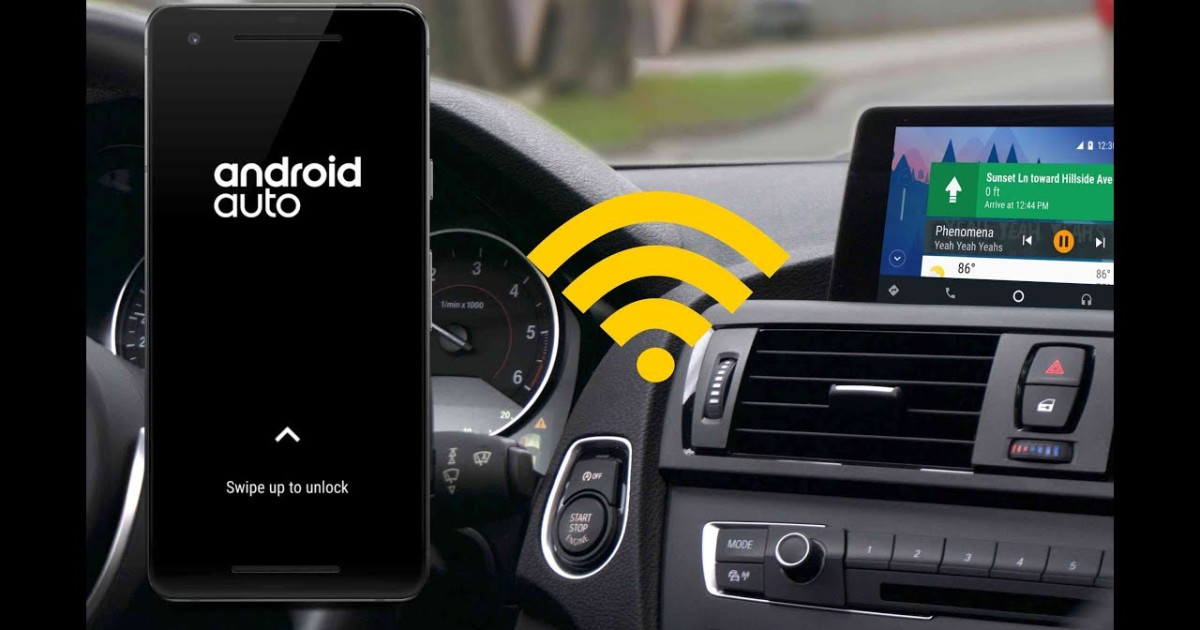
I use Android Auto in my car. My issue was that my phone had to be connected via car USB port which irritated me. Late last year an article popped into my feed about a wireless dongle for wired AA vehicles names AAWireless. Ultimately you connect the dongle to the vehicles USB port, and the dongle then allows you to connect you phone to it via Wifi, ultimately making your car have wireless Android Auto

I have had mine for about 6 months now, and it has worked pretty much flawlessly. Word of caution, I lose about 10% battery in around 20 minutes when connected wirelessly. My phone is 4 1/2 years old and the battery is not so good anymore, but I think even with newer phones, it will definitely use more battery. I think I read previous somebody losing 10% in 45 minutes or so with their newer phone. You can charge the phone will it is connected to AAWireless though, so for long trips, just connect a cable.

Overall, its a great product. Note they have been experiencing delays due to chip shortage, so I am not sure what the wait time is between ordering and receiving at this point.
 
Yeah it’s like video - I mean you have such a powerful steaming device in your pocket and you can’t steam news. Worse, you can’t see what someone shares in a Teams or Zoom meeting on the screen. I mean yes it’s not safe to look at the screen while driving but honestly it’s that or the cellphone screen - I imagine the big one in front of you is safer, and it’s more of a glance.
As a last resort they could make it only display video or shared content when the car is doing below 40kph [post resurrected for my rant ]

You might steam your nuts off, be careful.

Also going by the idiots with newspapers on their steering wheels veering all over the place in 1st gear it’s the worst idea ever.
 
I Found A Song That Breaks Android Auto When You Listen To It

Android Auto is great, but it's definitely not perfect yet.

In general, Android Auto is great. Much like Apple CarPlay, it provides a streamlined and convenient user experience that automakers are unlikely to ever replicate. Modern infotainment systems are infinitely better than they used to be, but it really just makes more sense to simply mirror your phone. Especially now that the wireless version exists, it’s basically a perfect system. Except when it’s not.

On the way back from grabbing lunch today, I had a Spotify playlist on because, well, why not? And since the Mazda CX-5 I was driving had Android Auto, I was, of course, using that. It’s convenient! I was also listening to that playlist Spotify makes for you at the end of the year, so I had a steady stream of songs I already liked on shuffle.

That includes this song by a now-defunct Red Dirt/Southern rock/Americana band Cross Canadian Ragweed (not to be confused with the other more famous CCR, Creedence Clearwater Revival):

Obviously, the song isn’t going to be everyone’s cup of tea, but hey, I like what I like. And I happen to like bands that sound like they might be playing at the dive bar down the street. Either way, the point isn’t whether you like my taste in music or not. It’s that the song in question somehow broke Android Auto.

 
I Found A Song That Breaks Android Auto When You Listen To It

Android Auto is great, but it's definitely not perfect yet.

In general, Android Auto is great. Much like Apple CarPlay, it provides a streamlined and convenient user experience that automakers are unlikely to ever replicate. Modern infotainment systems are infinitely better than they used to be, but it really just makes more sense to simply mirror your phone. Especially now that the wireless version exists, it’s basically a perfect system. Except when it’s not.

On the way back from grabbing lunch today, I had a Spotify playlist on because, well, why not? And since the Mazda CX-5 I was driving had Android Auto, I was, of course, using that. It’s convenient! I was also listening to that playlist Spotify makes for you at the end of the year, so I had a steady stream of songs I already liked on shuffle.

That includes this song by a now-defunct Red Dirt/Southern rock/Americana band Cross Canadian Ragweed (not to be confused with the other more famous CCR, Creedence Clearwater Revival):

Obviously, the song isn’t going to be everyone’s cup of tea, but hey, I like what I like. And I happen to like bands that sound like they might be playing at the dive bar down the street. Either way, the point isn’t whether you like my taste in music or not. It’s that the song in question somehow broke Android Auto.

So in short some lyric in the song triggered the Google Assistant - thereby pausing the song.

I thought the assistant was trained to recognize your voice only.

Maybe the writer didn't have this enabled?
 

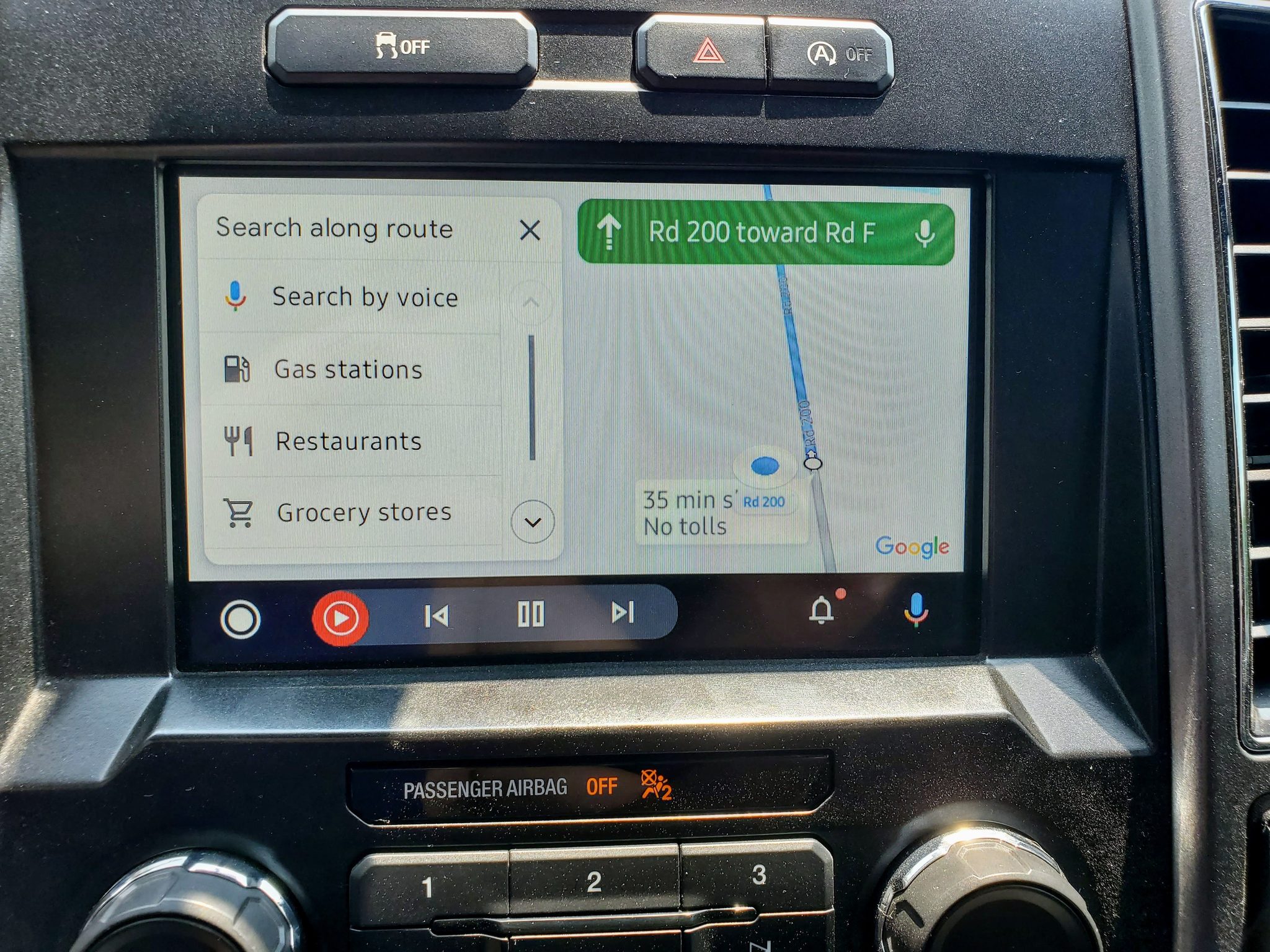
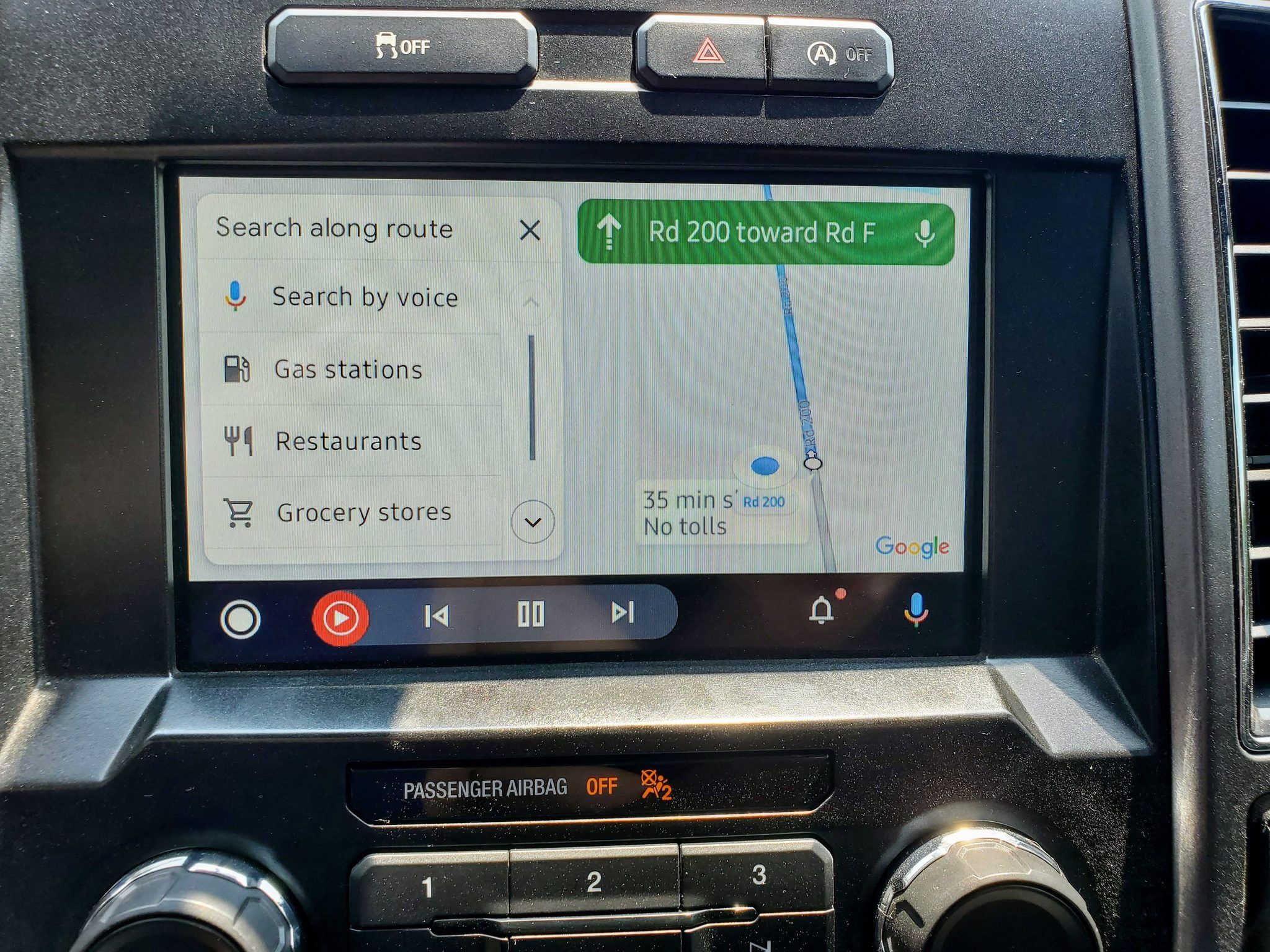
Google Maps bug on Android Auto causes navigation to crash for some users - Android Central​

Fortunately, the problem does not appear to be widespread.

android-auto-lifestyle-01.jpg


  • Google Maps is apparently crashing on Android Auto due to a bug.
  • The navigation interface appears to relaunch every five or 10 minutes.
  • Google has yet to acknowledge the issue.
 

Developer hack puts CarPlay on Tesla using a Raspberry Pi - Apple Insider​

46525-90700-carplay-tesla-xl.jpg


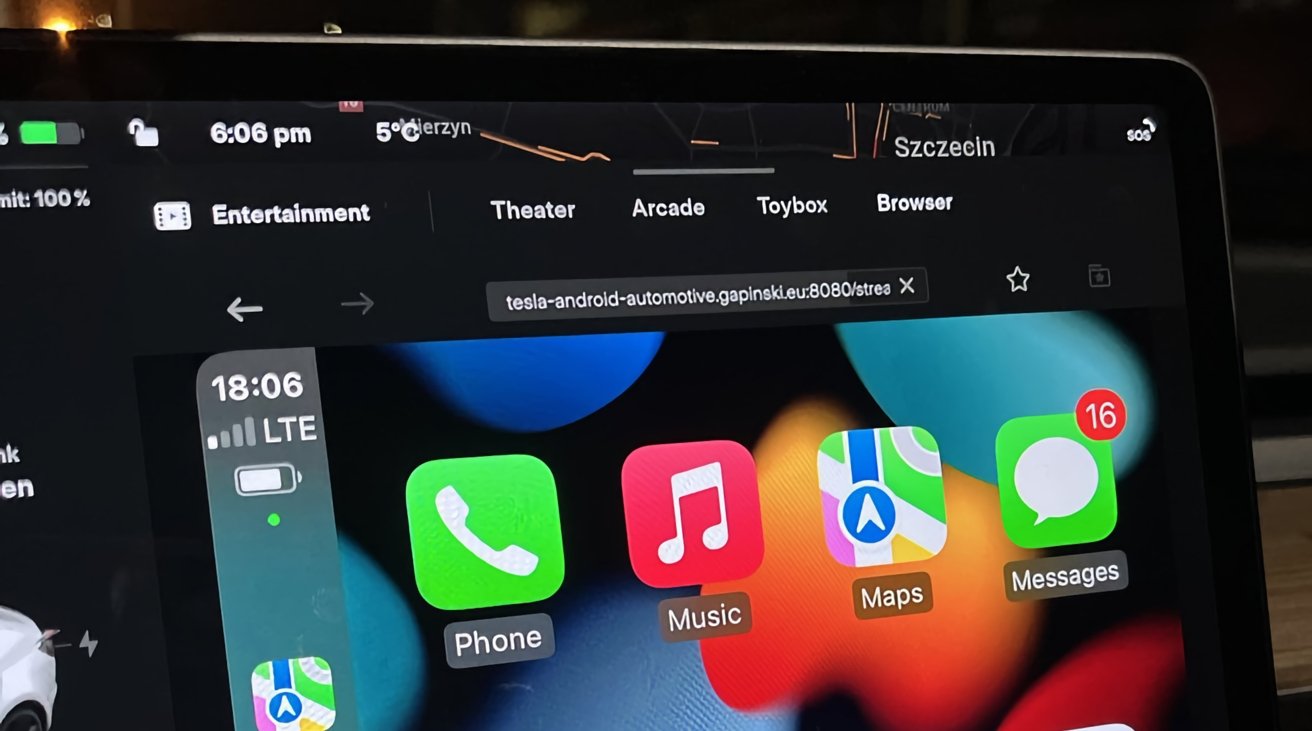
A developer has come up with a way to get CarPlay running on a Tesla, with a workaround allowing drivers access to their iPhones while behind the wheel.

While Apple's CarPlay is available for many car infotainment systems, it has never been officially allowed to run on a Tesla's in-car display.

Though it is plausible to install an aftermarket head unit that has CarPlay support, Polish developer Michal Gapinski came up with his own way.

In images and video posted to Twitter on Friday, Gapinski shows his Tesla running CarPlay on the display of his vehicle. The clips, spotted by Tesla North show the feature as being quite functional, including Apple Maps and Apple Music.

However, rather than making any major changes to the hardware of the Tesla itself, Gapinski instead bypasses Wi-Fi restrictions so that the Tesla's browser can connect to a secondary device.

In turn, the browser displays what is shown on the host device as a live video feed.

The developer explained that the project actually relies on a Raspberry Pi running a custom build of Android. That build runs an interface that works with CarPlay, enabling Apple's UI to be usable from the larger screen.

Gapinski says there are improvements to be made to the system, with the Wi-Fi connection requiring some refinement to make it smoother.

Currently in its early stages, the developer says he plans to release it to the public "when it's polished."
 
Tesla refuses to adopt CarPlay, but this developer has a workaround

Over the weekend, Polish developer Michał Gapiński shared a fascinating look at CarPlay running on his Tesla Model 3. The automaker doesn’t support CarPlay, so this workaround – with some major caveats – will certainly grab the attention of those who have been asking for the functionality for years.

Tesla writes its own software for its infotainment system and has refused to adopt Apple CarPlay. In fact, Teslas don’t even officially support Apple Music, although integration was spotted in testing back in December 2020.

CarPlay support coming to Teslas would be a dream come true for many owners and instead of waiting around, developer Michał Gapiński decided to figure out a workaround.

In a video along with some photos, Gapiński showed off CarPlay working on his 15-inch Model 3 screen on Twitter (via MacRumors > Tesla North). He says the steering wheel scroll wheel button is working to control Apple Music within the CarPlay workaround, however, there are some notable caveats.

The workaround is powered by a Raspberry Pi running a custom build of Android. That’s what makes it possible to load CarPlay into the Tesla in-car browser. It also seems that Gapiński has to use the mouse connected to his Raspberry Pi to navigate around CarPlay.

Next on Gapiński’s to-do list for this project is to improve the Wi-Fi connection. He also says he plans to share the workaround publicly “when it’s polished.” Last fall, we also saw a similar Android Auto workaround for Teslas via the in-car browser.

https://9to5mac.com/2022/01/17/tesla-carplay-workaround/

 
Got my hands on some android auto wireless(aawireless) goodness last week. Very cool
 

All Cars Compatible With Android Auto as of Feb. 2022 - HowToGeek​

Android-Auto.jpg


Android Auto is an excellent way to enhance your driving experience. You can get turn-by-turn directions, stream music, use Google Assistant, send text messages, and more.

We’ve listed all the vehicles that are currently compatible with Android Auto.

In a nutshell, most cars manufactured within the last few years support both Android Auto and Apple CarPlay. Typically, you connect your compatible phone to the car’s in-dash infotainment system. It then mirrors your phone’s GPS navigation, entertainment apps, and more. The head unit just serves as a touch-capable display.

If you own a device with Android 9 Pie or later, you have to download and install the Android Auto app from Google Play. Android Auto is built into Android 10 and newer.

Most cars that support Android Auto require a physical USB tether to the in-dash infotainment center.

More recent vehicles might support Android Auto wirelessly, in which case, you only need the USB tether for the initial setup. After that, your phone communicates to the in-dash head via Wi-Fi.

Wireless Android Auto is supported on any phone running Android 11 or newer with 5GHz Wi-Fi built-in.

https://www.howtogeek.com/526197/all-cars-compatible-with-android-auto-as-of-january-2020/
 
Last edited:

All Vehicles Compatible with Apple CarPlay as of Feb. 2022 - HowToGeek​

carplay_hero_2.jpg


Apple CarPlay is a handy feature that combines the functionality of your iPhone with the audio system and infotainment dashboard of your vehicle. It allows you to safely control music, navigation, and messaging while you drive.

To use CarPlay, you connect your iPhone to your car or motorcycle via a wired (usually Lightning-to-USB) or wireless connection. Your iPhone then takes over the touch screen interface on your vehicle’s dashboard.

From there, you can control apps that support the special CarPlay interface with touch, buttons, or knobs. You can also use voice control with Siri to perform other tasks.

If you’re familiar with Google’s Android Auto, you’ll be right at home with CarPlay.

 
Android Auto gains new diagnostic tool to help battle bad USB cables

Google’s latest update to the Android Auto app (version 7.5.121104) brings a new USB Startup Diagnostic tool that tells users if their connection cable is faulty. The new tool automatically checks whether data transfers between connected phones and the car’s infotainment are functioning properly and will send a message if it detects any issues.

Google’s support page also recommends you use the bundled USB cable that came with your phone. Google also suggests said cables should ideally be under 1m in length and adheres to the USB-IF standard. You should also skip out on using USB hubs, cable adapters or extensions. You can check out the feature by going to the Android Auto app’s connection help menu. The new diagnostic feature will follow a gradual rollout schedule.

https://www.gsmarena.com/android_au..._to_help_battle_bad_usb_cables-news-53624.php


Snip.png
 
Some BMWs shipping without Apple CarPlay and Android Auto amid chip shortage

Due to the current chip shortage, BMW is reportedly shipping some of its cars without Android Auto and CarPlay.

Starting in 2019 and expanding in 2020, nearly every model of BMW has included full support for Android Auto.

However, some customers have found that their newly purchased BMW does not support Android Auto or Carla, citing media reports, 9To5Google reported.

According to a statement from BMW, the missing functionality is due to the ongoing chip shortage that has affected nearly every industry that uses electronics.

In order to get the cars to their destinations on schedule, BMW changed suppliers and began using a chip that does not yet have an appropriate software for Android Auto or CarPlay use, the report said.

 
BMW to re-enable CarPlay and Android Auto support on new cars by June

BMW has confirmed that a software update will re-enable support for Apple’s CarPlay and Google’s Android Auto features by June of this year as the German carmaker is in the middle of changing its chip supplier.

  • New vehicles from the German car producer BMW are temporarily shipping without Apple’s CarPlay and Google’s Android Audio features.
  • This is because the chips in BMW’s 2022 vehicles require an updated software to be fully compatible with ‌CarPlay‌ and Android Auto.
  • BMW wouldn’t say how many models are shipping without these features, with affected models apparently using the code “6P1” in their specification.
Your BMW arrived without CarPlay? Here’s what to do

The global chip shortage seems to have prompted BMW to temporarily ship new vehicles without Apple’s CarPlay and Google’s Android Auto features. The German maker is switching semiconductor suppliers to address component shortages, the story goes, and was forced to temporarily pull support for the features. Both CarPlay and Google’s version of it are currently unavailable on new BMW vehicles.

 
Tesla refuses to adopt CarPlay, but there are third-party solutions (and more on the way)

Tesla’s resistance to adding CarPlay is no secret, and there’s absolutely no indication it’s something the company is working on adding. Earlier this year, we covered a workaround that brought CarPlay to Tesla cars, and now it’s available for anyone to try… as long as you’re willing to jump through some major hoops.

There are also a few other third-party options. Head below for the details.

Use CarPlay in your Tesla… sort of

Developer Michał Gapiński has been working on this project for a long time. He shared a first look at the efforts earlier this year, showing how features like steering wheel controls, Apple Music support, and more were already supported. Gapiński’s latest update on the project shows how far it’s come, and it’s now available for you to try.

This hacky workaround is driven by a Raspberry Pi running a custom version of Android; the full suite of hardware includes another Raspberry Pi running Linux, which handles the video and networking capabilities. You’ll also need a micro-HDMI to HDMI cable and Ethernet cable to handle the video out of the Android Raspberry Pi and connect the two boards together.

Gapiński also notes there’s some other optional hardware you can add to further improve the set up:

  • Radiators for Raspberry Pi – The boards need some cooling
  • Open housing for two Raspberry Pi computers – Makes cable management easy, allows all the hardware to fit into the center console
  • CarlinKit CPC200-Autokit, CPC200-CCPA – If you intend to use wireless CarPlay or Android Auto, for wireless Android Auto order the new model: CPC200-CCPA
Once you have all of the hardware, the actual software experience of using CarPlay is powered by the in-car browser that’s available on Tesla cars. You connect to the Raspberry Pi using the browser, then load up the CarPlay interface right on the Tesla’s display (via Tesla North).


BMW Delivers Cars Without Apple CarPlay and Android Auto

The feature will come at a later date through an OTA patch, but owners will have to wait

The chip shortage has claimed another casualty as far as modern car features go. This time, the shortage is leaving owners of some brand-new BMW models without Apple CarPlay and Android Auto. Well, at least, temporarily. The Bavarian carmaker has asked new customers to wait until it can push an over-the-air update that will eventually enable the smartphone interface, as Automotive News reports.

The delay is due to BMW switching to a new chip supplier, which has hardware ready to go but not the software needed to run the smartphone integration. This is primarily affecting models specified with code “6P1,” and it’s happening in major markets including the U.S. and throughout the European Union.

BMW expects the OTA update to be ready some time in the summer, around the end of June. Until then, it looks like drivers of the BMW models affected will have to use the good, old Bluetooth A2DP profile, or (gasp!) be forced to use the antiquated 3.5mm AUX port — if their smartphone still has a 3.5mm port.

But the choice for both carmaker and car buyers alike was either to slum it with the old tech temporarily, or not have a new BMW at all. As the chip shortage is ongoing, BMW had to choose between idling certain production plants earlier this year or releasing new cars without the Apple and Google tech.

BMW’s infotainment supplier Harman said the decision to “de-content” some hardware would keep production flowing, and new car delivery uninterrupted:

“In some cases, we were able de-content some of our products and keep this customer experience on the same level,” Harman Automotive boss Christian Sobottka told Automotive News Europe. “The quick redesign and the de-contenting in many cases avoided a week-long [plant] shutdown.”

 
BMW Delivers Cars Without Apple CarPlay and Android Auto

The feature will come at a later date through an OTA patch, but owners will have to wait

The chip shortage has claimed another casualty as far as modern car features go. This time, the shortage is leaving owners of some brand-new BMW models without Apple CarPlay and Android Auto. Well, at least, temporarily. The Bavarian carmaker has asked new customers to wait until it can push an over-the-air update that will eventually enable the smartphone interface, as Automotive News reports.

The delay is due to BMW switching to a new chip supplier, which has hardware ready to go but not the software needed to run the smartphone integration. This is primarily affecting models specified with code “6P1,” and it’s happening in major markets including the U.S. and throughout the European Union.

BMW expects the OTA update to be ready some time in the summer, around the end of June. Until then, it looks like drivers of the BMW models affected will have to use the good, old Bluetooth A2DP profile, or (gasp!) be forced to use the antiquated 3.5mm AUX port — if their smartphone still has a 3.5mm port.

But the choice for both carmaker and car buyers alike was either to slum it with the old tech temporarily, or not have a new BMW at all. As the chip shortage is ongoing, BMW had to choose between idling certain production plants earlier this year or releasing new cars without the Apple and Google tech.

BMW’s infotainment supplier Harman said the decision to “de-content” some hardware would keep production flowing, and new car delivery uninterrupted:

“In some cases, we were able de-content some of our products and keep this customer experience on the same level,” Harman Automotive boss Christian Sobottka told Automotive News Europe. “The quick redesign and the de-contenting in many cases avoided a week-long [plant] shutdown.”

Roflol
 
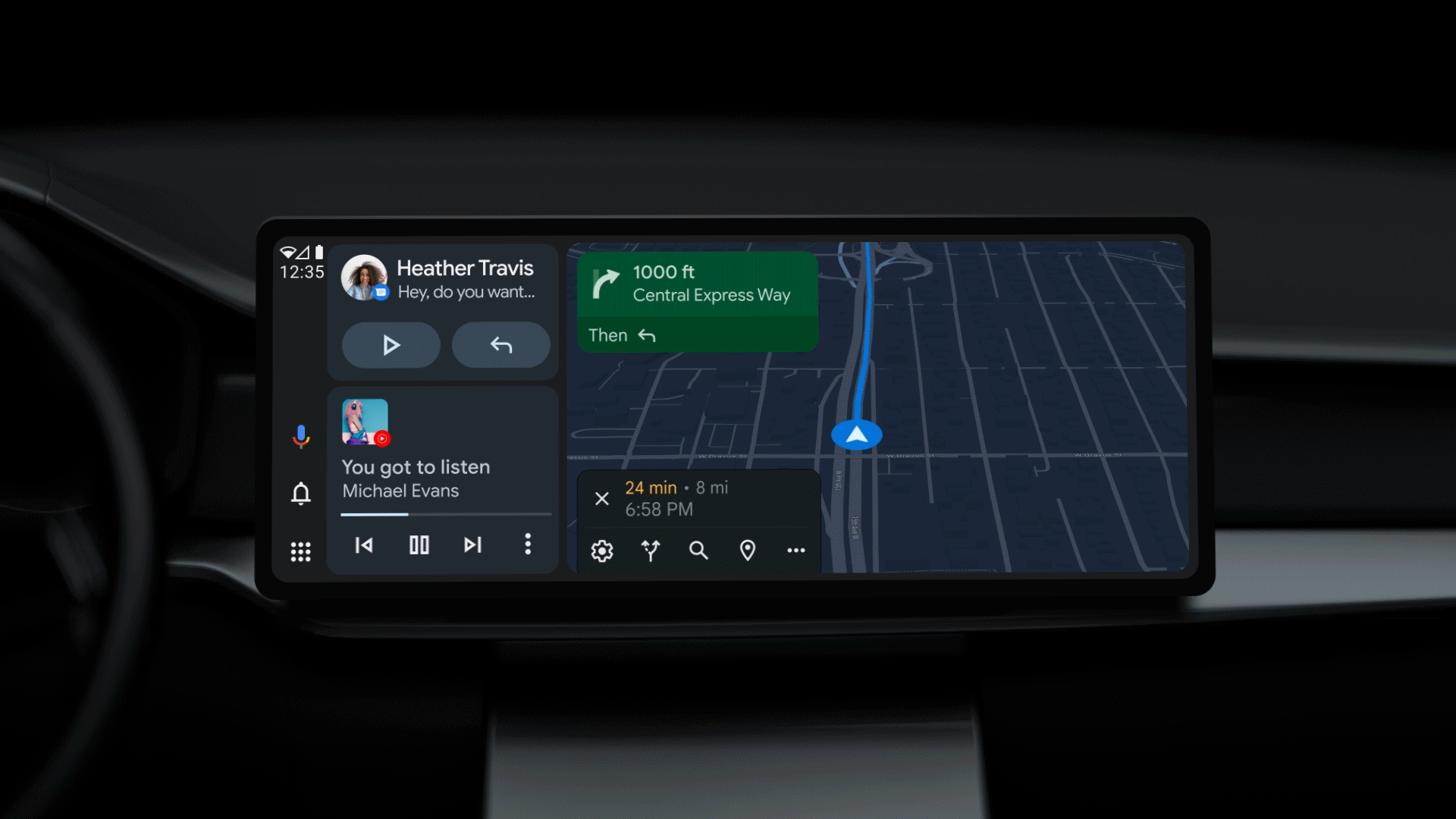
Google details Android Auto makeover, split-screen is the new norm

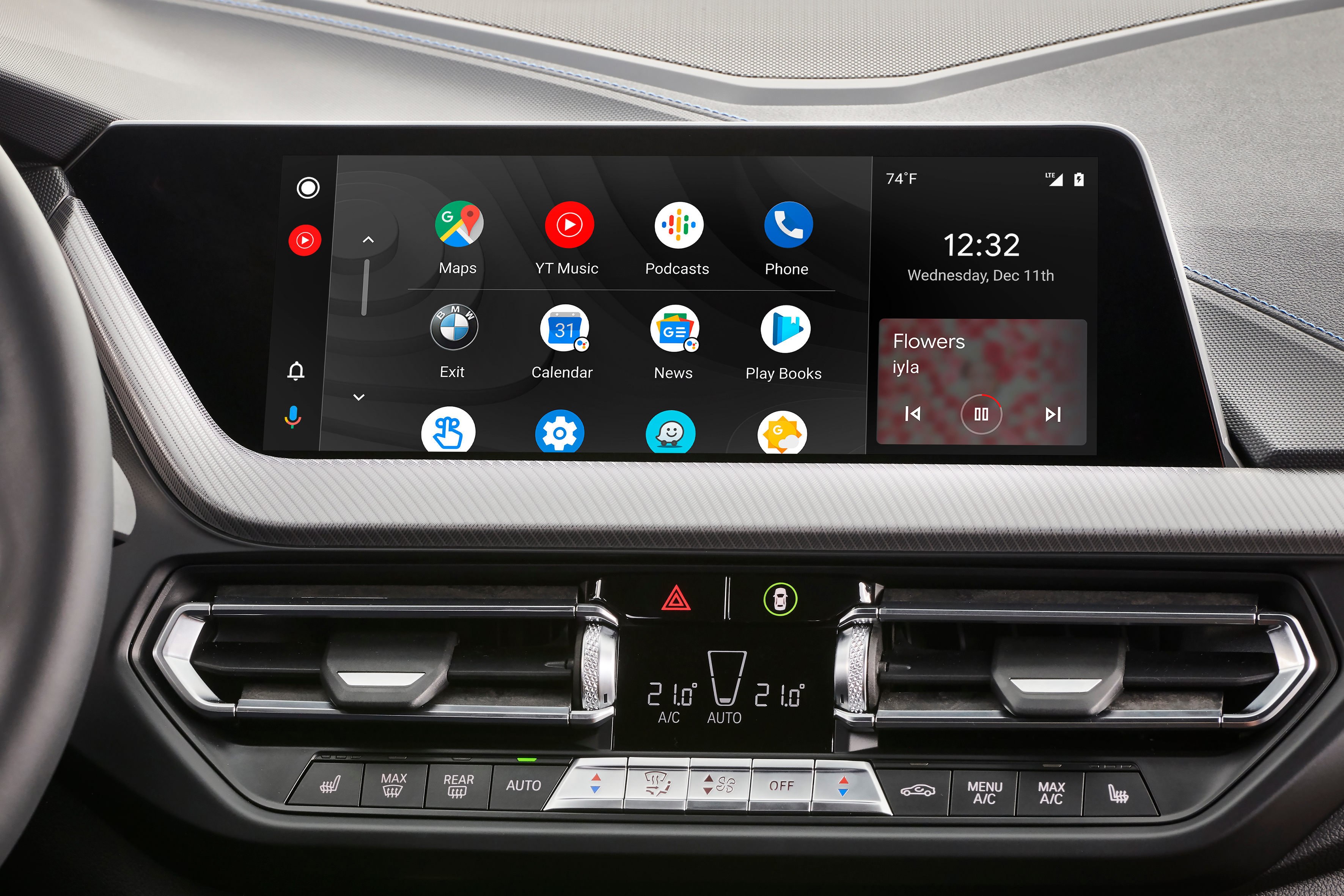
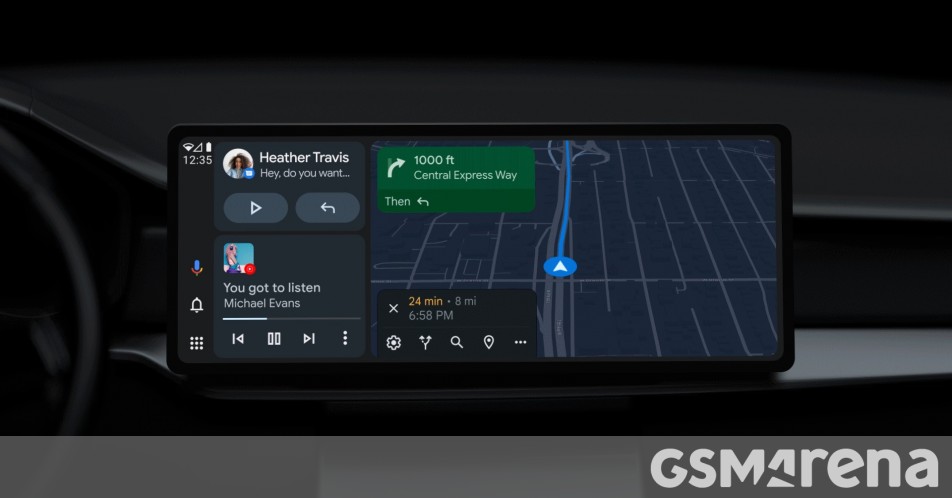
Among the many announcements at this year’s I/O conference, Google detailed the new look of Android Auto coming to all users starting later this summer. The big change is that the UI will now adapt to the various car screen sizes and orientations with a default split-screen look. The goal is to give drivers fast and easy control over the three most used aspects of AA – maps, media controls and messaging.

Google Assistant, notifications and your apps library will be easily accessible on the dock and depending on if your car has a portrait or widescreen car screen the dock will be either on the bottom or at the side closest to the steering wheel. Assistant will now bring suggested quick replies to conversations including options to share your estimated arrival time with your contacts.


I use Android Auto in my car. My issue was that my phone had to be connected via car USB port which irritated me. Late last year an article popped into my feed about a wireless dongle for wired AA vehicles names AAWireless. Ultimately you connect the dongle to the vehicles USB port, and the dongle then allows you to connect you phone to it via Wifi, ultimately making your car have wireless Android Auto


I have had mine for about 6 months now, and it has worked pretty much flawlessly. Word of caution, I lose about 10% battery in around 20 minutes when connected wirelessly. My phone is 4 1/2 years old and the battery is not so good anymore, but I think even with newer phones, it will definitely use more battery. I think I read previous somebody losing 10% in 45 minutes or so with their newer phone. You can charge the phone will it is connected to AAWireless though, so for long trips, just connect a cable.

Overall, its a great product. Note they have been experiencing delays due to chip shortage, so I am not sure what the wait time is between ordering and receiving at this point.
First time I have checked this thread and I am so glad I did.

I am upgrading my head unit in the next couple of months to one that has Android Auto, but not wireless. So I will be ordering an AAwireless.
 

Google Updates Android Auto to Fit All the Touchscreens - Jalopnik​

An update will bring a fresh new look that works with all shapes and sizes of screens.

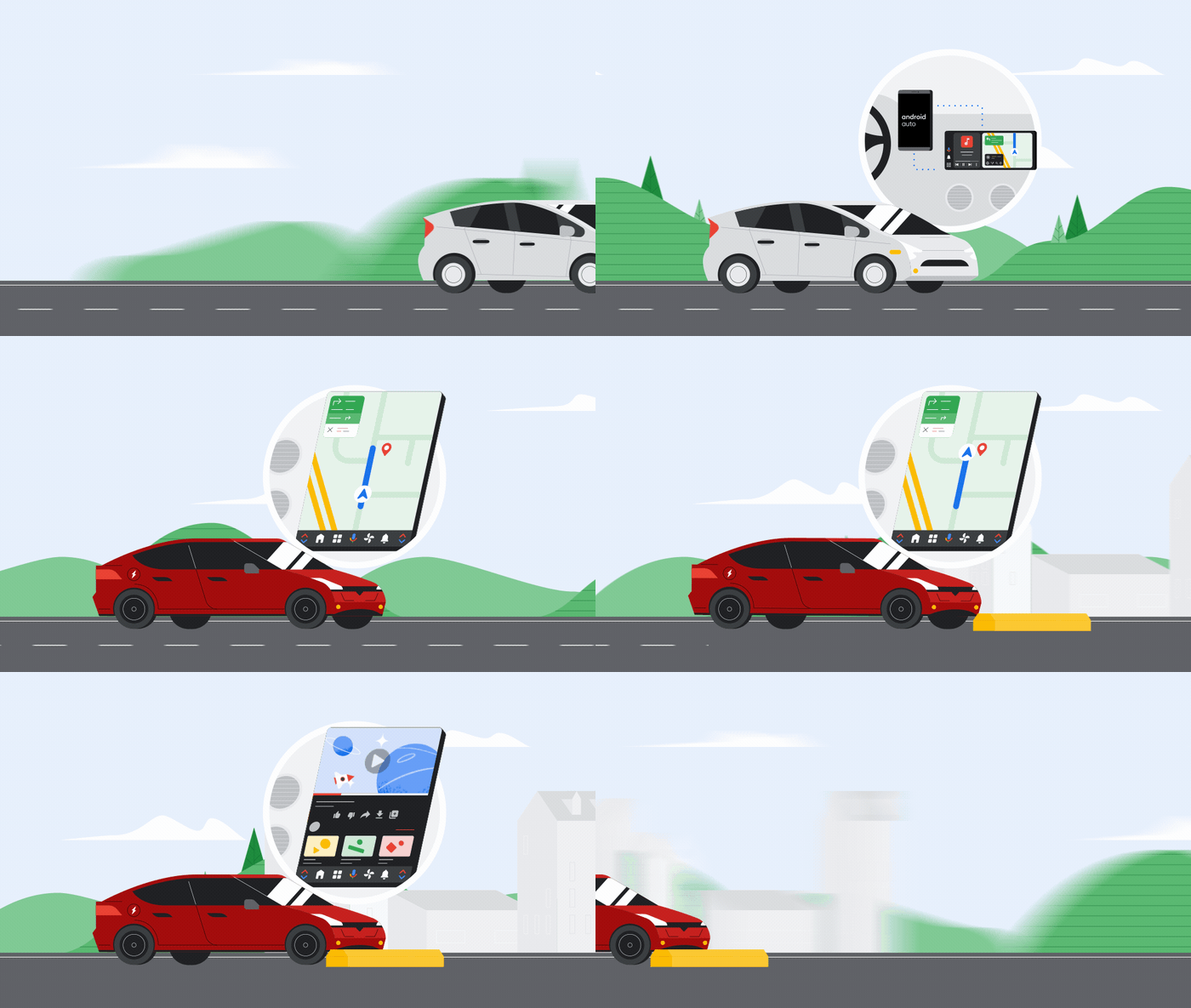
Google is redesigning Android Auto’s interface to fit all sorts of touchscreens, regardless of their size and shape. Google says the redesign will come in an update this summer, and will increase Android Auto’s compatibility with different screen layouts by defaulting to a split-screen mode that puts all the important features in one place.

Basically, it’s tiles, and now they move depending on the setup of the screen in your car.

Link to animated video

Because even though car infotainment seems simple at a glance — it’s either a big or small rectangle, either laying down or standing up — touchscreens vary greatly across today’s vehicles.

So getting an interface to work with all (or at least, most) of them requires a flexible approach. Especially now that screens are slowly replacing buttons and knobs for a lot of basic inputs.

 
Top
Sign up to the MyBroadband newsletter
X