Bathroom RGBW LED Strips advice needed

Gambit

Expert Member
Joined
Apr 26, 2005
Messages
1,754
Reaction score
213
Location
a paper bag in a septic tank
Hi.

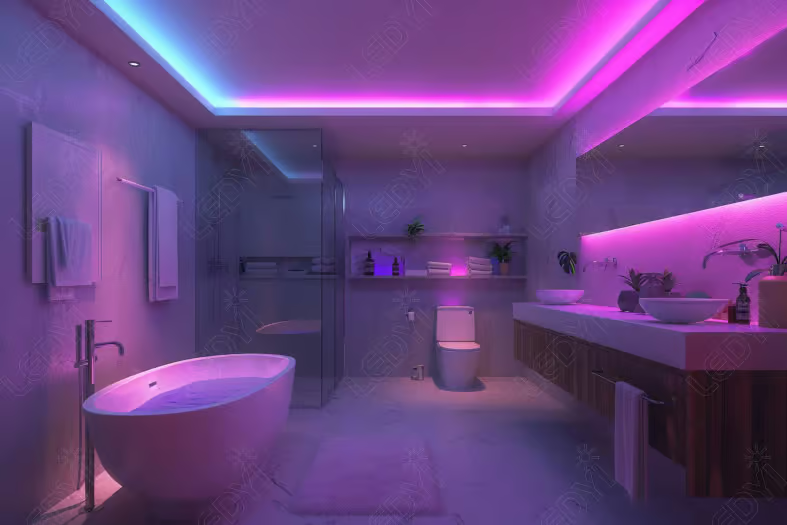
We are busy renovating our bathroom, and the contractor wanted to install white LED strips in the niches. I was thinking of installing RGBW strips, which would give colour temperature control and avoid the problem of being stuck with one shade of white. I have automated most of my lights using ESPHome and Home Assistant, but I have no idea about RGBW LED strips and integrating them with Home Assistant. Has anyone done something similar and have advice on what to buy and where to get it from?

From my basic understanding I would need the following:
  1. low voltage waterproof RGBW led strip
  2. wifi driver module that has a fixed switch input
 
3. Some cheap hookers and blow.


Go-For-RGB-To-Play-With-Light-Color.jpg
 
Never done it. But I'd start looking at units like this. It runs WLED and can be installed behind a light switch and connected said light switch ( push )

This video highlights this particular unit at around the 10:30 mark. You'll get some indication of how much it can drive depending on the voltage of the strips. But the entire video is worth the watch
 
Hi.

We are busy renovating our bathroom, and the contractor wanted to install white LED strips in the niches. I was thinking of installing RGBW strips, which would give colour temperature control and avoid the problem of being stuck with one shade of white. I have automated most of my lights using ESPHome and Home Assistant, but I have no idea about RGBW LED strips and integrating them with Home Assistant. Has anyone done something similar and have advice on what to buy and where to get it from?

From my basic understanding I would need the following:
  1. low voltage waterproof RGBW led strip
  2. wifi driver module that has a fixed switch input
Never done it. But I'd start looking at units like this. It runs WLED and can be installed behind a light switch and connected said light switch ( push )

This video highlights this particular unit at around the 10:30 mark. You'll get some indication of how much it can drive depending on the voltage of the strips. But the entire video is worth the watch

**edit** Updated product link
 
Last edited:
Never done it. But I'd start looking at units like this. It runs WLED and can be installed behind a light switch and connected said light switch ( push )

This video highlights this particular unit at around the 10:30 mark. You'll get some indication of how much it can drive depending on the voltage of the strips. But the entire video is worth the watch
Thanks for this. Looks great.
 
Use WLED and it intergrate it into to Home Assistant directly. Very easy to use and set up

For the strips, I used WS2812 it was 5V RBG. But you should look at SK6812, that is 5V RGBW. Theres also WS2814 RGBW 12V/24V.

For my setup I made my own controllers using a couple ESP8266 chips. Just flash WLED to the ESP and connect it to HA. Everything can be controlled from there.

I had smart switches in my place. I had a 3 gang switch where only 2 went to ceiling lights via cable, the third switch was connected via HA automations to the LED strip, there was no cable going from the light switch to the LED. The delay was not noticeable at all, but I hardly used the switch. I used motion sensors to trigger the lights (also via HA automations)

For longer lengths I think you'll be better off with the 12V strip (to account for voltage drop) and a power supply that can supply enough juice to power all the lights evenly. Or use two power supplies and do a power injection at both ends or midway.

I got my stuff from Aliexpress long ago, the light strips and esp chips. Not sure where about in SA to get it though
 
Use WLED and it intergrate it into to Home Assistant directly. Very easy to use and set up

For the strips, I used WS2812 it was 5V RBG. But you should look at SK6812, that is 5V RGBW. Theres also WS2814 RGBW 12V/24V.

For my setup I made my own controllers using a couple ESP8266 chips. Just flash WLED to the ESP and connect it to HA. Everything can be controlled from there.

I had smart switches in my place. I had a 3 gang switch where only 2 went to ceiling lights via cable, the third switch was connected via HA automations to the LED strip, there was no cable going from the light switch to the LED. The delay was not noticeable at all, but I hardly used the switch. I used motion sensors to trigger the lights (also via HA automations)

For longer lengths I think you'll be better off with the 12V strip (to account for voltage drop) and a power supply that can supply enough juice to power all the lights evenly. Or use two power supplies and do a power injection at both ends or midway.

I got my stuff from Aliexpress long ago, the light strips and esp chips. Not sure where about in SA to get it though
For the strips mentioned here have a look over at diyelectronics.co.za.
Also did the SK6812 strips with an ESP8266 for the one room. Awesome and integrates into HA.
 
Hi.

We are busy renovating our bathroom, and the contractor wanted to install white LED strips in the niches. I was thinking of installing RGBW strips, which would give colour temperature control and avoid the problem of being stuck with one shade of white. I have automated most of my lights using ESPHome and Home Assistant, but I have no idea about RGBW LED strips and integrating them with Home Assistant. Has anyone done something similar and have advice on what to buy and where to get it from?

From my basic understanding I would need the following:
  1. low voltage waterproof RGBW led strip
  2. wifi driver module that has a fixed switch input
What are u planning do in that bathroom, and is it just the RED you're looking for? ;)
 
What are u planning do in that bathroom, and is it just the RED you're looking for? ;)
Lol. I was looking for advice on LED lighting strips that I can adjust between cold white and warm white but instead this thread has unfortunately devolved into people posting pics of their mom's toilets
 
Top
Sign up to the MyBroadband newsletter
X