TheMacintosh
Senior Member
- Joined
- Sep 4, 2012
- Messages
- 981
- Reaction score
- 180
HI all,
We have a Canon Maxify MB2140 printer that is giving the notorious '5B00' error.
From my research this seems to be the problem:
"Error code '5B00' on a Canon Maxify MB2140 printer indicates that the ink absorber is full. The ink absorber is a sponge-like pad that absorbs excess ink during the printing process. When it becomes full, the printer displays this error to prevent any potential ink spillage or damage.
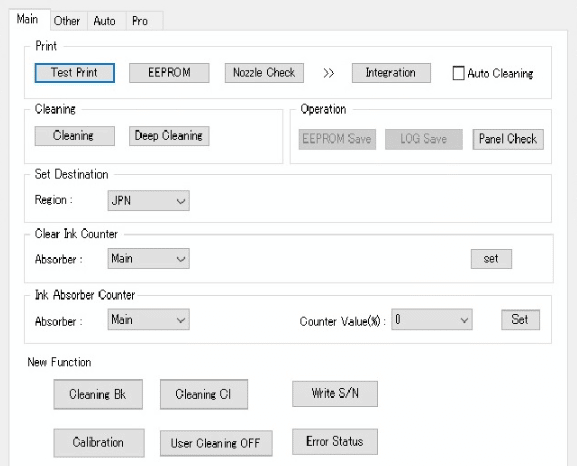
To clear the '5B00' error, you'll need to perform a reset of the printer's ink absorber counter."
I have cleared it using the service mode, but after printer restart the error is back. This probably means I have to send in the printer for a service at an authorised canon service provider.
Now the question... Where in Cape Town (or surrounds) can I take the printer for a service? Does anyone know?
Many thanks in advance
We have a Canon Maxify MB2140 printer that is giving the notorious '5B00' error.
From my research this seems to be the problem:
"Error code '5B00' on a Canon Maxify MB2140 printer indicates that the ink absorber is full. The ink absorber is a sponge-like pad that absorbs excess ink during the printing process. When it becomes full, the printer displays this error to prevent any potential ink spillage or damage.
To clear the '5B00' error, you'll need to perform a reset of the printer's ink absorber counter."
I have cleared it using the service mode, but after printer restart the error is back. This probably means I have to send in the printer for a service at an authorised canon service provider.
Now the question... Where in Cape Town (or surrounds) can I take the printer for a service? Does anyone know?
Many thanks in advance