


patrick123
Expert Member
- Joined
- Apr 10, 2005
- Messages
- 2,894
- Reaction score
- 803
Set the boot-up in your bios to legacy instead of UEFI.
South Africa’s biggest forum. Discuss, discover, and connect with thousands of members.

I wouldn't say that. My laptop does not run well with windows 10 and I dont want to go back to Windows home basic. I want to try something different and dont care whether I have windows or linux.
My laptop is lightning fast and I'm happy with it. I hardly use it anyways.

If you have limited knowledge and want to play around with your PC, then make an effort and read up on your PC first.
BTW the F4 and F* keys do work ------- you just don't know how to use them.

That is also BS! The PC will work as well as you are allowing it to because you do not allow the updates to complete - see Mortymoose's post for more detail in his win 10 saga.
And its Windows 10 Pro and Windows 10 Home Single Language

My laptop does not run well with windows 10
My laptop is lightning fast

Good luck with Linux ---- Linux is far less tolerant of people who don't know how the run it as an OS than Windows is.

Thanks. I did try that too. Turns out a few of my buttons stopped working.
 www.computerhope.com
Numlock? Fn key pressed?
What do the function keys do on Windows computers? [Wikipedia]
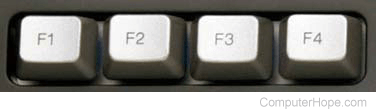
The F1, F2 to F12 keys do different things in different operating systems and in different applications. Also, they can be used in conjunction with the Ctrl, Alt and Shift keys on your keyboard, altering their actions. However, as we briefly mentioned earlier, many actions tied to function keys have become standard, and are widely used for the same actions in many different apps and programs. Here are the most common uses for the F keys in Windows:
- F1 - Used by programs for opening Help.
- F2 - Used by Windows for renaming files and folders. Also used by many manufacturers to let you access the BIOS settings when pressed immediately after powering on your computer.
- F3 - Used for searching for files and content in various apps.
- F4 - Pressed simultaneously with the Alt key, as in Alt + F4, it closes the active program. Pressed simultaneously with the Ctrl key, as in Ctrl + F4, it closes the active program window. It also closes the current browser tab, if you press Ctrl + F4 in a web browser.
- F5 - Used to refresh the contents of the current window. It can be used for refreshing the contents of a folder, but it's especially used for refreshing the contents of the web pages you visit using web browsers. When used in conjunction with theCtrl or the Shift keys (as in Ctrl + F5, or Shift + F5) in a web browser, it reloads the web page ignoring the cached content, and re-downloading the entire content of the web page all over again.
- F6 - Doesn't have a standard use in Windows and its action differs from program to program.
- F7 - It doesn't have a standard use in Windows. Its action differs from program to program.
- F8 - If you use Windows 7 or earlier, pressing the F8 key during boot process would display the Windows startup menu which is a method for accessing various troubleshooting options, like entering Safe Mode.
- F9 - It doesn't have a standard use in Windows.
- F10 - Used to enable the menu of the program that you use. After you press F10 on your keyboard, you can use the directional keys to navigate through the program's menu options. When used in combination with the Shift key, it displays the right-click menu. When you are inside your computer's BIOS, F10 is usually used for saving the changes that you made to the BIOS settings.
- F11 - When pressed inside a web browser, it displays the current web page in full-screen mode. When pressed again, it reverts the display to its original, normal, state.
- F12 - It is used by many web browsers to open the developer tools.
Just ignore him, he thinks that everything always works just peachy and that when it doesn't it's the user's fault. Sorry we couldn't help you here but I'm not sure we were on the same page and talking about the same things.I'm not sure what you trying to get at here other than just being an @as but I am fully aware of what those keys do.
Regardless I worked it all out and I have sorted my issue out. There is really no need for you to carry on like that.
This thread can be locked.
Just ignore him, he thinks that everything always works just peachy and that when it doesn't it's the user's fault. Sorry we couldn't help you here but I'm not sure we were on the same page and talking about the same things.
Fyi I think it's good to learn Linux. People that have never used a pc usually find it much easier to use than Windows. What people really struggle with is with letting go of the Windows way of doing things and forgetting the bad habits they picked up.
Maybe you missed the part he used it. Seems reading is also not your strong point like understanding issues will happen that aren't the user's fault.BTW F12 is disabled by default on many Aspire models ----------- needs to be activated in BIOS if you want to use it.
Plus, on some Aspire models, other function keys can also be disabled in BIOS .... most probably is what OP has now inadvertently done.
and yes, mostly the user is his own worst enemy.
I never changed anything. I pushed f12 and tried to change the boot order and it wouldn't work. I tired to push enter while highlighted on it and it still never worked.
I used UNetbootin. Look I have very basic knowledge and clearly not enough. I have only ever had windows 7 and then 10 on it and I have not messed around with any settings. I will just ask the guy at my work to check it out.
Maybe you missed the part he used it. Seems reading is also not your strong point like understanding issues will happen that aren't the user's fault.
Just ignore him, he thinks that everything always works just peachy and that when it doesn't it's the user's fault. Sorry we couldn't help you here but I'm not sure we were on the same page and talking about the same things.
Fyi I think it's good to learn Linux. People that have never used a pc usually find it much easier to use than Windows. What people really struggle with is with letting go of the Windows way of doing things and forgetting the bad habits they picked up.
I'm ignoring him anyway cause all his statements have been irrelevant to me. There was point where I thought I'd never get those keys back on On some yes. But you'll notice it also tells you what buttons to use right below the options so I doubt that's the problem.It did not work because on most aspire models you need to select the item with F6", NOT "enter", as well as the boot order can't be changed on some aspire models using the "up" & "down" buttons either.
It does help to RTFM and read the fine print along the bottom of the BIOS screen.
snip/
I think Geoff really just did not understand what I meant. I am computer literate but not a Super User lol
I cleaned all my keys that were not working. Battled to get them back on but I am happy to say that all my buttons are working again. Exect the P needs to be pressed pretty hard. Possibly from all the years of coffee being spilt on it and icky grime
