ros_b
Senior Member
Yes, I know Windows 8 has just been released, but I have just moved (I will not call it "upgraded") from XP to Windoze 7 (Professional, version 6.1 Build 7601: Service Pack 1) and am having all manner of problems. The latest is weird and totally irritating:
I understand that different keyboard layouts (US vs UK) treat Shift+2 and Shift+3 differently. Under the US layout (I think?) Shift+2 gives the @ symbol, while under the UK layout it gives the " symbol. Shift+3 under US layout gives a # symbol while under UK layout you get a £ symbol.
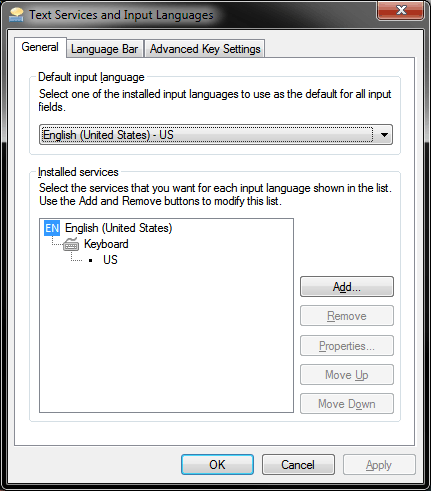
I have an American machine and have thus chosen the US layout so that I get the symbols that are displayed on my keyboard (the @ and #).
But sometimes I find certain applications swop over to the other layout for no apparent reason. So right now, for example, Firefox gives me the " and £ symbols when I press Shift+2 and Shift+3, whereas Notepad, Microsoft Word, and my email package Pegasus Mail give me @ and #.
The other day, however, it was Pegasus Mail that was suddenly giving me the "wrong" symbols.
Any ideas?
I understand that different keyboard layouts (US vs UK) treat Shift+2 and Shift+3 differently. Under the US layout (I think?) Shift+2 gives the @ symbol, while under the UK layout it gives the " symbol. Shift+3 under US layout gives a # symbol while under UK layout you get a £ symbol.
I have an American machine and have thus chosen the US layout so that I get the symbols that are displayed on my keyboard (the @ and #).
But sometimes I find certain applications swop over to the other layout for no apparent reason. So right now, for example, Firefox gives me the " and £ symbols when I press Shift+2 and Shift+3, whereas Notepad, Microsoft Word, and my email package Pegasus Mail give me @ and #.
The other day, however, it was Pegasus Mail that was suddenly giving me the "wrong" symbols.
Any ideas?