


Hi. I'm trying to connect my Samsung Galaxy S2 to my PC's internet connection using my phones WiFi capabilities. I'm on Windows 7 64bit.
I connect to the internet on my PC using the Cell C MF668 USB Speed Stick.
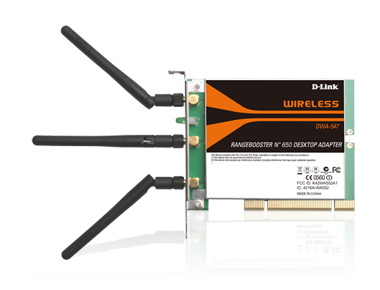
I have a D-link DWA-547 Rangebooster N650 Desktop Adapter. I don't have a router.
Here are pics and screenshots of what I have and my setup.



Is what I am trying to do even possible with the hardware that I have? Is that ap00300A707E60 wireless connection someone elses wireless connection from another flat in my building? I downloaded a free program called Virtual Router and now I have a new wireless connection that wont go away. I've uninstalled the program and it's driver but they keep popping back up. Any help would be much appreciated because I know very little about home networking.
I connect to the internet on my PC using the Cell C MF668 USB Speed Stick.
I have a D-link DWA-547 Rangebooster N650 Desktop Adapter. I don't have a router.
Here are pics and screenshots of what I have and my setup.
Is what I am trying to do even possible with the hardware that I have? Is that ap00300A707E60 wireless connection someone elses wireless connection from another flat in my building? I downloaded a free program called Virtual Router and now I have a new wireless connection that wont go away. I've uninstalled the program and it's driver but they keep popping back up. Any help would be much appreciated because I know very little about home networking.
