I'm tired of bright white web pages, bright white apps, bright white interfaces, so I set out to get a dark mode for everything I use.
I'm on Windows 10 and Android.
This is what I've managed to date:
Windows 10:
And Edge and Office apps, too.

www.cnet.com
Chrome:
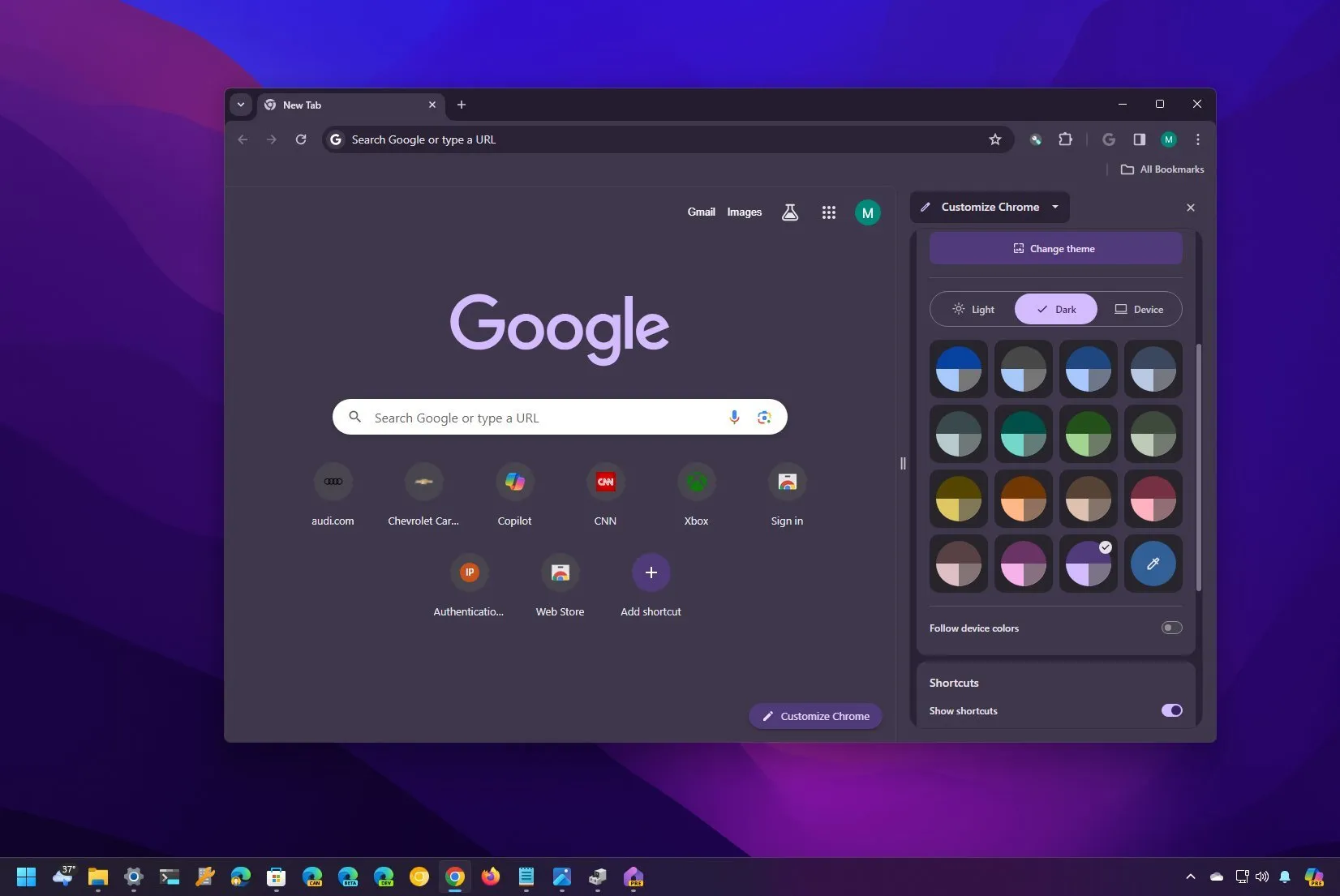
To enable dark mode on Chrome on Windows 11 (10) open the "Side panel," choose the "Customize Chrome" option, and select the "Dark" option.

pureinfotech.com
Enable dark mode for all pages in Chrome:
Android:
Google Chrome browser for Android gets a dark mode with version 74 and you can activate using the steps in this simple guide.

www.xda-developers.com
Note there are two settings - one is for the chrome interface and the other for content. While connecting a godaddy domain address for your blog, you must implement the redirection correctly. You can do it by visiting this guide.
https://www.systosys.com/2019/06/connect-godaddy-domain-name-to-blogger-blog.html With content, sometimes blocked can be opened in jio.
https://www.corenetworkz.com/2018/05/cannot-access-websites-jio-network.htmlit sometimes makes a negative of images so be prepared for that. We can unblock blocked websites easily. It doesn't bother me nearly as much as I thought... mostly I don't care as much as I do about having a dark background for my eyes.
Anyone else have any tips?