-
- News
-
Categories
- 5G
- ADSL
- AI
- Banking
- Black Friday
- Broadband
- Broadcasting
- Business
- Business Telecoms
- Cellular
- Cloud and Hosting
- Columns
- Cryptocurrency
- Energy
- Enterprise
- Fibre
- Gadgets
- Gaming
- Government
- Hardware
- Industry News
- Internet
- Internet of Things
- Investing
- IT Services
- Motoring
- Reviews
- Science
- Security
- Smartphones
- Software
- Technology
- Telecoms
- Trending
- Wireless
- Press Office
- Forum
- Industry News
- What's Next
- Company hub
- Speed Test
- About us
- Advertise with us
- Contact
- Careers


-
Join the MyBroadband community
South Africa’s biggest forum. Discuss, discover, and connect with thousands of members.
-
Question of the Day: How much would you be willing to pay for a next-generation gaming console?

You are using an out of date browser. It may not display this or other websites correctly.
You should upgrade or use an alternative browser.
You should upgrade or use an alternative browser.
Do you guys use the terminal?
- Thread starter ponder
- Start date

Synaesthesia
Executive Member
- Joined
- Feb 1, 2007
- Messages
- 5,692
- Reaction score
- 226
Most people don't use it, but your programmers and geek types will. I have, quite cool!
Moklet Kcuf
Senior Member
My brother in law who's a linux programming whizz is right at home on terminal. But you'll find the average Mac user does not even know it exists and if they do it flies right over their head, including myself, a veteran Mac user 
NameOfBeast
Senior Member
- Joined
- Nov 9, 2005
- Messages
- 874
- Reaction score
- 0
koffiejunkie
Executive Member
I do. All the time. Neither Spotlight or any of it's so-much-better 3rd party alternatives comes close to what I can string together with a few commands in a for loop.
That said, I spend my working hours logged into remote Linux and Unix machines, so the terminal is where I earn my salary.
That said, I spend my working hours logged into remote Linux and Unix machines, so the terminal is where I earn my salary.

foozball3000
Executive Member
This thread can do with a nice poll... skimp skimp. 
I use terminal quite a lot.
I use terminal quite a lot.

GreGorGy
BULLSFAN
Daily. Well. almost daily.
murraybiscuit
Executive Member
Most of my friends that own macs use them for graphics. As such, I generally use the terminal when configuring stuff on their mac (I'm familiar with linux server setups and bash via ssh). Terminal is always tucked away in their utilities folder and when I start asking them what order the params are for creating a gzip tarfile, they look scared and worried because I'm tinkering with stuff they don't understand.
My estimation of a poll would go like this:
1. 60 % of mac users are in the AV industry
2. 30% are people are not, but can't code either
3. 7% are programmers who probably need to open graphics files in proprietary formats, otherwise they'd be using linux.
4. 3% are programmers who don't need it for any graphics reasons.
1 and 2 would only ever use terminal if they need to do something the gui can't do.
3 actually does use their machine as a dev environment but has never fiddled with sendmail config or iptables, or compiled any source themselves. 4 actually uses the full gamut of terminal functionality.
I'd like to know how many support techies know how to use man pages. A poll on this forum would really only get responses from groups 3 and 4.
My estimation of a poll would go like this:
1. 60 % of mac users are in the AV industry
2. 30% are people are not, but can't code either
3. 7% are programmers who probably need to open graphics files in proprietary formats, otherwise they'd be using linux.
4. 3% are programmers who don't need it for any graphics reasons.
1 and 2 would only ever use terminal if they need to do something the gui can't do.
3 actually does use their machine as a dev environment but has never fiddled with sendmail config or iptables, or compiled any source themselves. 4 actually uses the full gamut of terminal functionality.
I'd like to know how many support techies know how to use man pages. A poll on this forum would really only get responses from groups 3 and 4.
koffiejunkie
Executive Member
1. 60 % of mac users are in the AV industry
2. 30% are people are not, but can't code either
3. 7% are programmers who probably need to open graphics files in proprietary formats, otherwise they'd be using linux.
4. 3% are programmers who don't need it for any graphics reasons.
What about a significant number of seasoned sysadmins (not programmers)? Here's some news for you. Most application programmers don't know their elbows from their arses as far as the OS go. If they did, I wouldn't have a job.
In my sysadmin team, roughly a third of the guys use a Mac as their primary machine away from work, and roughly a third more own at least one Mac.
3 actually does use their machine as a dev environment but has never fiddled with sendmail config or iptables
Neither of which are present on a Mac.
GreGorGy
BULLSFAN
Neither of which are present on a Mac.
Really? News to me...
BOTH are indeed present.
koffiejunkie
Executive Member
Really? News to me...
BOTH are indeed present.
Where are you looking?
Code:
theluggage:~ root# which iptables
theluggage:~ root# locate iptables
/usr/share/zsh/4.3.4/functions/_iptables
So zsh has some or other iptables support. iptables is the interface to netfilter, which is part of the Linux kernel. OSX doesn't have iptables, it has ipfw.
With regards to sendmail, OSX has the sendmail command, not the sendmail config. The reason is simple: OSX ships with Postfix. Like any other *nix based MTA, Postfix has the sendmail command for compatibility (so things like PHP mail() can work). Try this:
theluggage:~ root# man sendmail
You'll get this:
Code:
SENDMAIL(1)                                                                                                                        SENDMAIL(1)

NAME
       sendmail - Postfix to Sendmail compatibility interface
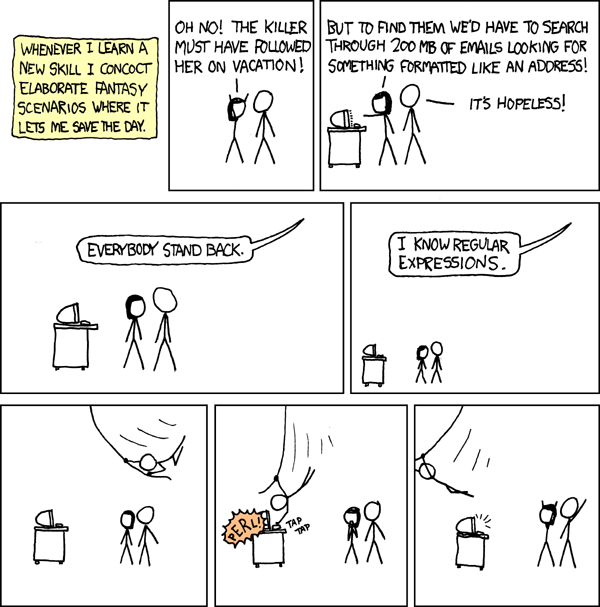
This is my favourite XKCD of all time, had it stuck up on my cubical at one stage.

GreGorGy
BULLSFAN
Well I never - iptables is aliased to ipfw and now that I think about it, I remember doing this a few months ago to workaround a software activation / phone home issue. Eventually I started running Little Snitch, which explains why this is now back of mind.
My humblest apologies.
My humblest apologies.
koffiejunkie
Executive Member
Well I never - iptables is aliased to ipfw and now that I think about it, I remember doing this a few months ago to workaround a software activation / phone home issue. Eventually I started running Little Snitch, which explains why this is now back of mind.
My humblest apologies.
None required. I suspected you had it as part of a Fink or Mac Ports install.
The sendmail one catches a lot of people. It's really Postfix.
I use it to ping and test my internet connection!!! Does that count ... haha, seriously though i actually use it quite a bit... i like mac ports, but more importantly i often run python scripts and my java code off command line. Also set/view file permissions from the command line, and other little stuff.
... haha, seriously though i actually use it quite a bit... i like mac ports, but more importantly i often run python scripts and my java code off command line. Also set/view file permissions from the command line, and other little stuff.Moklet Kcuf
Senior Member
You guys who use it all the time, I'm assuming you're mostly involved or experienced in programming or IT services?
Being a photographer, I have never seen the need to use it. But if you can suggest ways that it may be of use for me, I'm open for enlightenment?
Being a photographer, I have never seen the need to use it. But if you can suggest ways that it may be of use for me, I'm open for enlightenment?
koffiejunkie
Executive Member
You guys who use it all the time, I'm assuming you're mostly involved or experienced in programming or IT services?
Yes. I use it because I know how to.
Being a photographer, I have never seen the need to use it. But if you can suggest ways that it may be of use for me, I'm open for enlightenment?
A while ago I posted something related to my workflow. I shoot in RAW+JPEG. Sometimes the JPEGs are good enough, and, especially on the 40D, I often got results out of the camera that I wasn't able to reproduce, let alone improve on, in post.
So what I did was copy the whole lot onto my hard drive, and move the JPEGs into a separate folder
Code:
mv *.JPG tmp/Then go through the JPEGs with Preview and delete everything except the really good ones. Move them back and then run this:
Code:
for i in `find . -type f | grep JPG | sed 's/JPG/CR2/'`; do rm $i; doneThis deletes all the RAW files for which there are corresponding JPEGs, and leaves the rest alone. So I end up having the good JPEGs, and RAW files for everything else. There is no quick way to do the above through the GUI.
That said, I no longer do this, simply because the space saved isn't worth the hassle to me. These days I just do my geotagging right on the card, and import the lot.
Last edited: