DSTV low volume and forced HDR

Ciferion

Senior Member
Joined
Jul 21, 2017
Messages
580
Reaction score
418
Location
Pretoria
Hey guys,

So I got a new Samsung 4K TV and upgraded to the DSTV Explora Ultra. I seem to have two issues.

The volume setting is on variable as I want to control it via DSTV remote, but it seems very low. I have to set my TV to level 90 to hear properly.

Has anyone had this issue before?

Then, on the display settings, I set the output to 4K 60Hz. Everything was in HDR, even SDR content. I've managed to bypass this by disabling Input Signal Plus, but that then disabled HDR completely, even for HDR shows from DSTV.

Has anyone found a fix for this?

Thanks all.
 
I managed to solve the audio issue by allowing the TV to control the audio. That way, I get Dolby Atmos and digital audio as well. But this HDR issue is odd. Has anyone else experienced this?
 
Hey guys,

So I got a new Samsung 4K TV and upgraded to the DSTV Explora Ultra. I seem to have two issues.

The volume setting is on variable as I want to control it via DSTV remote, but it seems very low. I have to set my TV to level 90 to hear properly.

Has anyone had this issue before?

Then, on the display settings, I set the output to 4K 60Hz. Everything was in HDR, even SDR content. I've managed to bypass this by disabling Input Signal Plus, but that then disabled HDR completely, even for HDR shows from DSTV.

Has anyone found a fix for this?

Thanks all.
HDR shows from dstv? What shows are in hdr?
 
Then, on the display settings, I set the output to 4K 60Hz. Everything was in HDR, even SDR content. I've managed to bypass this by disabling Input Signal Plus, but that then disabled HDR completely, even for HDR shows from DSTV.

Not familiar with these newer Exploras, but an output setting does not mean that's the input. There are certainly a number of their channels only available in SD.

BTW, what is "SDR"? Presume you mean SD
 
Not familiar with these newer Exploras, but an output setting does not mean that's the input. There are certainly a number of their channels only available in SD.

BTW, what is "SDR"? Presume you mean SD
SDR = standard dynamic range, hdr = high dynamic
 
Aah, so about the audio quality only then?
Nope picture. It's about making lighting more natural and to try make things pop where they are supposed to.
 
Nope picture. It's about making lighting more natural and to try make things pop where they are supposed to.
Thanks. Sounds very fancy for the DStv service, even if only on the streaming.
 
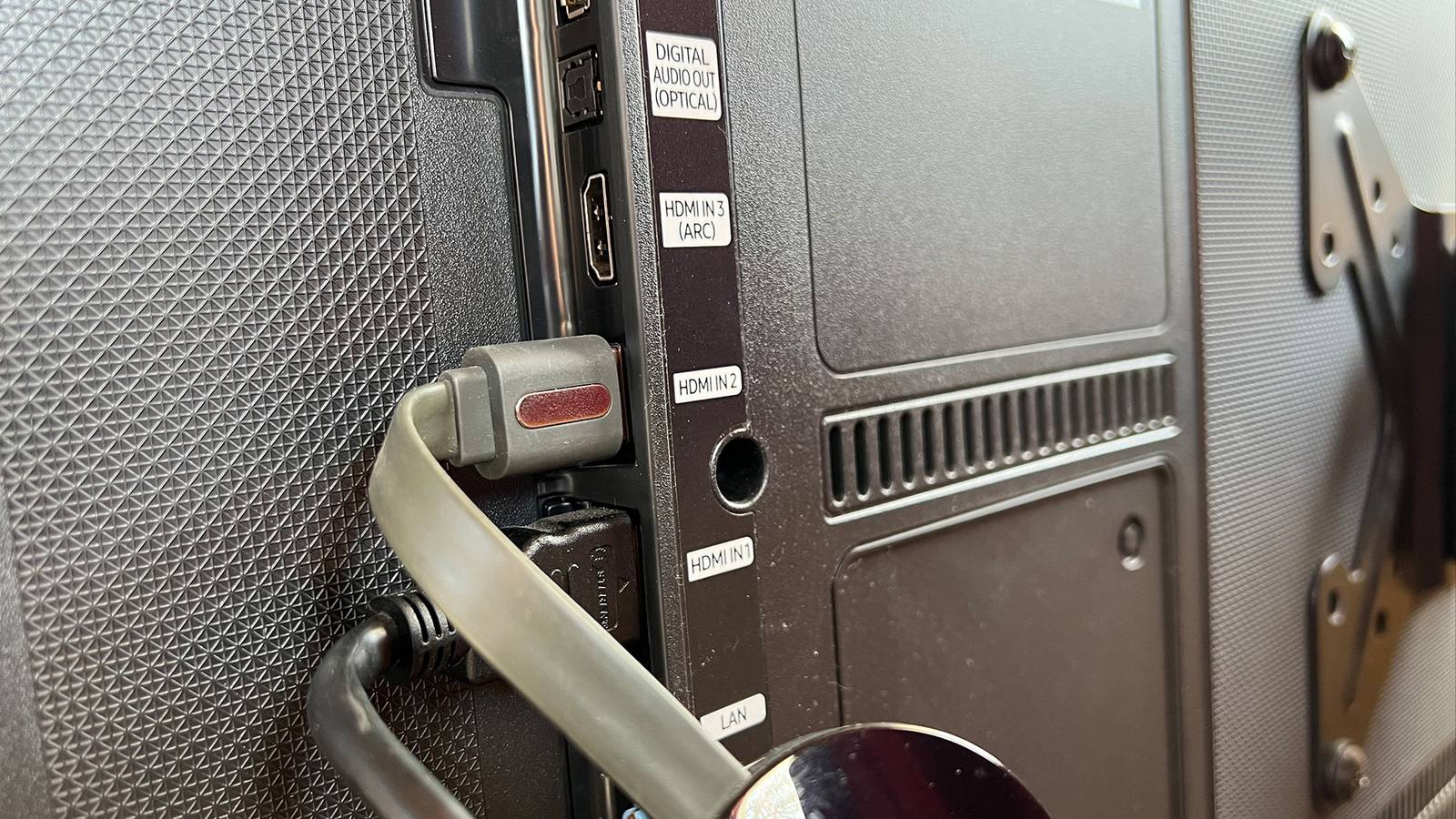
Yes, the Samsung TV has a setting called Input Signal Plus on its four HDMI 2.1 ports. This allows for external devices with incoming HDR signals, such as a PC or console. So, on that port, I have disabled it and will run Netflix and other streaming services in HDR via the TV software, not via the new Explora Ultra model. Now, DStv and Showmax will be correctly mapped to SDR, and Netflix, Disney+, or YouTube will support HDR TV natively, or PC and console on another HDMI port with the setting enabled. It took a while to figure it out, but it looks gorgeous. :D
 
Make sure your DSTV decoder is set to FIXED audio (as this option enables Dolby Digital / Atmos audio & true multi-channel surround sound (either via HDMI or Coaxial / Optical Digital Out) - if it is set to VARIABLE (using the DSTV remote to control the volume level), then you will only output a PCM 2.0 digital audio signal to a TV set or Home Theatre System.

Make sure that both the DSTV decoder & the Samsung TV set have ARC / HDMI-CEC (AnyNet+) enabled, so that when you power up the DSTV decoder, it will also turn on the TV set and set it to the required HDMI input port - and then you can utilise the TV set remote to adjust the volume level accordingly.

1725701488068.png

 
I'm sure @Ivan Leon means when bringing the decoder out of standby, it's long been known that it's not good to turn it off much due to constant security, updates and other comms from DStv.

The effects of standby - the jury's still out, doesn't seem to be harmful though and it doesn't really save any meaningful power. On older decoders anyway, can't speak for more modern ones.
 
Make sure your DSTV decoder is set to FIXED audio (as this option enables Dolby Digital / Atmos audio & true multi-channel surround sound (either via HDMI or Coaxial / Optical Digital Out) - if it is set to VARIABLE (using the DSTV remote to control the volume level), then you will only output a PCM 2.0 digital audio signal to a TV set or Home Theatre System.

Make sure that both the DSTV decoder & the Samsung TV set have ARC / HDMI-CEC (AnyNet+) enabled, so that when you power up the DSTV decoder, it will also turn on the TV set and set it to the required HDMI input port - and then you can utilise the TV set remote to adjust the volume level accordingly.

View attachment 1755910


That's really awesome advice. Thank you so much! :)
 
I'm sure @Ivan Leon means when bringing the decoder out of standby, it's long been known that it's not good to turn it off much due to constant security, updates and other comms from DStv.

The effects of standby - the jury's still out, doesn't seem to be harmful though and it doesn't really save any meaningful power. On older decoders anyway, can't speak for more modern ones.

Yup - indeed so - my Netogy Nova (Android Streaming box), Sony Blu-Ray Home Theatre System & JVC TV set all have HDMI-CEC set to ON - When I power up the TV, it turns on the Sony HTS, and when I power up the Nova streaming box, it automatically switches the Sony HTS to HDMI 1 - I then use the Nova remote to adjust the Sony HTS volume (I have set the JVC TV to switch off its internal speakers and adjusted the TV volume to 50%) - and when I power down the JVC TV set, it switches off the Sony HTS & the Nova as well...
 
Last edited:
On the Explora Ultra HDR is forced on. Yes, really. And no way to disable it on the decoder even 4 years after launch.
Multichoice at its finest.

The only way around it is on the TV side, like below but of course, then things like the Netflix app on the Explora Ultra won't be HDR (although I don't use them so can't comment whether they were even HDR in the first place).
disabling Input Signal Plus, but that then disabled HDR completely, even for HDR shows from DSTV.
 
Okay, so I went through all the settings. The TV has HDMI-CEC on. On DSTV, I can't find this setting anywhere. When setting it to fixed, I can't control the volume with the DSTV remote. It says the volume is controlled by the TV?
 
Go to the Settings Menu of your DSTV decoder:

1725723658367.png

Then go through ALL the options in the USER PREFERENCES menu - as well as the SYSTEM SETTINGS menu - you may find the HDMI-CEC settings in one of the various sub-menus (I don't have a DSTV Explora / Explora Ultra to check where it is) ;)
 
Yes - you will need to use the TV remote's volume control, as the DSTV remote volume control is deactivated when set to FIXED - the preferred setting for Dolby Digital / Atmos audio output to the TV set or a Home Theatre System / Soundbar.

That makes sense. The DStv volume is indeed very low and lifeless on the variable setting. I confirmed that the HDMI-CEC is not an option I can see on DStv, but routing the audio this way is working and sounds phenomenally better through the TV. I don't have a sound bar yet, but I plan on getting a small one. Thanks again for all your help.
 
Last edited:
Top
Sign up to the MyBroadband newsletter
X