Getting KMPlayer to play using hardware gpu?

The Philosopher

Expert Member
Joined
Jan 8, 2010
Messages
1,583
Reaction score
20
How do i make sure that kmplayer is playing with the optimal codecs on win7 and also how to enable hardware encoding thru the gpu. I can use CUDA with my 8800GT but i not sure how enable it in the KMplayer. i had trouble initially installing kmplayer on win7. it would play then i would get an error that somethign is not registered. then i would get it working then the graphics on h264 720p would look very blocky and not sharp that HD should look like. i then installed build 1436 and it seems to work now. the quality has improved but i am not sure whether it is the best quality i can get.
 
KMPlayer is very buggy in Win7, ive been using it for ages but with Win7 its better to stick to Classic/Media Player imo.
 
i played thry windows media player 11 which came with win7 but it is very blocky and cant play mkv containeed files. how can i soup up wm11?
 
Really? I don't find kmplayer at all buggy on win7. it's the best player out there imo. Maybe try GOM for an alternative?
 
Im using Win7 64 bit and some K-Lite codec packs, and i get weird problems sometimes with it. So i gave up and am happily running Classic and Media Player, my Anime has never been Happier :D

BTW OP shouldnt this post be Under Software?
 
Downloading... :p

I love the Engrish tone on the site ;) :D :p

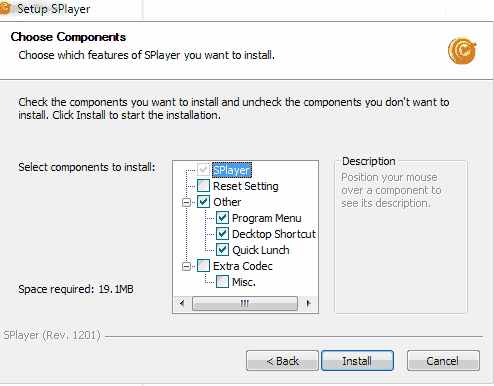
It is not only the site... notice the "Quick lunch" in the install : )

splayer.jpg
 
Top
Sign up to the MyBroadband newsletter
X