HDCP not working?

Praeses

Executive Member
Joined
Oct 29, 2005
Messages
5,047
Reaction score
254
Location
Bloemfontein
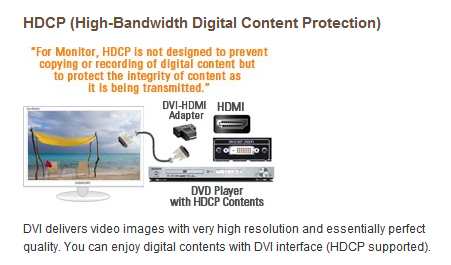
I have a 9600GT and a Samsung 2232GW connected via DVI. Why does the nvidia driver say my system isn't HDCP capable? Do I need a better DVI cable? Both the monitor, videocard and new blu ray drive supports hdcp.
 
You probably find the DVI connections you're using don't support HDCP.... (I don't know if any do for that matter)

You'll need to use HDMI connections.
 
You probably find the DVI connections you're using don't support HDCP.... (I don't know if any do for that matter)

You'll need to use HDMI connections.

How can they state that the monitor is HDCP capable if it only has DVI and analogue connectors? :(
 
DVI does support HDCP.... but I'm guessing that it needs a certain type of DVI cable...

Does your graphics card have HDMI outputs btw?
 
Ahhh.. so its Samsung's bastard version thereof...

I always wondered what they meant by in as well when i had a 2233GW.... but i never really tried to use it.
 
Top
Sign up to the MyBroadband newsletter
X