Help me find the right mesh wifi solution

hj2k_x

Honorary Master
Joined
Jan 22, 2006
Messages
32,115
I recently went with the Netgear Orbi RBK22 (dual) system

Really helped to increase the coverage in the house - I had two AP's (older Asus AC750's) connected to main router via cables but the Wi-Fi coverage was piss poor and I had to frequently reset the AP's as the signal would drop with no explanation.

Also have an older single-story house with many walls and a 1000m2 erf and the wi-fi coverage across the property is great. Only issue I find with this Mesh system is you can't designate a 2.4ghz or 5ghz signal to specific IoT devices (sonoff/shelly etc) so you have to be creative on how to setup these devices.

Best of all, you don't need to have cables between the two ORBIs - only connect Orbi AP to router and add the satellite wherever signal is best.

Granted the interface is a bit lackluster but the remote management is a big plus! Setup is dead easy.
I think this is the daisy-chaining which I had hoped my humble Mercursys setup was going to have. So the nodes/satellites don't connect to the main node/hub but connect to each other, so the signal is maintained throughout?
 

Mista_Mobsta

Expert Member
Joined
Jan 22, 2015
Messages
3,376
I think this is the daisy-chaining which I had hoped my humble Mercursys setup was going to have. So the nodes/satellites don't connect to the main node/hub but connect to each other, so the signal is maintained throughout?
https://blog.netgear.com/blog/daisy-chain/

With the latest firmware update it seems so - I have not tested as I only have the 2-unit setup but it seems it will automatically decide which connection to the main router is best
 

hj2k_x

Honorary Master
Joined
Jan 22, 2006
Messages
32,115
I find smallnetbuilder.com has some interesting content about Wifi, especially this article why you don't need expensive mesh nodes to have Wifi cover your property.
Some good tips in there.

I think I might have problems due to the following two things:

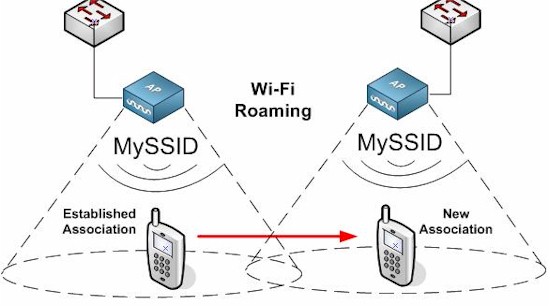
Don't Overcrowd APs/mesh points - Too many APs in too small an area will almost guarantee terrible roaming behavior. Some devices will never reach a level low enough to trigger roaming. Others may bounce back and forth between APs with similar signal levels, causing connection instability. So you might not need all three mesh nodes that come in a three-pack "mesh" system. And skip the temptation to buy an Orbi three-pack unless you have a really big area to cover.
Don't Create AP Gaps - The inverse of the previous point is also true. If there is too little or no overlap between access points, you'll get a dropped connection. Fortunately, Wi-Fi systems are good at guiding proper mesh node placement, as are today's Wi-Fi extenders.

I think downstairs there is a chance of overcrowding and upstairs of gaps...
 

hj2k_x

Honorary Master
Joined
Jan 22, 2006
Messages
32,115
Quick update: I've removed one of the Mercursys nodes (so now have 3 instead of 4) and that has made the connection a lot more stable. But it still drops entirely from time to time.

Upstairs, the TP link powerline wifi extender still works well but you have to connect to a didffetnt wifi of course to connect to it. The wired connection to the Mi Box works well and only seems to drop intermittently at strange times later in the evening (might be a fibre issue. Might be a weird mi box issue).

Anwyay, if I wanted to swap out the current setup for a clean one with ONE proper mesh wifi setup and no powerline adapters or a thing else, what are the recommendations there?

I am looking for something pretty plug n play at this stage.

How many thousands do you have to throw at a mesh wifi setup to get what I'm looking for? I'm thinking I'd need 3 nodes to cover upstairs and downstairs (with some wired connections coming out of them too)

Any help much appreciated :)
 

hj2k_x

Honorary Master
Joined
Jan 22, 2006
Messages
32,115
Question for those running Plume mesh wifi: do your pods run very hot all the time regardless of load? Mine seem to be doing that...
 
Top