


You're welcome to share it, I'm sure someone will find it useful. I tend to procrastinate - if its not broken - I don't fix itI can drop the code in here if you want. I make use of lovelace_gen which is pretty handy for code re-use

South Africa’s biggest forum. Discuss, discover, and connect with thousands of members.
You're welcome to share it, I'm sure someone will find it useful. I tend to procrastinate - if its not broken - I don't fix itI can drop the code in here if you want. I make use of lovelace_gen which is pretty handy for code re-use
# lovelace_gen

type: "custom:button-card"
color_type: card
entity: {{entity}}
name: '[[[ if (states["{{entity_bypass}}"].state == "on") return "{{name}} - Bypassed"; else return "{{name}}" ]]]'
# name: {{name}}
show_last_changed: true
styles:
  name:
    - font-size: 10px
  label:
    - font-size: 10px
state:
  - value: "on"
    color: red
    icon: mdi:alert
    styles:
      card:
        - animation: blink 2s ease infinite

  - operator: template
    value: >
      [[[ return states["{{entity_bypass}}"].state == "on" ]]]
    color: Grey
    icon: {{icon}}

  - operator: template
    value: >
      [[[ return states['alarm_control_panel.main_house'].state === 'armed_night' ]]]
    color: {{armed_night_colour}}
    icon: mdi:shield-check

  - operator: template
    value: >
      [[[ return states['alarm_control_panel.main_house'].state === 'armed_away' ]]]
    color: red
    icon: mdi:shield-check

  - operator: default
    color: green
    icon: {{icon}}

tap_action:
  action: call-service
  service: switch.toggle
  service_data:
entity_id: {{entity_bypass}}# lovelace_gen
type: vertical-stack
cards:
## Sleeping Zones
- type: "custom:button-card"
color_type: label-card
color: rgb(44, 109, 214)
name: Sleeping Zones
- type: horizontal-stack
cards:
- !include
- ui-generic-alarm-button.yaml
- name: Master Bedroom
entity: binary_sensor.master_bedroom
icon: mdi:human-male-female
armed_night_colour: yellow
entity_bypass: switch.master_bedroom_bypass
- !include
- ui-generic-alarm-button.yaml
- name: Matts Room
entity: binary_sensor.matts_room
icon: mdi:human-male
armed_night_colour: yellow
entity_bypass: switch.matts_room_bypass
- !include
- ui-generic-alarm-button.yaml
- name: Isabels Room
entity: binary_sensor.isabels_room
icon: mdi:human-female
armed_night_colour: yellow
entity_bypass: switch.isabels_room_bypass
- !include
- ui-generic-alarm-button.yaml
- name: Passage
entity: binary_sensor.passage
icon: mdi:table-column
armed_night_colour: yellow
entity_bypass: switch.passage_bypassThe hard work has already been done.Sweet. I've ordered an esp8266, hoping to fabricate my own, much cheaper, version of an Envisalink
 github.com

Can you bypass zones with this and see bypass state?The hard work has already been done.
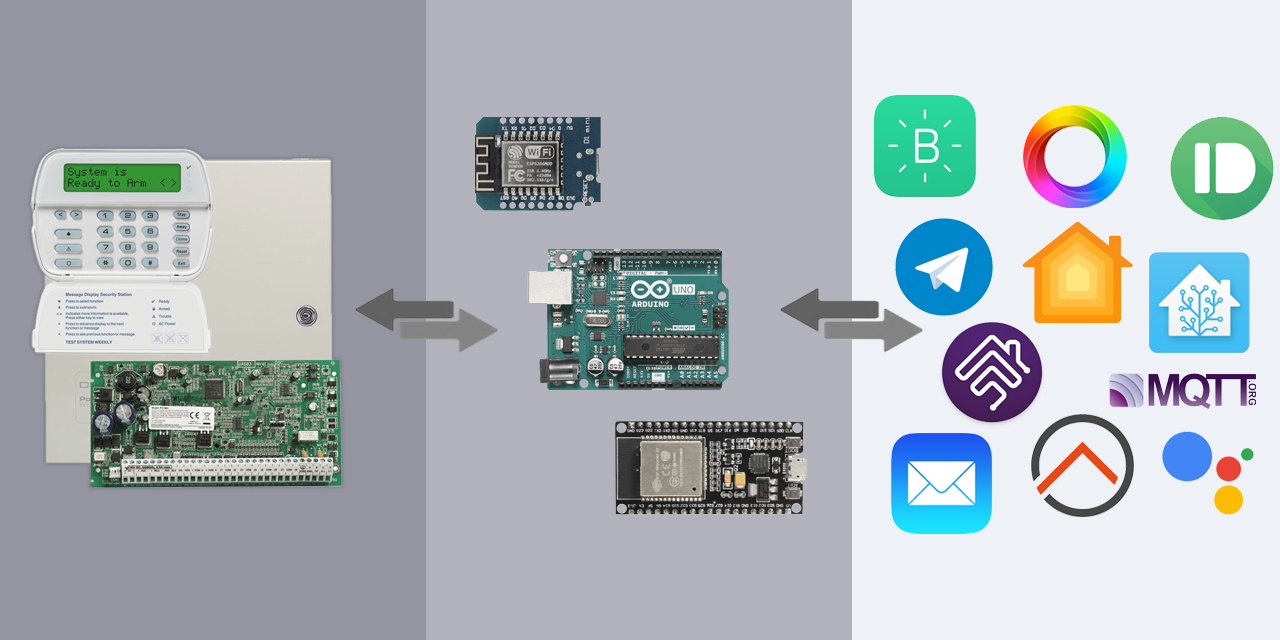
GitHub - taligentx/dscKeybusInterface: An Arduino/esp8266/esp32 library to directly interface with DSC security systems.
An Arduino/esp8266/esp32 library to directly interface with DSC security systems. - taligentx/dscKeybusInterface
Works like a charm for me.
It is supported if im not mistaken, I havnt looked into it as I dont need to bypass zones, develoepr is also actively expanding it. There is lots of info in the project.Can you bypass zones with this and see bypass state?
Hmm maybe I should move over to that eventually too. The envisalink4 integration in home assistant is getting no love since the developer moved over to a different alarm systemIt is supported if im not mistaken, I havnt looked into it as I dont need to bypass zones, develoepr is also actively expanding it. There is lots of info in the project.

That's exactly the project I'm planning to follow.The hard work has already been done.
GitHub - taligentx/dscKeybusInterface: An Arduino/esp8266/esp32 library to directly interface with DSC security systems.
An Arduino/esp8266/esp32 library to directly interface with DSC security systems. - taligentx/dscKeybusInterface
Works like a charm for me.
Is your HA interface with the PIR via the alarm panel / Envisalink? I.e. HA picks up motion activity directly from the PIR's via the alarm without any further hardware required?My Alarm PIRs also switch lights for movement at night.
Switches are all Shelly based for 95% of my house's light switches.
Alarm is a DSC pc1864 integrated with envisalink into Home Assistant.
Yes. For each zone you get a sensor. All binary sensors to show either open or close. Pir is usually closed and open when there is movement. Eg. If you see the led on the Pir it show as open in HA.Is your HA interface with the PIR via the alarm panel / Envisalink? I.e. HA picks up motion activity directly from the PIR's via the alarm without any further hardware required?
Fantastic! So no need to get extra components. Whoop whoopYes. For each zone you get a sensor. All binary sensors to show either open or close. Pir is usually closed and open when there is movement. Eg. If you see the led on the Pir it show as open in HA.

My next odd question, is there such a thing/device that can be used to open a complex gate or garage door at long range(similar to a remote but can be wall mounted)?
I stay in an oldish complex and there is no high tech access control for the main gate just the regular 2 button remotes. My unit is about 150 - 200m from the main gate and my remote cant open the gate from inside and outside. I have to walk to the main gate to open. I would like some sort of longish range transmitter that can replicate the remote signal so I can open the gate without going outside.
Bonus would be if I can link said device (if it exists) to my HA so I can open the gate and/or garage if needed from my watch or phone.
I dont have access to the gate control panel and the trustees are old people who are allergic to tech so convincing them to add cell access control is pointless. They didnt even want the alarm company to programme their remotes on the panel, I had to speak to the managing agents for approval.
EDIT: Something like this, can it work?
What about these units where you miss-call a specific number? My old complex where I stayed had one of those.doubt it, firstly you would have to code the new transmitter to the receiver which would mean access to the receiver.
the best bet would be changing or adding a long range receiver, like the sherlo 500m receiver (note you wont get 500m in a built up area with obstacles)
What about these units where you miss-call a specific number? My old complex where I stayed had one of those.
Residents are registered with their phone number onto the system. I imagine it has a SIM inside. As soon as you miss-call the SIM, and you're doing it from one of the registered numbers, then the gate opens.
Yeah, it isn't Home Assistant based but I think it is fairly reliable.
doubt it, firstly you would have to code the new transmitter to the receiver which would mean access to the receiver.
the best bet would be changing or adding a long range receiver, like the sherlo 500m receiver (note you wont get 500m in a built up area with obstacles)

From what I remember Pi-Hole is an add-on in the HACS.I'm stumped by the variety of HA installation options - could one of you more acquainted with the options help me out? I want to run HA on a Pi, as well as Pi-hole. My understanding is I can't run Pi-hole on the Home Assistant OS option. What would be the best option to do this?
The add-on has been deprecated.From what I remember Pi-Hole is an add-on in the HACS.
I definitely remember seeing it previously.