guest2013-1
guest
- Joined
- Aug 22, 2003
- Messages
- 19,800
- Reaction score
- 13
I'm at my wits end.
PHP Website Application (think Wordpress, but my own code)
Pages load within an average of 1 second (best loading times are 0.340). Launched 7 sites, Google Bot comes along and kills the server. Shared host tells me to **** off, so I get a VPS of 512mb. Bot thinks "hey, now I can hit you more", it ****s the server like it's little bitch.
I do some tweaks to the code, change foreach/for loops to while loops where I can (working with arrays mostly). Check the database (insert/select's happen in like 0.00009 seconds) and I pull apart some functionality and rewrite it entirely.
Add in FastCGI/PHP-FPM on the server (huge timeout issue when doing so that has gone undocumented expect for one bloke, which then requires some code rewriting)
Nope, Google just *loves* the new performance increase, and increases their crawl rate, ****ing the server up the ass.
This all WITH cloudflare infront of the damn thing "saving" like 50% of the requests!
So, I upgrade to 1gb, same story.
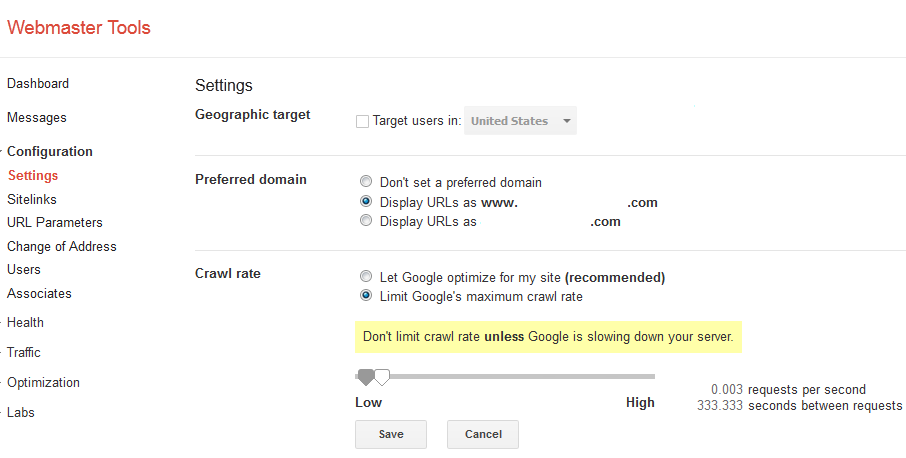
This totally goes against Google's "user experience" when 7 websites get ****ed so hard by their bots that it's impossible for a normal user to even load the site... Webmaster Tools don't allow for changes in the crawl rate. And it's ignoring the "Crawl Delay" set in the damn robots.txt
I remember the days when 7 websites can live on 1 server sharing their resources with 700 others. Nowadays, nope. DDos attack courtesy of Google.
PHP Website Application (think Wordpress, but my own code)
Pages load within an average of 1 second (best loading times are 0.340). Launched 7 sites, Google Bot comes along and kills the server. Shared host tells me to **** off, so I get a VPS of 512mb. Bot thinks "hey, now I can hit you more", it ****s the server like it's little bitch.
I do some tweaks to the code, change foreach/for loops to while loops where I can (working with arrays mostly). Check the database (insert/select's happen in like 0.00009 seconds) and I pull apart some functionality and rewrite it entirely.
Add in FastCGI/PHP-FPM on the server (huge timeout issue when doing so that has gone undocumented expect for one bloke, which then requires some code rewriting)
Nope, Google just *loves* the new performance increase, and increases their crawl rate, ****ing the server up the ass.
This all WITH cloudflare infront of the damn thing "saving" like 50% of the requests!
So, I upgrade to 1gb, same story.
This totally goes against Google's "user experience" when 7 websites get ****ed so hard by their bots that it's impossible for a normal user to even load the site... Webmaster Tools don't allow for changes in the crawl rate. And it's ignoring the "Crawl Delay" set in the damn robots.txt
I remember the days when 7 websites can live on 1 server sharing their resources with 700 others. Nowadays, nope. DDos attack courtesy of Google.