How to use the features in Android 10

Jamie McKane

MyBroadband Journalist
Joined
Mar 2, 2016
Messages
7,000
Reaction score
1,008
How to use the features in Android 10

Android 10, the latest version of Google's popular mobile operating system, offers some impressive new features that you should consider using.

It has already begun rolling out to Google's Pixel smartphones, and Google is in discussions with other smartphone makers to upgrade their current and new devices to Android 10.
 
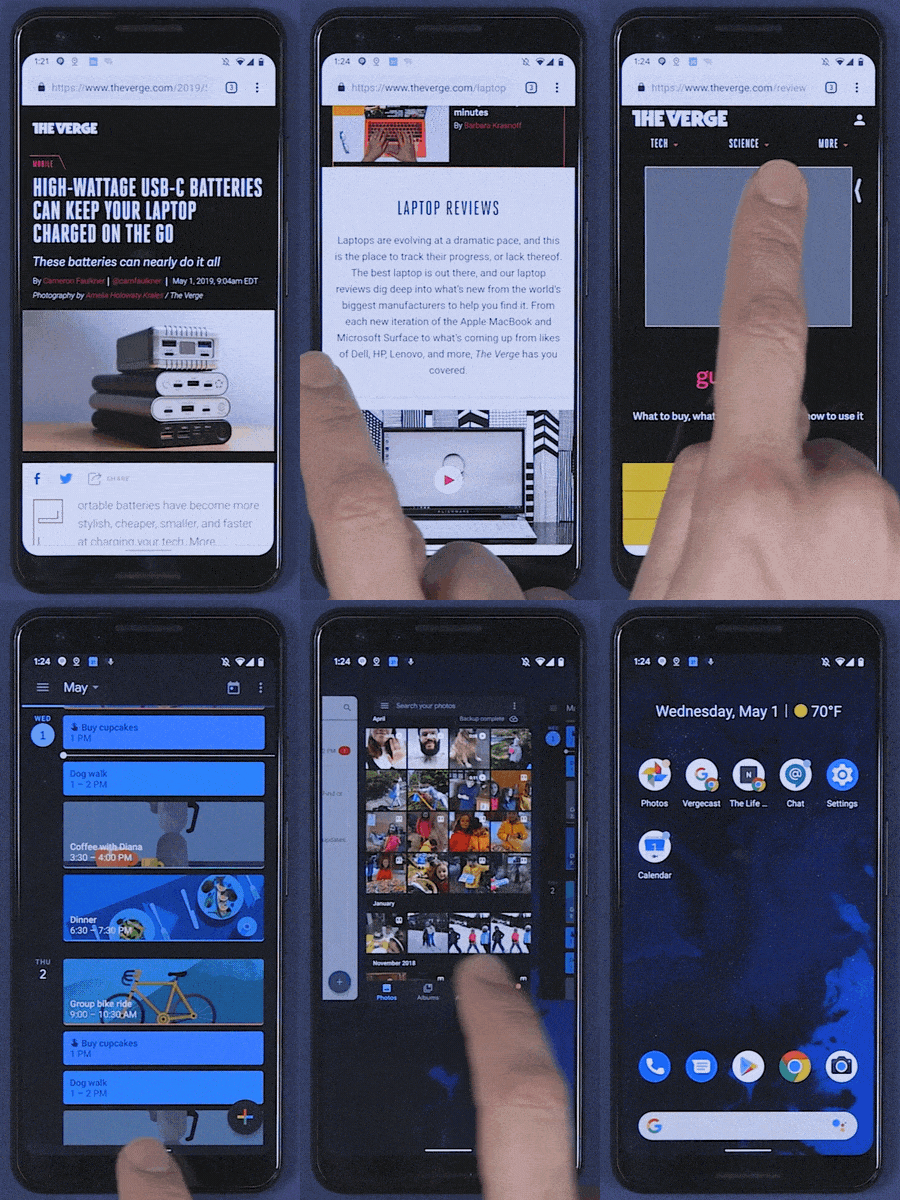
  • Swipe up to the middle of the screen – Launch app switcher
  • Swipe up from bottom of screen – Open app drawer
Sounds wrong, it's all swipe from the bottom, it's how far up you swipe that changes it, or if you swipe up a little you get launcher, then swipe up at the bottom the icons to get to launcher, just as it's currently with Android 9 (though I don't think it exists on Samsung currently, I do have it enabled for Nokia 7 Plus stock, the gestures are nicer once you get used to it in a day, hate going back when using other's phones).
nav.0.gif


Live caption is probably the feature I'll like the most, can finally have people's voice notes speech to text maybe, would be great.
Overall, this looks like quite a good Android update, way more interesting than Apple's, lol.

iOS 13 is due on the 19th:
iOS 13 Dark Mode
  • Overdue Dark Mode is coming to iOS 13 and iPadOS
  • We saw macOS get a system-wide Dark Mode in 2018
  • Shortcut to black-and-dark-gray UI lives in Control Center
Besides dark mode, nothing looks very interesting there.
(well, downloads folder, that's amazing, lol)

EDIT:
If you want all the gif gestures, e.g. bottom left/right diagonal swipe to center will trigger Google Assistant, and diagonal left to center swipe for slide-out menus.
 
Last edited:
Lol Masterpass is an abomination. I tried adding my mastercard and it gives an error, so I tried my Amex and it accepts it... But before I can pay with Masterpass it asks me to confirm a small transaction for verification and asks for the Amex CVV. The idjits who coded it limited the CVV to a 3 character field :ROFL:
Emailing their support yields no response and phoning them is a waste of time too. They just go uh... Err... Sorry.

Strange it added my cards automatically I didn't have to do jack nothing.
 
Top
Sign up to the MyBroadband newsletter
X