HTPC Controller

hungrybeaver

Expert Member
Joined
Mar 17, 2010
Messages
2,094
Reaction score
3
Location
Durban
Over the weekend I connected a spare PC to my TV and installed XBMC :D. (Can't believe I didn't do this sooner!) Atm to control it I have a wired keyboard and mouse which is a bit impractical and messy in the living room, so I'm looking for an alternative. I'm leaning towards getting a wireless keyboard with a trackball/touchpad - anyone know where to get one on the cheap? Most I've seen are >R1k and if thats the case I'd rather buy the Logitech diNovo Mini (I'd prefer not to though!).

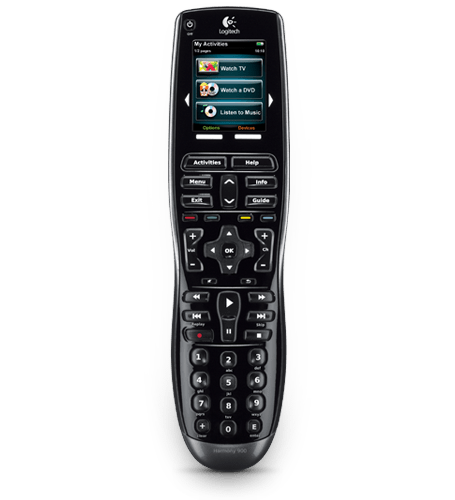
You guys with HTPCs, what do you use as a remote? Can you guys recommend a wireless remote/controller with a keypad (I would like to do the odd bit of browsing).

This is what I'd like to get:
BD1981FF23054193AECF6273E21569E8.jpg


I'd prefer to not spend a whole lot of money at this stage on a remote as I am still tinkering with XBMC and PC hardware.
 
If you look at the esquire specials the first one is a tiny thing similar to the dinovo mini but 199 ex vat. I seem to remember someone reviewing a very similar looking keyboard on here bought from cafe viva for about R500.
 
That looks awesome. Its shipping July 8th!

And it can be used to control other devices.
 
But it does not have a "mouse" which is kinda a deal breaker for me, i just bought the one they have at special at Esquire, works quite nice, it does exactly what i want it to do and it has the basic media buttons on the top
Check the button on the right of the keyboard side, that very much looks like a mouse pointer movement button, and on the left is the left and right click buttons. The mouse part works almost more like a game controller i'd say, but it does indeed have a mouse.

Either way, this might not be for everybody, but it sure will be great for me. I dont need the rat that much anyways.
 
But it does not have a "mouse" which is kinda a deal breaker for me, i just bought the one they have at special at Esquire, works quite nice, it does exactly what i want it to do and it has the basic media buttons on the top

I've been looking at other remotes and found that the directional pad is doubled as a touch pad for mouse movements. I would assume this remote is much the same.

about the Esquire keyboard - I've just ordered one. How big is it? How does it feel?
 
I've been looking at other remotes and found that the directional pad is doubled as a touch pad for mouse movements. I would assume this remote is much the same.

about the Esquire keyboard - I've just ordered one. How big is it? How does it feel?

Its small, a little bigger than my HTC Desire
compared to the Compro K300 it works and feels like a dream......(good bye bl*#dy IR)

Well, the trackball is a little difficult to control, it’s very sensitive, but im sure if you get the hang of it it won’t be an issue, Windows 7 also takes its time installing the drivers, took windows about 10minutes to install them, it’s also kinda difficult holding the "fn" key and pressing the "media buttons", i would have preferred that if there was a media key that i could press and then only the media keys will be usable
But it’s not bad, and for the price its actually awesome, other keyboards/remotes with the same functions cost R700+, for R200 it’s really an awesome HTPC keyboard
 
If you have the XBMC box on a network, you could also install UltraVNC and it control it from another pc?
 
If you have the XBMC box on a network, you could also install UltraVNC and it control it from another pc?

I logged into the PC with TightVNC, and XBMC doesn't show up on the screen you're VNCing from. With RDP XBMC doesn't even start on the host. There might be a way to get it to work though, didn't really look much into it.
 
Last edited:
I use a media remote, only the arrow keys, enter & back are needed for XBMC tho. I also have a Lexma wireless Keyboard & mouse (real cheapie - but works a charm when I need them). Alternatively My house is fully wifi enabled, so I can control my XBMC via the wireless with an app on my HTC desire (RemoteDroid).

Lexma - http://www.lexmausa.com/products/ProductDetail.asp?SwitchFunctionID={CBE0CBDD-8FBF-4476-8919-43F1EF1C15BF}&id={70F9554D-617E-4A2B-8451-E9B07060AF56}
Remotedroid - http://remotedroid.net/
 
I bought a wireless remote from Cafe Viva (R99). I'm using MediaPortal, which imo is far better than XBMC, a lot easier to configure and setup, and a lot more accurate scraping movies and tv series. Very easy to configure the remote, you can even use it to switch of the pc, start programs etc. I don't even have a mouse or keyboard connected to the pc anymore.
 
Top
Sign up to the MyBroadband newsletter
X