


went and filled in all the various empty settings on my MK's IPV6 and so far so good (since Sat evening).No ipv6 again this morning on my phone or MacBook.
Reconnected to WiFi and it's working again.
Not sure what to try next
-
- News
-
Categories
- 5G
- ADSL
- AI
- Banking
- Black Friday
- Broadband
- Broadcasting
- Business
- Business Telecoms
- Cellular
- Cloud and Hosting
- Columns
- Cryptocurrency
- Energy
- Enterprise
- Fibre
- Gadgets
- Gaming
- Government
- Hardware
- Industry News
- Internet
- Internet of Things
- Investing
- IT Services
- Motoring
- Reviews
- Science
- Security
- Smartphones
- Software
- Technology
- Telecoms
- Trending
- Wireless
- Press Office
- Forum
- Industry News
- What's Next
- Company hub
- Speed Test
- About us
- Advertise with us
- Contact
- Careers
-
Join the MyBroadband community
South Africa’s biggest forum. Discuss, discover, and connect with thousands of members.
-
Question of the Day: Museums you've been to, would recommend, or want to go to?
You are using an out of date browser. It may not display this or other websites correctly.
You should upgrade or use an alternative browser.
You should upgrade or use an alternative browser.
IPv6 Roll Out
- Thread starter AfriNatic
- Start date

went and filled in all the various empty settings on my MK's IPV6 and so far so good (since Sat evening).
Okay great let us know how it goes.

It happened again yesterday but I checked again 20min later and it was fine again.Okay great let us know how it goes.
One thing I've noticed is that when I log into the Mikrotik it always has a lease expiration time within 23 hrs, I've never seen it shorter than 23:33. Even now the prefix expires in 23:50 (the prefix hasn't changed, though - so i assume it's similar to the dhcp ipv4 you guys have for other fno's where the ip barely changes). The PPPoE has not dropped according to the logs.
It happened again yesterday but I checked again 20min later and it was fine again.
One thing I've noticed is that when I log into the Mikrotik it always has a lease expiration time within 23 hrs, I've never seen it shorter than 23:33. Even now the prefix expires in 23:50 (the prefix hasn't changed, though - so i assume it's similar to the dhcp ipv4 you guys have for other fno's where the ip barely changes). The PPPoE has not dropped according to the logs.
Do you have another router?
If you can test it with another router to make sure it's a setting and not an issue with our implementation because we are not experiencing the same issue.
Another Mikrotik or a "simple" router?Do you have another router?
If you can test it with another router to make sure it's a setting and not an issue with our implementation because we are not experiencing the same issue.
Another Mikrotik or a "simple" router?
Simple router like a d-link or Huawei.
ok cool I've got the Huawei sitting somewhere will set that up to sit infront of the mikrotik sometime today or tomorrow.Simple router like a d-link or Huawei.
Do you have another router? If you can test it with another router to make sure it's a setting and not an issue with our implementation because we are not experiencing the same issue.
Do you have any Mikrotik fundi's there @ AH? I'm pretty well versed in it but by no means a trained Mikrotik professional especially with IPv6.
Hopefully you guys have enough Mikrotik users to warrant getting someone in to give us the correct setup for IPv6.

minkukel
Expert Member
I don't think Mikrotik users are that many or that Afrihost do have that informationDo you have any Mikrotik fundi's there @ AH? I'm pretty well versed in it but by no means a trained Mikrotik professional especially with IPv6.
Hopefully you guys have enough Mikrotik users to warrant getting someone in to give us the correct setup for IPv6.
It's a configuration thing on the Mikrotik - it worked fine out the box with the Hauwei.Simple router like a d-link or Huawei.
Mikrotik > IPv6 so I've disabled it for now and will wait around til there is a proper guide on getting it working on Mikrotik
There is the option of using the Mikrotik as a DMZ and IPv4 DHCP but I don't have time for that right now
ok well it was annoying me too much on Tues that I went and found another example of IPv6 setup on Mikrotik and implemented that Tues night.. so far no issues.It's a configuration thing on the Mikrotik - it worked fine out the box with the Hauwei.
Mikrotik > IPv6 so I've disabled it for now and will wait around til there is a proper guide on getting it working on Mikrotik
There is the option of using the Mikrotik as a DMZ and IPv4 DHCP but I don't have time for that right now
Still happened after a day or two where ipv6 stopped working and I had to reconnect.ok well it was annoying me too much on Tues that I went and found another example of IPv6 setup on Mikrotik and implemented that Tues night.. so far no issues.
Swapped over to D-link dir825, got it working with dual stack pppoe and after around a day the same issue with ipv6 connected but not working. Took longer to get it working again than on the mikrotik, but after connecting a few times it's working again.
@AfriNatic going to try replicate it.
Gimli_
Expert Member
@AfriNatic how did the internal testing go? Are you proceeding with the 'phase2' of your rollout? I can see an increase in the %IPv6 capable devices from APNIC statistics
@AfriNatic how did the internal testing go? Are you proceeding with the 'phase2' of your rollout? I can see an increase in the %IPv6 capable devices from APNIC statistics
We have started bulk enabling Vuma Reach clients so the number will likely increase quite a bit.
Openserve we will do a phased approach as we would need to push configs via TR-069
How would I know if my OS line has been provisioned for IPV6. I use a Archer C6 Router.We have started bulk enabling Vuma Reach clients so the number will likely increase quite a bit.
Openserve we will do a phased approach as we would need to push configs via TR-069
How would I know if my OS line has been provisioned for IPV6. I use a Archer C6 Router.
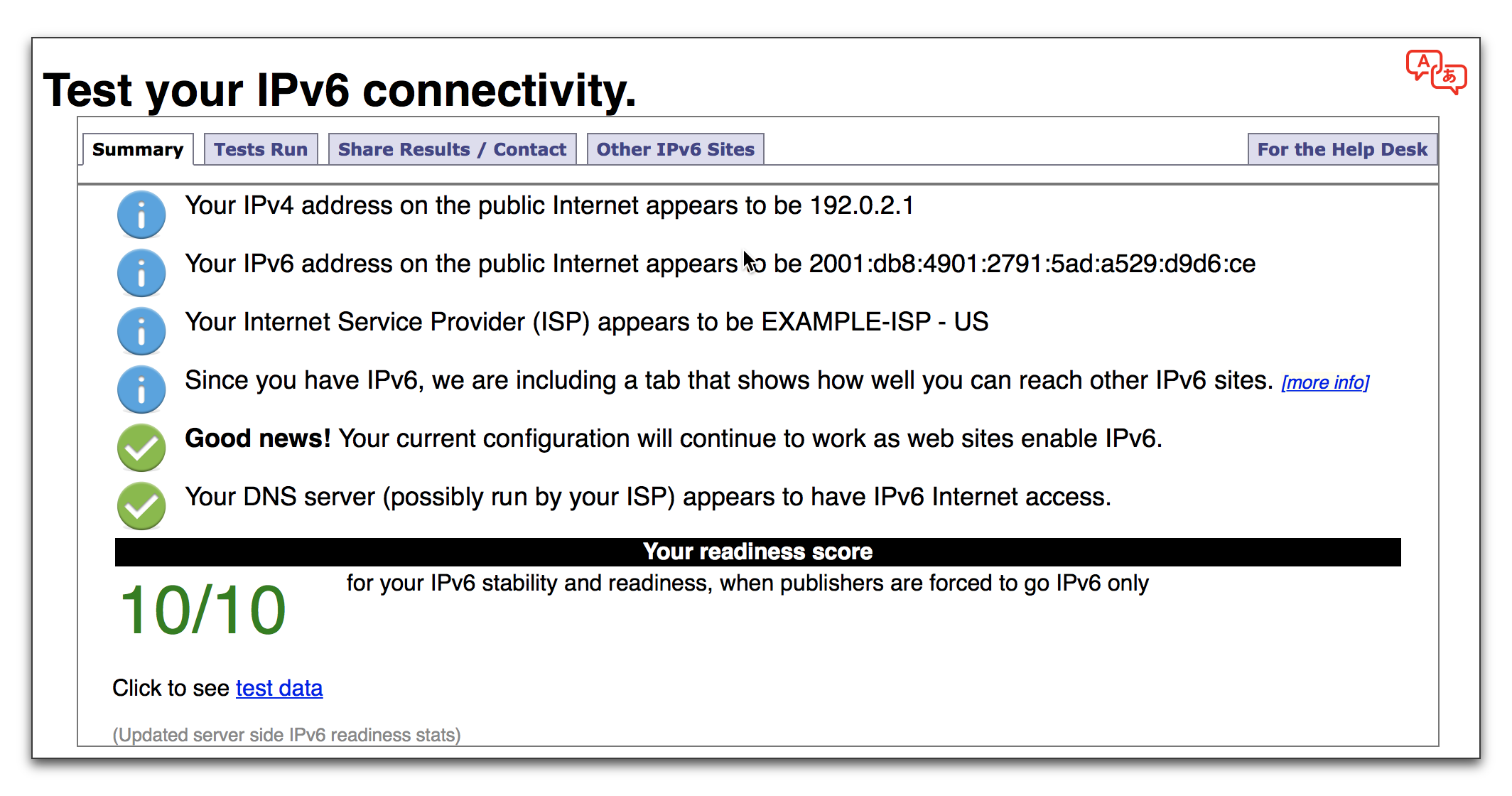
Test your IPv6.
This will test your browser and connection for IPv6 readiness, as well as show you your current IPv4 and IPv6 address.
 test-ipv6.com
Test result 0/10Test your IPv6.
This will test your browser and connection for IPv6 readiness, as well as show you your current IPv4 and IPv6 address.


Looney
Executive Member
Weird, I thought I had IPv6.

