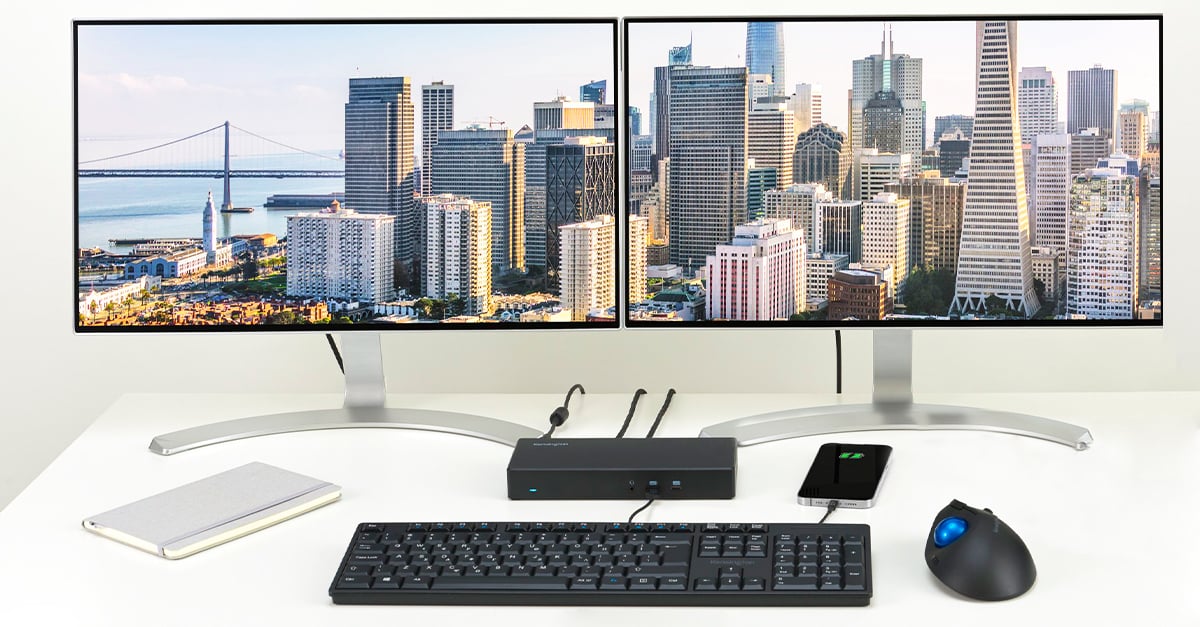
MacBook Pro Dock

@WAslayer

Surely any old dongle will do? I've been using my 32" Asus 1440p monitor with my 13" M1 MacBook Air since the day I bought it.

M1 chip only supports 1 external monitor from what I understand :(

Main reason I am clinging on my my 2017 MBP
 
M1 chip only supports 1 external monitor from what I understand :(

Main reason I am clinging on my my 2017 MBP
The M1 Mac Mini supports 2x monitors. It's the MBP and MBA that only support one. Although even then, there are ways to circumvent the restriction. Such as this:


You can also use Sidecar with an iPad and it won't count against the display limit. I have no need for more than a single monitor so it doesn't affect me, but it's obviously not a limitation I want in place and is pretty weird.
 
@WAslayer

Surely any old dongle will do? I've been using my 32" Asus 1440p monitor with my 13" M1 MacBook Air since the day I bought it. I picked up a R900 dongle from iStore at the same time I bought the MBA. It has 3x USB type A, 1x USB type-C, HDMI, a 3.5mm audio jack (that doesn't seem to work) and an SD+microSD card reader. The HDMI port has worked perfectly fine. I just plug my speakers into the main 3.5mm jack on the device, and my DAC into one of the old school USB ports, and I've got a desktop. I'm using wireless Apple input devices.

I haven't bothered with an Ethernet cable, as the 5GHz Wi-Fi is as fast as my PC which is wired up. There are presumably larger dongles with a network jack though.
Nope.. I already have a little hub thing with a single HDMI output.. However, I need to connect to two displays and I am not keen on using two of these damned hub things.. I don't like cable related desk clutter.. it drives me up the wall.. I also need at least one USB A port and RJ45, so all these factors dictate that I should just get a single dock with all the ports I need..

I just can't find anything at a reasonable price that is confirmed to work with Mac and MacOS..

The istore has an option but, it's 2.4k, so I want to be very sure that there are absolutely no other alternatives out there before I drop that amount of money..
 
You want something like these:


In theory they should work with the mbp including charging but excluding some dock specific functions like wake on lan. Of course best to test to ensure compatibility.
 
You want something like these:


In theory they should work with the mbp including charging but excluding some dock specific functions like wake on lan. Of course best to test to ensure compatibility.
Yeah, there is an HP dock that works, though no stock availability anywhere in the world..

Edit: Dell and Lenovo docks will work, but will not support dual display as they are both USB C only.. for MacBook, it can only support dual display over thunderbolt 3, so need thunderbolt 3 specific dock..
 
/apple problems


You need an adaptor, for an adaptor which needs an adaptor with an adaptor put plug in something with an adaptor.

But it looks pretty.

:ROFL:
There is no excusing Apple's lack of useful ports on their machines. They're supposedly adding a card reader to the MBP's later this year as well as a dedicated charging port, but it's pretty ridiculous that they haven't had at least 1x USB-A all this time.

But this is far from a big issue. I hardly ever need a dongle except for when my machine is docked on my desk. And my 128GB USB stick has both USB-C and USB-A ports.

And I wouldn't call it adapter-ception when it's just 1x adapter -> laptop. But that's just my setup.
 
There is no excusing Apple's lack of useful ports on their machines. They're supposedly adding a card reader to the MBP's later this year as well as a dedicated charging port, but it's pretty ridiculous that they haven't had at least 1x USB-A all this time.

But this is far from a big issue. I hardly ever need a dongle except for when my machine is docked on my desk. And my 128GB USB stick has both USB-C and USB-A ports.

And I wouldn't call it adapter-ception when it's just 1x adapter -> laptop. But that's just my setup.

To me it's more annoying that it's all only on the left now, not that it's all USB-C.

Mostly because I had two USB-C on either side of my Intel machine which made organising my desk so much simpler, now I have to moer everything left.

Very annoying.
 
To me it's more annoying that it's all only on the left now, not that it's all USB-C.

Mostly because I had two USB-C on either side of my Intel machine which made organising my desk so much simpler, now I have to moer everything left.

Very annoying.
Same, when I'm working in laptop mode during load shedding, or when I want to use both my laptop and monitor displays simultaneously, it's flippen irritating that stuff must be plugged in on the left.
 
Yeah, there is an HP dock that works, though no stock availability anywhere in the world..

Edit: Dell and Lenovo docks will work, but will not support dual display as they are both USB C only.. for MacBook, it can only support dual display over thunderbolt 3, so need thunderbolt 3 specific dock..
Bit of a Necropost - I have a Dell D6000 dock which works pretty well. My M1 MB Pro 13.3" is connected to a D6000 and driving 3x Monitors plus the laptop display - no issue. The dock charges the laptop too and the network, audio out etc all work too.
 
Top
Sign up to the MyBroadband newsletter
X