


Solarion
Honorary Master
- Joined
- Nov 14, 2012
- Messages
- 28,223
- Reaction score
- 18,017
I've not used this in a while so things have changed a bit.
I'm having to quickly doctor up a WinForm app with a report. In VS2017 the reportviewer is no longer available so you pretty much have to add it:
 www.nuget.org
Anyway after doing that, I get the option to Design New Report however nothing happens when clicking it. Is there a better way to do this?
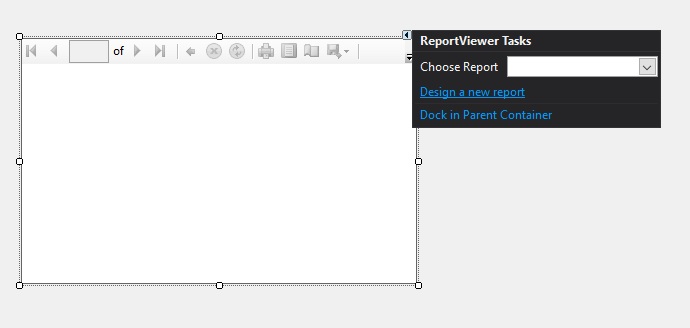
I'm having to quickly doctor up a WinForm app with a report. In VS2017 the reportviewer is no longer available so you pretty much have to add it:
NuGet Gallery
Anyway after doing that, I get the option to Design New Report however nothing happens when clicking it. Is there a better way to do this?


