


Click for bigger image,
http://blog.linuxmint.com/ More at this link,
This actually looks pretty cool.
http://blog.linuxmint.com/ More at this link,
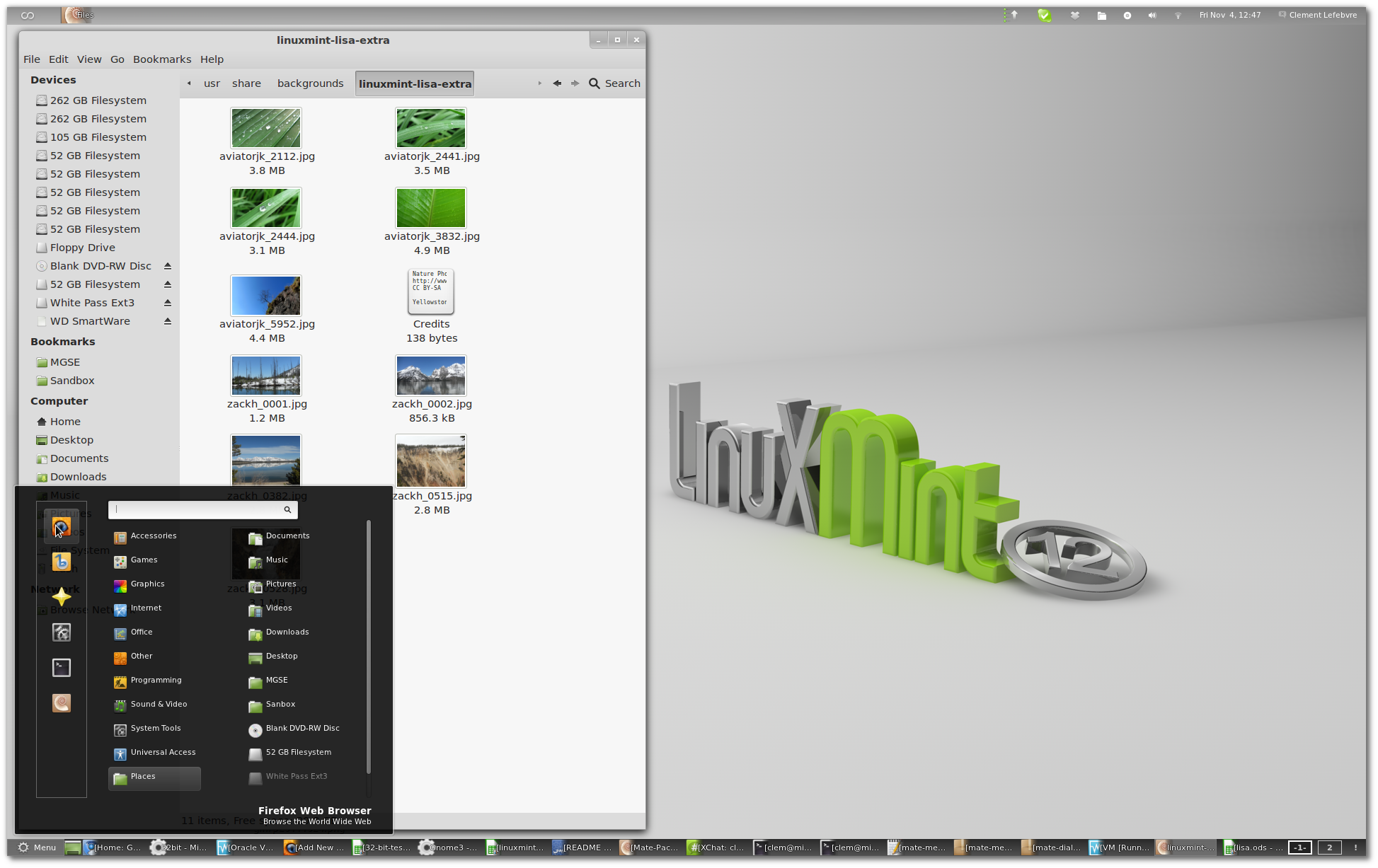
For this, we developed “MGSE” (Mint Gnome Shell Extensions), which is a desktop layer on top of Gnome 3 that makes it possible for you to use Gnome 3 in a traditional way. You can disable all components within MGSE to get a pure Gnome 3 experience, or you can enable all of them to get a Gnome 3 desktop that is similar to what you’ve been using before. Of course you can also pick and only enable the components you like to design your own desktop.
The main features in MGSE are:
The bottom panel
The application menu
The window list
A task-centric desktop (i.e. you switch between windows, not applications)
Visible system tray icons
MGSE also includes additional extensions such as a media player indicator, and multiple enhancements to Gnome 3.
As you can see it’s a mix of old and new. It’s a brand new desktop but with traditional components. We’re excited about the new technology but it’s important everyone feels at home. So a Mint desktop looks and behaves like a Mint desktop and this one feels both like Gnome 3 and the traditional Linux Mint desktops that preceded it. You can launch applications from the top left, easily switch between applications and workspaces using the window list or keyboard shortcuts, keep an eye on your notifications at the top and access Gnome 3 features like “activities” from the top-left corner.
This actually looks pretty cool.
