Move Homeserver into cupboard - Watercooling?

zamicro

Expert Member
Joined
Oct 22, 2007
Messages
3,823
Reaction score
5
Location
South of the Jacarandas and north of the Jukskei
I have a homeserver that is currently in my study. Now I want to move it into a cupboard where my alarmsystem, as well as wifi AP is situated. What I am worried about is heat built up. Would it help if I go with a watercooling solution with the radiater outside the case, or will the enclosed space of the cupboard still be a problem?

I recently had a HDD failure on it (luckily it was part of a raid 1 array) and the only trigger accoring to Smart was the temp of the HDD. So heat is a big worry to me.
 
You'll still be in an enclosed space, so eventually the radiator will be working off the hot air, though it will take longer to heat up than a purely air cool system (since water can absorb more heat than air). But eventually you will have the same problem.
 
I'm contemplating doing a similar thing with my 2 servers at home as well....

But yeah, I'm looking at interesting options of venting the heat out of the cupboard area.... The one option is some form of airconditioning type system.
 
Cut a hole in the cupboard door and mount the radiator so that when the door closes it lines up with the rad and you can then blow air out the door :) might look crappy though :)
 
a radiator inside cupboard with 2 pipes going outside to a bigger radiator, the heat from inside will make the hot water to go outside, and as it cools of will flow to inside radiator. The outside one must be bigger and in the shade.
 
a radiator inside cupboard with 2 pipes going outside to a bigger radiator, the heat from inside will make the hot water to go outside, and as it cools of will flow to inside radiator. The outside one must be bigger and in the shade.

Interesting idea. So the flow to the bigger radiator will be because of convection? I wonder if you use parts of a fridge, whether that can create a mini-aircon (lowcost to operate) for the enclosed area.
 
You could always try sell it to her as a hair dryer? Just put her stool there and maybe mount a mirror, Oh you might need powerful fans though :D
 
Ok. I just found some more info. It is called: Peltier Cooling

Peltier cooling is definitely the odd one of the bunch. The Peltier cooling system actually creates heat. Slightly odd you may rightly presume. But the reason for this is that the Peltier cooler uses electricity. It looks like a standard heatsink, however there are two sides to the plate. Heat is electronically "pumped" from one side of the plate to the other away from the CPU. The hot side of the plate can get very hot indeed, a great deal hotter than a standard heatsink. This is why we suggest water cooling with a Peltier system. The upside of all this heat is the part you actually want to cool, the CPU, remains very cold. I think efficient is the wrong word for the Peltier system. It takes power and creates heat so its not really efficient. However it is excellent at the job its supposed to do, which is keep the CPU cool.

So as this actually creates more heat, I do not hink it is an option as it would raise the ambient temps even more.
 
AFAIK, Peltier cooling devices lost favour during the 486 era because they tended to create excessive moisture (after switching off the machine). This moisture got onto the CPU and motherboard and corroded the tracks/connectors.

When working on these machines, one could always see by the condition of the motherboard that a Peltier cell was used.
 
Last edited:
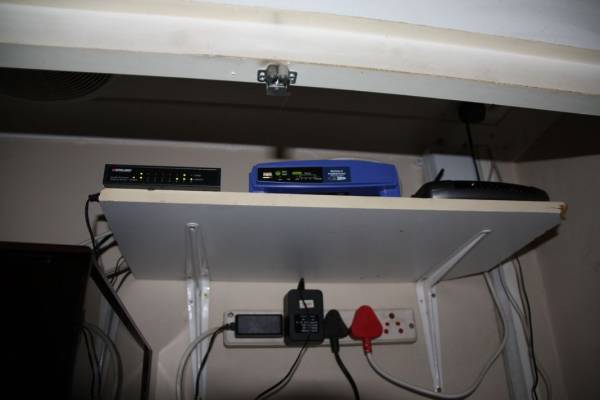
As a first step, I moved all the networking components to the cupboard. There was already a gigabit switch as well as an access point in the cupboard. Now, I removed the AP and installed a telefone line into the cupboard. Then i moved my router (Linksys WRT54GL running DD-WRT) as well as the modem (Telkom Mega 105WR in bridge mode with the wireless turned off) into the cupboard.
06_Networking.jpg
 
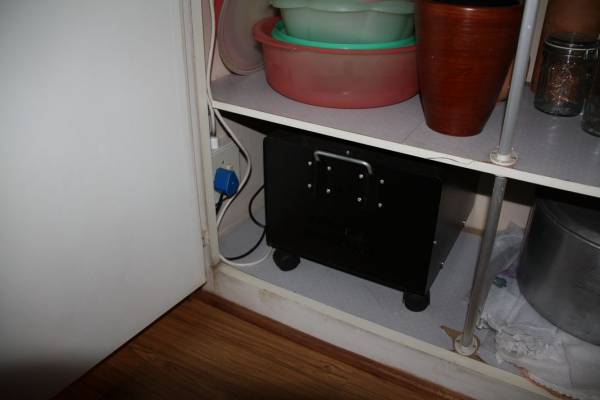
After a few power failures, I decide it is time to move the UPS into the cupboard. There was already a power outlet at the top for the alarm system, but I added another at the bottom of the cupboard for the UPS.
05_UPS.jpg


From the UPS I used a short extension to the top shelf and added a power strip below the networking components.
 
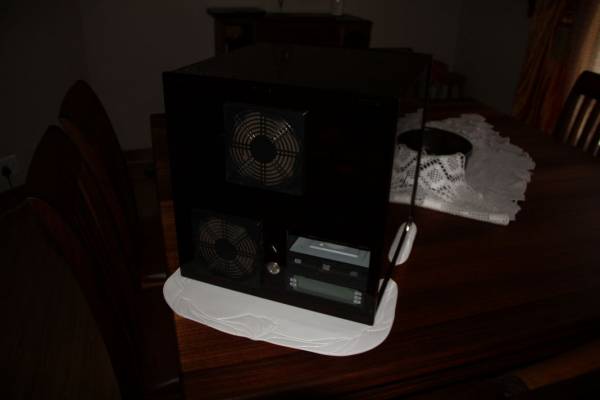
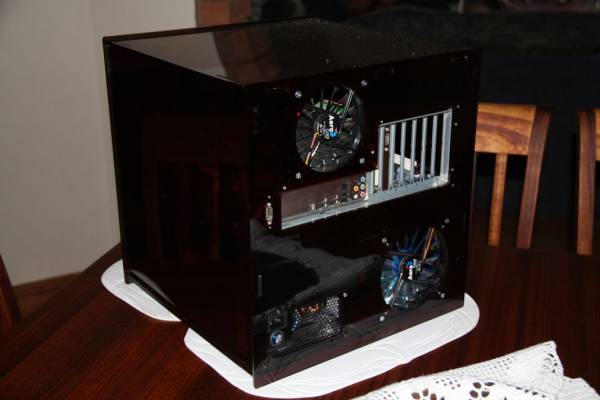
Next I wanted to move the server into the cupboard, but this is where I ran into a bit of a problem. The normal cases are too deep for the cupboard. I could turn it sideways, but this is not what I wanted. So I decided to get another case. After searching a lot, I found that cases with limited depth is in a SHORT supply. I could get a Lian-Li for about R3000, but in the end decided to built my own out of perspex. (PS: If anyone wants to use perspex to build something, please take note that perspex can vary in thickness by up to 20%. This caused me some problems!)

07_ServerCase.jpg


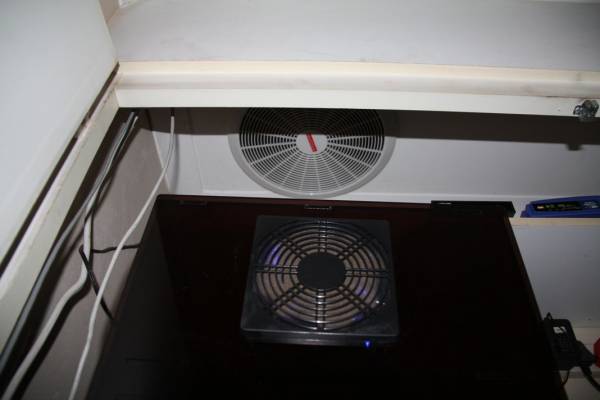
A photo from the back:
08_ServerCaseBack.jpg
 
Top
Sign up to the MyBroadband newsletter
X