Outlook

HowTo

Expert Member
Joined
Aug 7, 2006
Messages
4,372
Reaction score
622
Location
East Rand
Good morning all.

I'm having issues with Outlook currently.
When i open Outlook currently i get this message.
20260118_081408.jpg

If I say "Yes" Outlook is stuck in a loop. All previous Read message is unread.
Clean it up then when opening Outlook back to unread.

I have been in contact with the WhatsApp group. They say it's my machine.
Did complete reinstall and it is still happening.

I have poste these pictures but arguably they point finger to my machines. Happening to both laptops.

20260118_081600.jpg

This points to Afrihost. Installed certificate no longer valid. It has expired. .!!!!
Pls help this annoys me.
 

Microsoft: Windows 11 update causes Outlook freezes for POP users​

Microsoft is investigating widespread reports that a January Windows 11 security update is causing the classic Outlook desktop client to freeze and hang for users with POP email accounts.

POP (Post Office Protocol) is an email retrieval protocol used for downloading emails from a server to a local device. While POP isn't as widely used as IMAP or Exchange, it is still popular among home users and small businesses.

This known issue affects users who have installed the KB5074109 security update for Windows 11 25H2 and 24H2, with those impacted reporting that classic Outlook does not exit properly and will not restart after being closed.

"This is an emerging issue, and we don't have all the symptoms yet, but we will update the topic as we understand the issue better," Microsoft said in a Thursday support document.

Microsoft's Outlook and Windows teams are investigating the problem, but the company has yet to provide a timeline for a fix or workaround.

Microsoft said that it will update its advisory as investigators learn more about the scope and cause of this known issue.

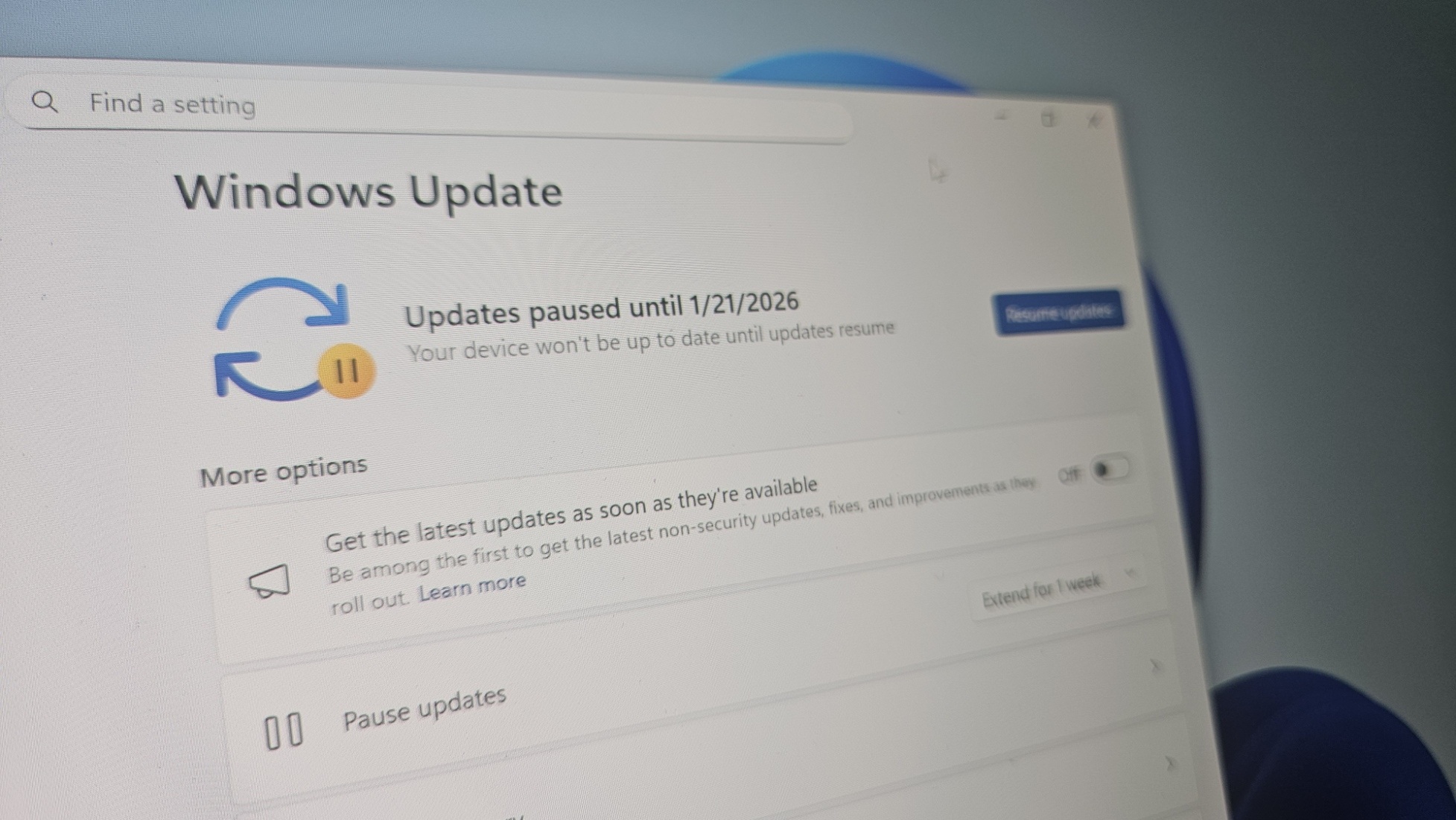
Until a permanent fix is released to address this bug, affected users can work around it by uninstalling the KB5074109 update by opening the Settings app, going to Windows Update > Update history > Uninstall updates, and clicking the "Uninstall" link next to "Security Update for Microsoft Windows (KB5074109)."


"As soon as the January 14th update was issued, Outlook started freezing and crashing. I uninstalled KB5074109 and now Outlook works fine again," one of the affected users said.

"No repairs or fixes listed worked except uninstalling the security update. I had to postpone updates to keep it from reinstalling."

However, it's important to note that, just as Microsoft also warns, removing security updates may leave Windows devices exposed to malware and other threats, since they patch vulnerabilities that are often already being exploited in attacks.


Microsoft: Windows 11 update causes Outlook freezes for POP users​


Hi
It was installed did remove it. But still happening.
I have to kill Outlook with task manager otherwise it does not open again.
 
Also, which version of Microsoft Office (Outlook classic) are you using? All previous versions of MS Office (2007, 2010, 2013, 2016, & 2019) have been deprecated (expired) by Microsoft - so the ONLY versions you should install are either a stand-alone version (2021 or 2024) or the subscription version (365), which also include Outlook classic... ;)
 
Also, which version of Microsoft Office (Outlook classic) are you using? All previous versions of MS Office (2007, 2010, 2013, 2016, & 2019) have been deprecated (expired) by Microsoft - so the ONLY versions you should install are either a stand-alone version (2021 or 2024) or the subscription version (365), which also include Outlook classic... ;)
Ok using 2019 and bought 2024.
Both give problems.
It also seems Microsoft is trying to trick you into 365, buying yearly or monthly.
 

Windows 11 KB5074109 issues: black screen, freezes Outlook POP, breaks Azure Virtual Desktop, LocalizedResourceName (desktop.ini) - Windows Latest​

1768734129838.png

Windows 11 KB5074109 causes a black screen on some PCs, including those with an Nvidia GPU, and also freezes Outlook if you use POP, which downloads emails from a server to a local device, among other problems. Windows Latest can also confirm that the File Explorer no longer respects desktop.ini settings, specifically ‘LocalizedResourceName.’

January 2026 Patch Tuesday was released on January 13, 2026, for everyone, including Windows 11 KB5074109 for 25H2 and 24H2. This advances OS to Build 26200.7623 or 26100.7623. However, as is often the case, any software update, not just Windows Update, can introduce new problems that affect a small subset of users.

Sadly, this year’s first Windows update is a mess, and if you’re affected, you’ll need to uninstall the patch or try some of the workarounds tested by Windows Latest.

Outlook Classic won’t open or exit, save sent mails when you use POP, and install Windows 11 KB5074109 (Build 26200.7623)​

Microsoft says it’s aware of an issue where Outlook appears “closed” or won’t close at all if you use POP accounts. This could sound odd, as if you are affected, you might have noticed that Outlook simply does not open, and Microsoft’s statement is pointing to an issue where Outlook does not close. Are these two issues related? Well, yes.

Windows 11 KB5074109 has a bug where Outlook Classic looks closed, but the outlook.exe process keeps running in the background. And since the process never fully exits, if you try to open Outlook again, it’ll either not open or show an error that Outlook is already open. You can reopen only after ending Outlook in Task Manager or rebooting.

In my case, it just gets stuck at loading, and then it never loads, even the Outlook logo does not appear:

1768734212462.png

Only Outlook Classic with POP/SMTP accounts is affected.

“After the Patch Tuesday update, classic Outlook in POP mode opens, but within 5-10 minutes, it freezes and gets the ‘Not Responding’ white screen. Repeatedly. I did a quick repair, an online repair, used the PST repair tool (which could not continue due to an error), made a new Outlook profile, but nothing seemed to help until I uninstalled KB5074109,” one user wrote in a Feedback Hub post spotted by Windows Latest.

Microsoft is investigating the problem, and it does not have a workaround to share, but Windows Latest understands that the company might try to fix the POP account profile issue with a new Outlook update. Or if that doesn’t work, we’ll get another out-of-band update to patch Outlook problems.

You’ll need to open Task Manager and try killing the Outlook.exe process, but you should avoid force-killing Outlook unless you have to.

1768734274253.png

If that doesn’t help and it’s annoying that Outlook won’t open a second time, my recommendation is to roll back Windows 11 KB5074109 or wait for the next Windows/Outlook update.


Windows 11 KB5074109 issues: black screen, freezes Outlook POP, breaks Azure Virtual Desktop, LocalizedResourceName (desktop.ini) - Windows Latest​

View attachment 1879408


Outlook Classic won’t open or exit, save sent mails when you use POP, and install Windows 11 KB5074109 (Build 26200.7623)​

Microsoft says it’s aware of an issue where Outlook appears “closed” or won’t close at all if you use POP accounts. This could sound odd, as if you are affected, you might have noticed that Outlook simply does not open, and Microsoft’s statement is pointing to an issue where Outlook does not close. Are these two issues related? Well, yes.

Windows 11 KB5074109 has a bug where Outlook Classic looks closed, but the outlook.exe process keeps running in the background. And since the process never fully exits, if you try to open Outlook again, it’ll either not open or show an error that Outlook is already open. You can reopen only after ending Outlook in Task Manager or rebooting.

In my case, it just gets stuck at loading, and then it never loads, even the Outlook logo does not appear:

View attachment 1879410

Only Outlook Classic with POP/SMTP accounts is affected.

“After the Patch Tuesday update, classic Outlook in POP mode opens, but within 5-10 minutes, it freezes and gets the ‘Not Responding’ white screen. Repeatedly. I did a quick repair, an online repair, used the PST repair tool (which could not continue due to an error), made a new Outlook profile, but nothing seemed to help until I uninstalled KB5074109,” one user wrote in a Feedback Hub post spotted by Windows Latest.

Microsoft is investigating the problem, and it does not have a workaround to share, but Windows Latest understands that the company might try to fix the POP account profile issue with a new Outlook update. Or if that doesn’t work, we’ll get another out-of-band update to patch Outlook problems.

You’ll need to open Task Manager and try killing the Outlook.exe process, but you should avoid force-killing Outlook unless you have to.

View attachment 1879411

If that doesn’t help and it’s annoying that Outlook won’t open a second time, my recommendation is to roll back Windows 11 KB5074109 or wait for the next Windows/Outlook update.

Having these same exact issues.
Did roll back the security patch, still doing the same.
 
Good morning all.

I'm having issues with Outlook currently.
When i open Outlook currently i get this message.
View attachment 1879337

If I say "Yes" Outlook is stuck in a loop. All previous Read message is unread.
Clean it up then when opening Outlook back to unread.

I have been in contact with the WhatsApp group. They say it's my machine.
Did complete reinstall and it is still happening.

I have poste these pictures but arguably they point finger to my machines. Happening to both laptops.

View attachment 1879340

This points to Afrihost. Installed certificate no longer valid. It has expired. .!!!!
Pls help this annoys me.
Hi.

Are you still experiencing issues?
Is this for your DSL Mail?
 
Hi.

Are you still experiencing issues?
Is this for your DSL Mail?
Sorry for the late reply.
Yes I'm having still issues, Afrihost certificate expired.
I still get mail.

I did contact support about this certificate.
 
Sorry for the late reply.
Yes I'm having still issues, Afrihost certificate expired.
I still get mail.

I did contact support about this certificate.
Hi.

Is this on DSL mail or your own domain?
 
This is wat I use currently, to bypass certificate error.
Incoming:
20260118_123315.jpg

Outgoing:
20260118_123325.jpg

Hope this will help them.
 

Attachments

  • 20260118_123315.jpg
    20260118_123315.jpg
    470.8 KB · Views: 6

Microsoft shares workaround for Outlook freezes after Windows update - Bleeping Computer​

Microsoft shared a temporary workaround for customers experiencing Outlook freezes after installing this month's Windows security updates.

As explained one week ago, when Microsoft acknowledged the issue, the bug causes the classic Outlook desktop client to hang for users with POP email accounts who have deployed the KB5074109 security update on Windows 11 25H2 and 24H2 systems.

Other symptoms include the inability to reopen Outlook without ending the process via Task Manager or restarting the device, Outlook redownloading emails, and emails not appearing in the Sent Items folder even though they were sent.

In a Tuesday update, it added on the Windows health dashboard that any app may "become unresponsive or experience unexpected errors when opening files from or saving files to cloud-backed storage, such as OneDrive or Dropbox."

"For example, in some configurations of Outlook that store PST files on OneDrive, Outlook might become unresponsive and fail to reopen unless its process is terminated in Task Manager, or the system is restarted," Microsoft explained. "In addition, sent emails might not appear in the Sent Items folder, and previously downloaded might be downloaded again."

It also said that these problems also affect Windows 10 users and multiple Windows Server platforms, including Windows Server 2025, Windows Server 2022, and Windows Server 2019.

Microsoft's Windows and Outlook teams are investigating the issues, but the company has yet to provide a timeline for a fix or workaround. However, until a permanent fix is available, Microsoft advised affected customers to access their email accounts via webmail or to move their Outlook PST files out of OneDrive.

Affected users can also work around the issue by uninstalling the KB5074109 or KB5073724 updates. This requires them to open the Settings app, go to Windows Update > Update history > Uninstall updates, and click the "Uninstall" link next to their entry.

However, as Microsoft also warns, removing security updates may leave your Windows devices exposed to malware and other threats, since they patch security vulnerabilities that are often exploited in attacks.

Over the weekend, Microsoft released emergency out-of-band updates for Windows 10, Windows 11, and Windows Server to fix credential prompt failures impacting remote connection applications and preventing devices with Secure Launch enabled from shutting down or entering hibernation.

On Patch Tuesday, it also resolved another known issue causing security applications to flag a core Windows component as vulnerable to memory corruption attacks.

 
Evening

I switched over to Outlook Win11.
Doing the same thing, rinse and repeat.
If I cleared 50 or so entries, the next time I start they are back.
Just annoying to do this over and over again after a restart.

Microsoft needs to get their act together.
 
But wait - there's MORE - SO MUCH MORE...

Microsoft: Outlook for iOS crashes, freezes due to coding error - Bleeping Computer​

Microsoft confirmed today that Outlook mobile may crash or freeze when launched on iPad devices due to a coding error.

While this known issue may affect all users of Outlook for iOS version 5.2602.0 on an iPad, Microsoft says that they can work around it by launching Outlook after enabling Airplane Mode.

"The latest Outlook for iOS update contains a code error related to a change meant to refresh rather than restart tabs when feature flags are updated, which is resulting in this impact," Microsoft said in an incident report (tracked under EX1220516).

"Affected users can launch Outlook mobile while in Airplane Mode and then re-enable Wi-Fi and/or cellular data as a way to circumvent impact while we work towards mitigation."


Microsoft added that it has already developed a fix for this bug, but the fixed app version may take up to 24 hours to reach the App Store due to Apple's review and release processes.

While Microsoft has yet to detail how many users are impacted by this ongoing issue, it has been flagged as an incident in the Microsoft 365 admin center, a tag commonly applied to critical service issues with noticeable user impact.

This week, it also shared a temporary workaround for users experiencing Outlook freezes after installing the January 2026 security updates on Windows 11, Windows 10, and multiple Windows Server platforms (including Windows Server 2025, Windows Server 2022, and Windows Server 2019).

Over the weekend, Microsoft released emergency out-of-band updates for Windows 10, Windows 11, and Windows Server to fix credential prompt failures affecting remote connection apps and preventing devices with Secure Launch enabled from shutting down or entering hibernation.

Microsoft is also actively working to mitigate another known issue (EX1221742) that prevents Exchange Online customers in the United States, France, and the United Kingdom from accessing their email accounts via Outlook on the web.

 
Top
Sign up to the MyBroadband newsletter
X