


rubber_otter
Expert Member
- Joined
- May 25, 2009
- Messages
- 2,219
- Reaction score
- 955
The Huawei MateBook X Pro is one of the best Ultrabooks you can buy today — providing convenience that the Dell XPS 13 Plus omits and standing up to the M2 MacBook Air with a gorgeous display, 12th Gen Intel power, fantastic touchpad and keyboard, and a seriously sleek design.

Image: Dominic Preston / Foundry
When it comes to picking a great ultraportable laptop, there are two clear options: The M2 MacBook Air or the king of the best Ultrabooks, the Dell XPS 13. Sure, there are other great laptops in this category, like the Acer Swift 5 and HP Envy 13, but Dell always comes out on top.
That is until now, as the Huawei MateBook X Pro throws its hat into the ring and hurls some serious haymakers after years of iterative developments — becoming one of my favourite laptops in a long time.
With impressive 12th Gen Intel performance, a sleek, well-thought-out design, and peak ergonomics for working on the go, the MateBook X Pro has undergone a dramatic overhaul since the 2021 model and is now one of the best laptops you can get.
Unfortunately, there is one sizeable obstacle standing in your way. The latest Huawei MateBook X Pro is available right now for R39’999. There are no two ways about it — this is an expensive laptop.
https://consumer.huawei.com/za/lapt...k-lZp9rBznr5mflRGrUaAp_yEALw_wcB&gclsrc=aw.ds
Plus, if you buy it from Huawei, you can pick up a HUAWEI MatePad 10.4 4GB+64GB, a Classic Backpack, a Bluetooth Mouse, and a 3 Month Xbox Game Pass for free, which is a stellar addition to your work-from-home setup.
Let’s start with what matters for an Ultrabook: this is a sleek, refined, gorgeous-looking (and feeling) system.
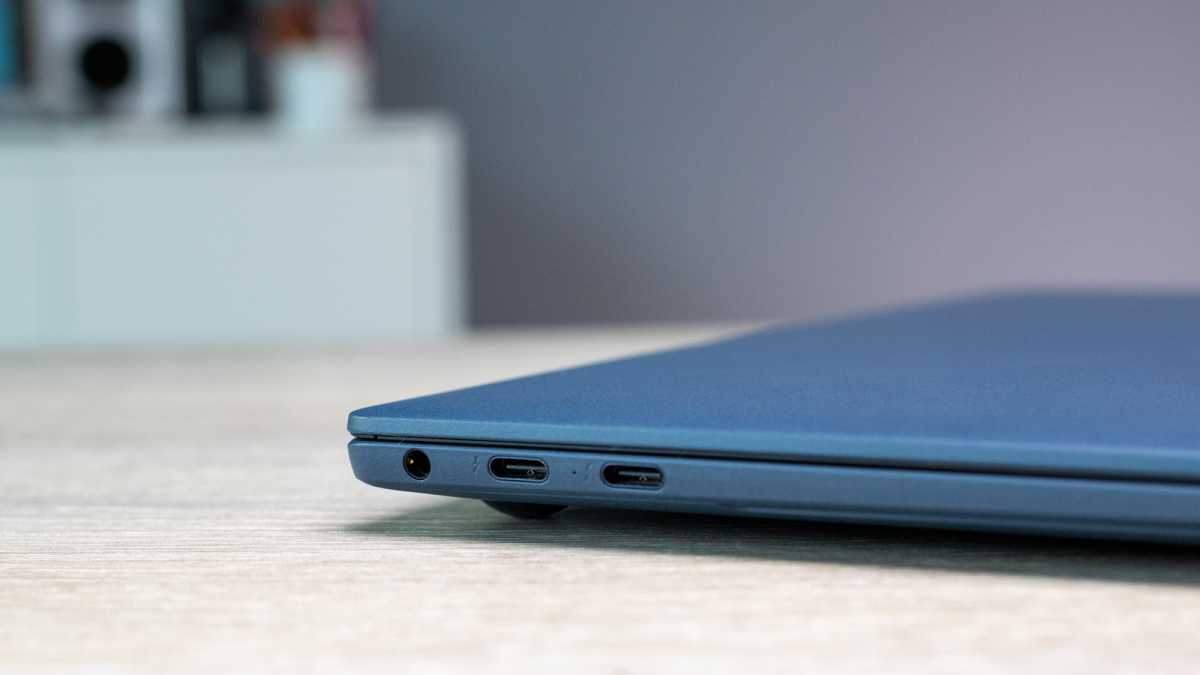
Image: Dominic Preston / Foundry
From every angle, the Huawei MateBook X Pro is unmistakably premium, from the slender curvature and perfect balance of the internal weight distribution to the CNC-milled magnesium alloy frame adorned with a fabulous soft touch coating that doesn’t show scuffs (looking at you, MacBook Air). Plus, the huge touchpad extends to the very edge of the laptop’s deck.
Like most ultraportables, the port selection is limited, but you get more than you’d expect: four USB-C ports (two on the left edge have Thunderbolt 4 support) and a 3.5mm headphone jack alongside.
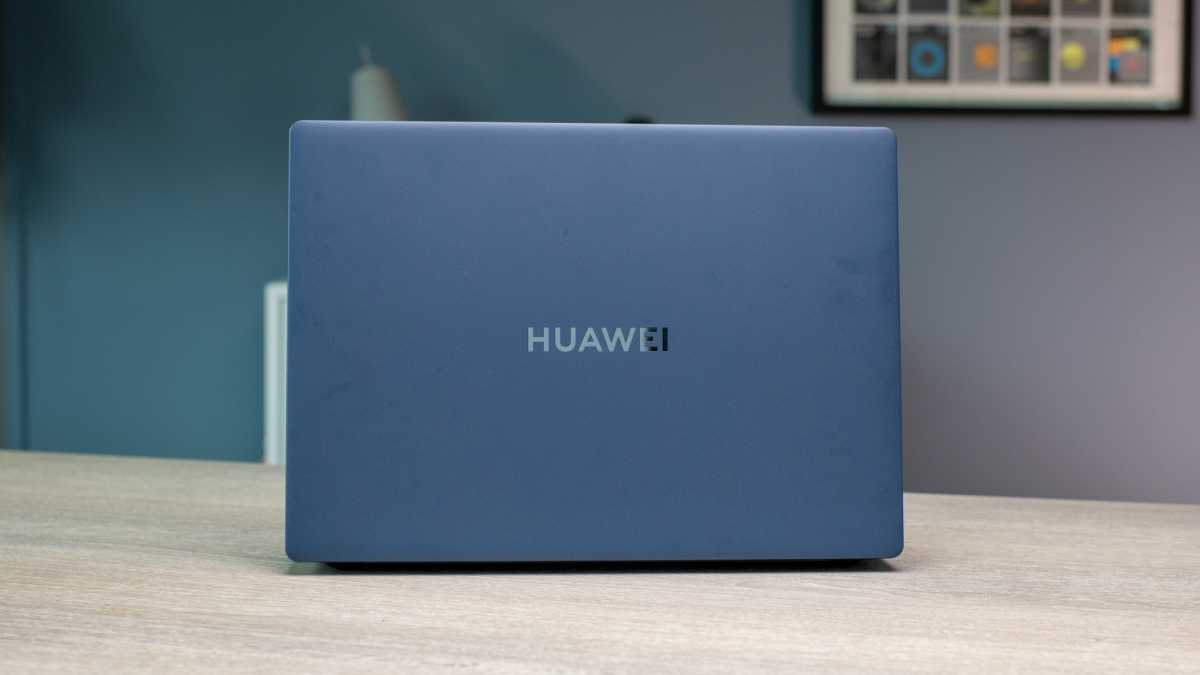
Image: Dominic Preston / Foundry
Details are super crisp on this 14.2-inch display with a 3120 x 2080-pixel resolution, a 90Hz refresh rate, a 3:2 aspect ratio (great for seeing more content while working), and a 92.5% screen-to-body ratio. Plus, for direct contact with your work, the ten-point multitouch in here is latency free and moves swiftly with every interaction.
Huawei claims a 500-nit maximum brightness, which translates in real-world use to a screen that can get real bright, real fast (thanks to the touchpad control, but more on that later). Even with the increased reflections of this glossy glass screen, I can clearly see everything I’m working on in challenging brightly lit situations.
And let’s talk colour, because with an LTPS panel (an LCD technology), I anticipated decent color reproduction with a relatively lacking contrast ratio. However, while I’m sure there will be a noticeable difference in the numbers, to the average human eyes, you’d struggle to tell the difference between this and an OLED display.
Shows like the impressive Obi-Wan Kenobi sport fantastic colour and really show off the contrast ratio in its darkest moments, while dealing with accurate tones in creative applications such as Photoshop is a joy that you will rarely see on screens of this size.
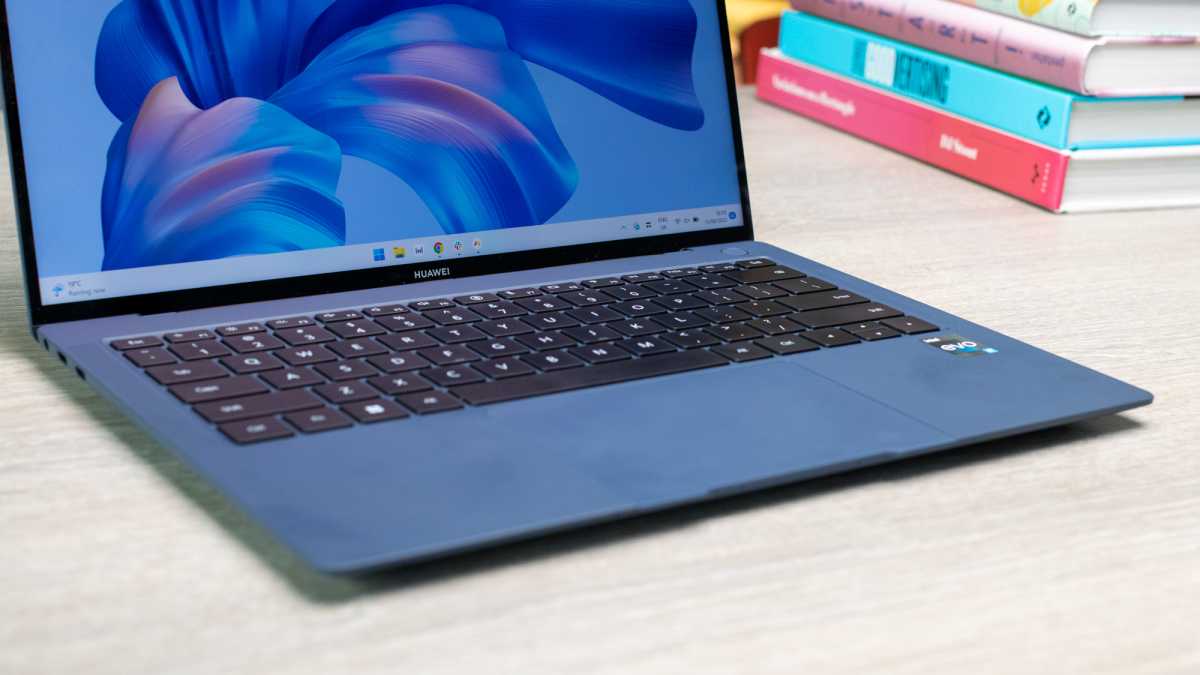
Image: Dominic Preston / Foundry
Oh, and with TÜV Rheinland Low Blue Light and Flicker Free certification, you can work on this minibeast late into the night with confidence that your eyes are being looked after. All in all, this display is one of the best parts of this excellent formula for an Ultrabook.
This is a love story between your fingers and the MateBook X Pro, as your digits fit perfectly onto the ergonomically sound, nicely-sized keyboard and you effortlessly zip around Windows with that massive touchpad.
Let’s start with the chiclet keyboard. Every scissor switch provides 1.5mm of travel with a soft landing design (basically a cushion that braces the impact of every key press). And while the up and down arrow keys are sandwiched and the enter key is half-height, letter and number keys are generously large and typing is an all-round joy.
This comes paired with a massive touchpad – measuring in at 12.3 x 8.5 cm, which is bigger than the MacBook Air (12.1 x 8.1cm) and the Dell XPS 13 (11.2 x 6.4cm). It is a solid state construction and the haptic motor mimicking clicks gives you a crisp, tactile response to your inputs, and its strength can be customized in the settings.
But this isn’t just a story of a larger size, Huawei is doing something special with it. When my fingers first glided across the top, left, and right edges of the touchpad and felt (and heard) a discernibly grinding clicking sound, I immediately felt terrified that I had broken the touchpad.
The reality, however, is a whole lot more useful, as these edges can be used to control different key settings on the laptop. Move your finger up and down the left edge to control brightness, the right to manipulate the volume, and across the top to scrub back and forth through videos.
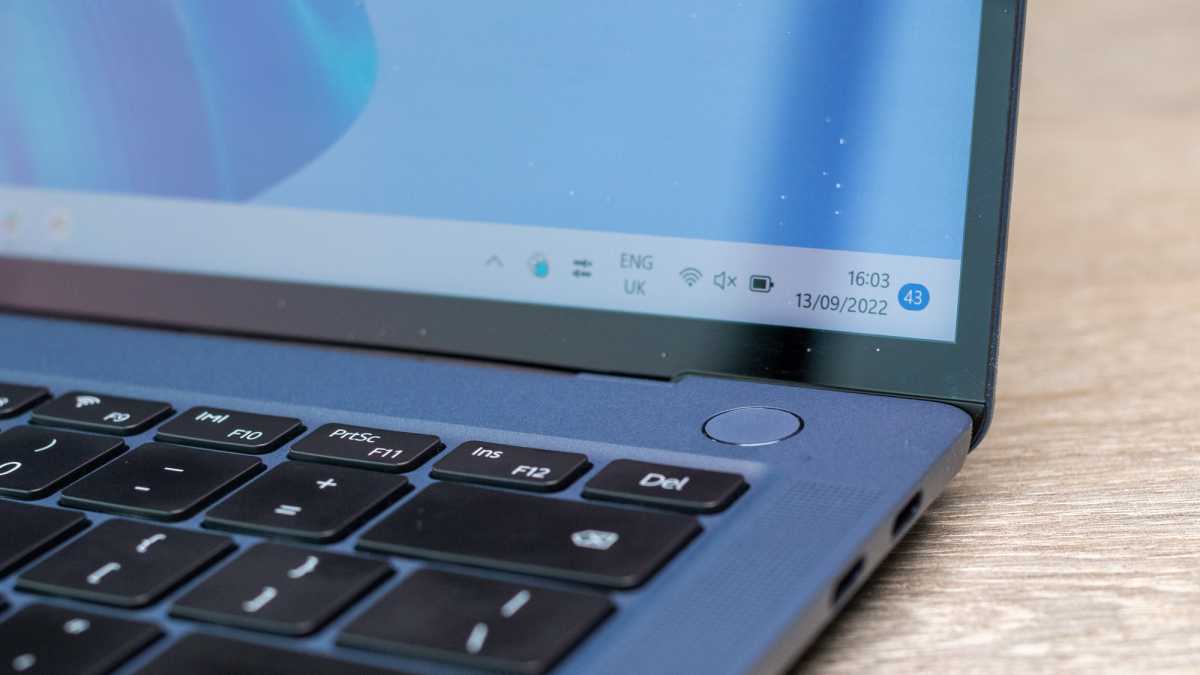
Image: Dominic Preston / Foundry
I’ll just say it. These are the best speakers I’ve ever heard on an Ultrabook of this size. You’ll find the six-speaker setup allows for better separation of different level tones, providing an impressive level of detail to the highs and an unprecedented amount of warmth to the mids and lows.
They even handled the intensity of The Ghost Inside’s album “Returners,” which offered a brightness to the all-out assault of furious vocals and chugging guitars with zero distortion, while managing to give a worthy bass punch to the thunderous percussion.
Oh, and for times when you want to listen to stuff in public, there is a 3.5mm headphone jack. That’s something I didn’t think I’d need to give praise to Huawei for, but with popular laptops like the Dell XPS 13 starting to ditch the audio jack, it seems to be a point worth celebrating.
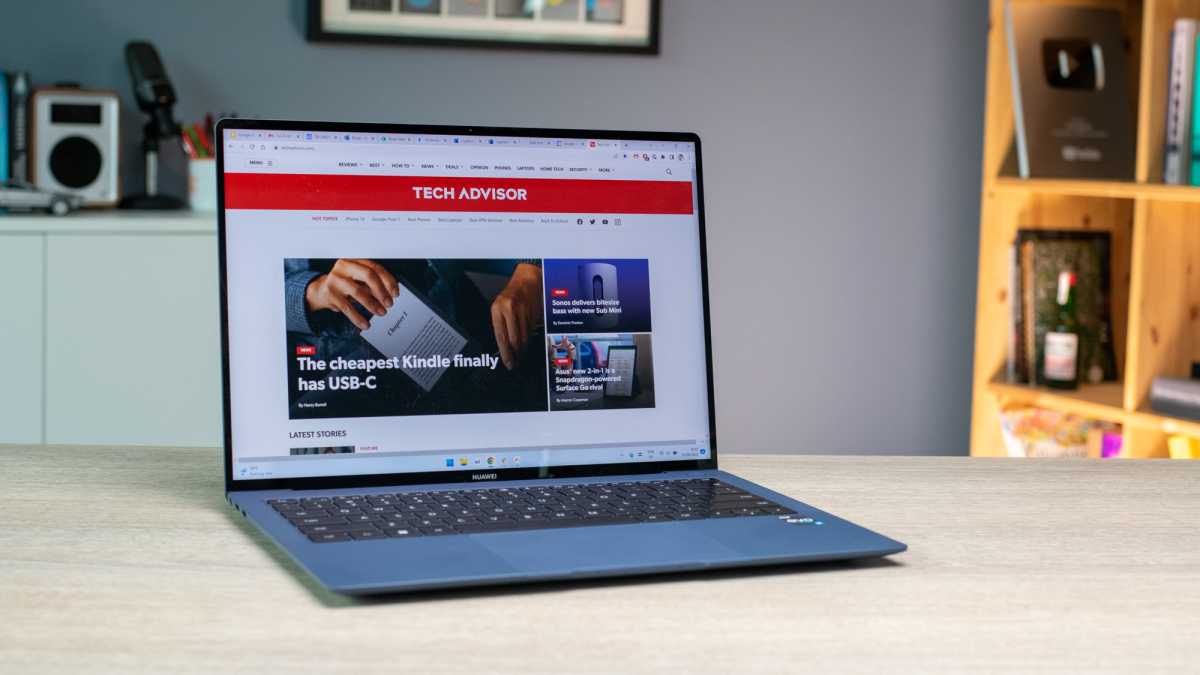
Image: Dominic Preston / Foundry
Under the hood, Huawei has cranked up the performance of the MateBook X Pro with a 12th Gen Intel Core i7-1260P CPU (with four Performance-cores and eight Efficiency-cores to maintain peak performance at up to just 30W), 16GB of LPDDR5 RAM and a 1TB M.2 NVMe PCIe SSD.
I threw so much stuff at this machine — Two Point Campus running in the background as I edited a massive RAW picture on Photoshop, played multiple 1080p YouTube videos, streamed on Twitch with OBS and ran a benchmark. Even under such pressure, touch responsiveness didn’t lag and the system kept running smoothly.
This is certainly one of the weaker points of the MateBook X Pro, but it’s not as bad as you’d think. The battery size has gone up from 56Wh to 60Wh, which should theoretically make things better. But since we haven’t put this through the scientific rigmarole of our Battery Informant testing, I’ll just give you a diary of my day and when the X Pro died.
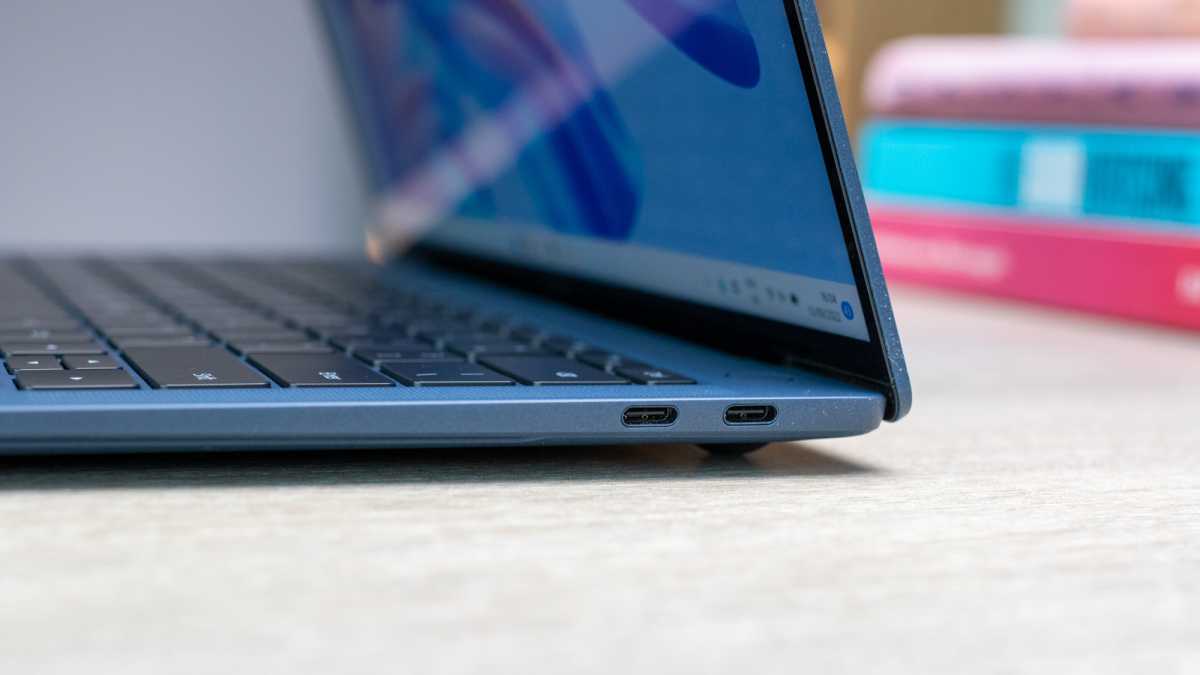
Image: Dominic Preston / Foundry
Let’s not waste too much time here. The 720p webcam in the Huawei MateBook X Pro is a potato. At least it's not hidden under a function key this time, though
Of course, there is a convenience factor here with Windows Hello support, which uses facial recognition to rapidly log you into the system via the IR camera. But for Zoom meetings and taking pictures, this snapper leaves a lot to be desired.
Even in a well-lit space such as my spare room, the pictures look as if they’ve been shot on that camera you snap via your PS2’s EyeToy (shout-out to anyone who played the window cleaning game). Photos are fuzzy and lacking enough detail to be good for anything other than the occasional video conference.
Need better picture quality built in? I’d look towards the M2 MacBook Air, but you will always need to pick up an external webcam for the best possible capture.
When it comes to ultraportables, there were two options: the Dell XPS 13 or the M2 MacBook Air. Now, there is a third in the Huawei MateBook X Pro, which may just beat out the both. Yes, it’s that good.
Sure, the battery life is a little lacking and the 720p webcam is pretty poor, but it overwhelmingly nails the essentials of an ultra-productive ultraportable with 12th Gen Intel power, a stunning touchscreen display, an ergonomic keyboard, a brilliantly spacious trackpad, and better speakers than you could ever imagine in a laptop this small — all enclosed in sleek, sexy chassis.
One thing is for sure, it’s getting very cramped atop the mountain of the best Ultrabooks.
Image: Dominic Preston / Foundry
When it comes to picking a great ultraportable laptop, there are two clear options: The M2 MacBook Air or the king of the best Ultrabooks, the Dell XPS 13. Sure, there are other great laptops in this category, like the Acer Swift 5 and HP Envy 13, but Dell always comes out on top.
That is until now, as the Huawei MateBook X Pro throws its hat into the ring and hurls some serious haymakers after years of iterative developments — becoming one of my favourite laptops in a long time.
With impressive 12th Gen Intel performance, a sleek, well-thought-out design, and peak ergonomics for working on the go, the MateBook X Pro has undergone a dramatic overhaul since the 2021 model and is now one of the best laptops you can get.
Unfortunately, there is one sizeable obstacle standing in your way. The latest Huawei MateBook X Pro is available right now for R39’999. There are no two ways about it — this is an expensive laptop.
https://consumer.huawei.com/za/lapt...k-lZp9rBznr5mflRGrUaAp_yEALw_wcB&gclsrc=aw.ds
Plus, if you buy it from Huawei, you can pick up a HUAWEI MatePad 10.4 4GB+64GB, a Classic Backpack, a Bluetooth Mouse, and a 3 Month Xbox Game Pass for free, which is a stellar addition to your work-from-home setup.
Let’s start with what matters for an Ultrabook: this is a sleek, refined, gorgeous-looking (and feeling) system.
Image: Dominic Preston / Foundry
From every angle, the Huawei MateBook X Pro is unmistakably premium, from the slender curvature and perfect balance of the internal weight distribution to the CNC-milled magnesium alloy frame adorned with a fabulous soft touch coating that doesn’t show scuffs (looking at you, MacBook Air). Plus, the huge touchpad extends to the very edge of the laptop’s deck.
Like most ultraportables, the port selection is limited, but you get more than you’d expect: four USB-C ports (two on the left edge have Thunderbolt 4 support) and a 3.5mm headphone jack alongside.
Image: Dominic Preston / Foundry
Details are super crisp on this 14.2-inch display with a 3120 x 2080-pixel resolution, a 90Hz refresh rate, a 3:2 aspect ratio (great for seeing more content while working), and a 92.5% screen-to-body ratio. Plus, for direct contact with your work, the ten-point multitouch in here is latency free and moves swiftly with every interaction.
Huawei claims a 500-nit maximum brightness, which translates in real-world use to a screen that can get real bright, real fast (thanks to the touchpad control, but more on that later). Even with the increased reflections of this glossy glass screen, I can clearly see everything I’m working on in challenging brightly lit situations.
And let’s talk colour, because with an LTPS panel (an LCD technology), I anticipated decent color reproduction with a relatively lacking contrast ratio. However, while I’m sure there will be a noticeable difference in the numbers, to the average human eyes, you’d struggle to tell the difference between this and an OLED display.
Shows like the impressive Obi-Wan Kenobi sport fantastic colour and really show off the contrast ratio in its darkest moments, while dealing with accurate tones in creative applications such as Photoshop is a joy that you will rarely see on screens of this size.
Image: Dominic Preston / Foundry
Oh, and with TÜV Rheinland Low Blue Light and Flicker Free certification, you can work on this minibeast late into the night with confidence that your eyes are being looked after. All in all, this display is one of the best parts of this excellent formula for an Ultrabook.
This is a love story between your fingers and the MateBook X Pro, as your digits fit perfectly onto the ergonomically sound, nicely-sized keyboard and you effortlessly zip around Windows with that massive touchpad.
Let’s start with the chiclet keyboard. Every scissor switch provides 1.5mm of travel with a soft landing design (basically a cushion that braces the impact of every key press). And while the up and down arrow keys are sandwiched and the enter key is half-height, letter and number keys are generously large and typing is an all-round joy.
This comes paired with a massive touchpad – measuring in at 12.3 x 8.5 cm, which is bigger than the MacBook Air (12.1 x 8.1cm) and the Dell XPS 13 (11.2 x 6.4cm). It is a solid state construction and the haptic motor mimicking clicks gives you a crisp, tactile response to your inputs, and its strength can be customized in the settings.
But this isn’t just a story of a larger size, Huawei is doing something special with it. When my fingers first glided across the top, left, and right edges of the touchpad and felt (and heard) a discernibly grinding clicking sound, I immediately felt terrified that I had broken the touchpad.
The reality, however, is a whole lot more useful, as these edges can be used to control different key settings on the laptop. Move your finger up and down the left edge to control brightness, the right to manipulate the volume, and across the top to scrub back and forth through videos.
Image: Dominic Preston / Foundry
I’ll just say it. These are the best speakers I’ve ever heard on an Ultrabook of this size. You’ll find the six-speaker setup allows for better separation of different level tones, providing an impressive level of detail to the highs and an unprecedented amount of warmth to the mids and lows.
They even handled the intensity of The Ghost Inside’s album “Returners,” which offered a brightness to the all-out assault of furious vocals and chugging guitars with zero distortion, while managing to give a worthy bass punch to the thunderous percussion.
Oh, and for times when you want to listen to stuff in public, there is a 3.5mm headphone jack. That’s something I didn’t think I’d need to give praise to Huawei for, but with popular laptops like the Dell XPS 13 starting to ditch the audio jack, it seems to be a point worth celebrating.
Image: Dominic Preston / Foundry
Under the hood, Huawei has cranked up the performance of the MateBook X Pro with a 12th Gen Intel Core i7-1260P CPU (with four Performance-cores and eight Efficiency-cores to maintain peak performance at up to just 30W), 16GB of LPDDR5 RAM and a 1TB M.2 NVMe PCIe SSD.
I threw so much stuff at this machine — Two Point Campus running in the background as I edited a massive RAW picture on Photoshop, played multiple 1080p YouTube videos, streamed on Twitch with OBS and ran a benchmark. Even under such pressure, touch responsiveness didn’t lag and the system kept running smoothly.
This is certainly one of the weaker points of the MateBook X Pro, but it’s not as bad as you’d think. The battery size has gone up from 56Wh to 60Wh, which should theoretically make things better. But since we haven’t put this through the scientific rigmarole of our Battery Informant testing, I’ll just give you a diary of my day and when the X Pro died.
Image: Dominic Preston / Foundry
Let’s not waste too much time here. The 720p webcam in the Huawei MateBook X Pro is a potato. At least it's not hidden under a function key this time, though
Of course, there is a convenience factor here with Windows Hello support, which uses facial recognition to rapidly log you into the system via the IR camera. But for Zoom meetings and taking pictures, this snapper leaves a lot to be desired.
Even in a well-lit space such as my spare room, the pictures look as if they’ve been shot on that camera you snap via your PS2’s EyeToy (shout-out to anyone who played the window cleaning game). Photos are fuzzy and lacking enough detail to be good for anything other than the occasional video conference.
Need better picture quality built in? I’d look towards the M2 MacBook Air, but you will always need to pick up an external webcam for the best possible capture.
When it comes to ultraportables, there were two options: the Dell XPS 13 or the M2 MacBook Air. Now, there is a third in the Huawei MateBook X Pro, which may just beat out the both. Yes, it’s that good.
Sure, the battery life is a little lacking and the 720p webcam is pretty poor, but it overwhelmingly nails the essentials of an ultra-productive ultraportable with 12th Gen Intel power, a stunning touchscreen display, an ergonomic keyboard, a brilliantly spacious trackpad, and better speakers than you could ever imagine in a laptop this small — all enclosed in sleek, sexy chassis.
One thing is for sure, it’s getting very cramped atop the mountain of the best Ultrabooks.