Shortcuts vs Shortcuts

macboer

Senior Member
Joined
Jul 13, 2009
Messages
827
Reaction score
0
Shortcuts vs Shortcuts (your fav)

I have to get a new pc soon and thought about getting a windows machine, but I don't think I can get used to Windows shortcuts. I'm absolutely in love with the fact that I can use Ctrl OR alt/option OR Cmd as a modifier and not limited by just Ctrl OR Ctrl+Alt. There are also many other shortcuts which I won't go into now.

Am I wrong? I probably am but I do think I don't want to relearn new $#!t after 8 years...

What shortcuts do you regularly use? (Windows OR OSX OR Linux)
 
Last edited:
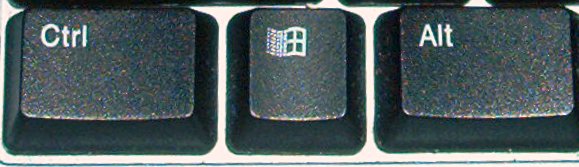
Windows has "Windows" key -- i.e. three modifier keys, same as a Mac.
Ctl_wndws_alt.jpg


http://en.wikipedia.org/wiki/Windows_key

The only thing I (and many Windows users) hardly ever use it; definitely no where as much as I use the cmd key on a Mac :confused:
 
To my knowledge the "Windows" key can only be used for OS shortcuts and not programs. This does not really a modifier make.
 
To my knowledge the "Windows" key can only be used for OS shortcuts and not programs. This does not really a modifier make.
Of course it can, the fact that most developers choose to avoid it is a different matter.
 
There are plenty of windows keyboard shortcuts - http://support.microsoft.com/kb/126449

One nice thing about OsX is that it is very easy to define your own shortcuts, either on an app by app basis or system wide. :)
 
[)roi(];7617075 said:
Of course it can, the fact that most developers choose to avoid it is a different matter.

WTF? How stupid is that? Why'o why would they not enable the use of the windows key?

*sigh*
 
If you do get a pc, will you change your handle to winboer? :)

When I was a PC user, using CTRL-C to cut was the most normal thing in the world. In fact, I'm old enough to remember having to do strange things like SHFT-DEL and SHFT-INSERT to cut and paste. CTRL-C was a WordPerfect for DOS innovation that MS stole and put into Windows (3.1 IIRC).

Now that I'm a Mac user CMD-C feels normal and natural, and all the other computers feel "wrong". But as long as you stick to one or the other, your fingers will adjust in a week or two. Really. It's all just convention, there is no actual reason why the one is better than the other. Besides, there's always select item, right-click and select menu option.
 
WTF? How stupid is that? Why'o why would they not enable the use of the windows key?

*sigh*
It's not that they prevented the use, rather that most developers have chosen not to.

The reason I believe this to be so is that Windows keyboards have not always sported the Windows key (standard since 2003, whereas Apple's cmd key has had a place since 1980) , i.e. it was a "fairly new" addition (one could theorize to copy/duplicate Apple cmd key) -- hence there are possibly many windows keyboard in the world without this key; building it into windows apps would exclude those users.

Just to be specific -- as a windows developer its simple to incorporate windows key options in your apps; it's just not a trend that anyone is adopting.

Anyway I still personally prefer Windows in a VM... I think it's even a little better behaved :whistle:
 
Last edited:
[)roi(];7621541 said:
It's not that they prevented the use, rather that most developers have chosen not to.

The reason I believe this to be so is that Windows keyboards have not always sported the Windows key (standard since 2003, whereas Apple's cmd key has had a place since 1980) , i.e. it was a "fairly new" addition (one could theorize to copy/duplicate Apple cmd key) -- hence there are possibly many windows keyboard in the world without this key; building it into windows apps would exclude those users.

Just to be specific -- as a windows developer its simple to incorporate windows key options in your apps; it's just not a trend that anyone is adopting.

Anyway I still personally prefer Windows in a VM... I think it's even a little better behaved :whistle:

o, okay. i understand.
 
I love the [option+arrow] shortcut to skip through words in a sentence. To the point that I can't live without it.
 
Besides copy paste, my most used short cut is probably:
Win+L.
Next:
Win+E.
 
Top
Sign up to the MyBroadband newsletter
X