Sound normalisation in video clips

Is there a quick way to normalise the volume on a video clip? I often end up with a clip that has audio so soft that I have to crank the TV volume up to hear well. I'm looking for a tool that I can just feed the clip in and have it adjust the volume so that I don't have to bump the TV up to 90%. Doesn't have to be on the fly.
I'm playing via Plex.

Thanks!

Try ytd downloader it has a converter to mp4 you reconvert the file back to mp4 and increase the volume slider to what you want .
 
Probably be a lot easier to play the video with a player that has built-in normalisation. Think VLC does this or some other players probably have audio plugins that do this.
 
Stereo setup? You are likely pumping 5.1 into stereo which muddles the audio.

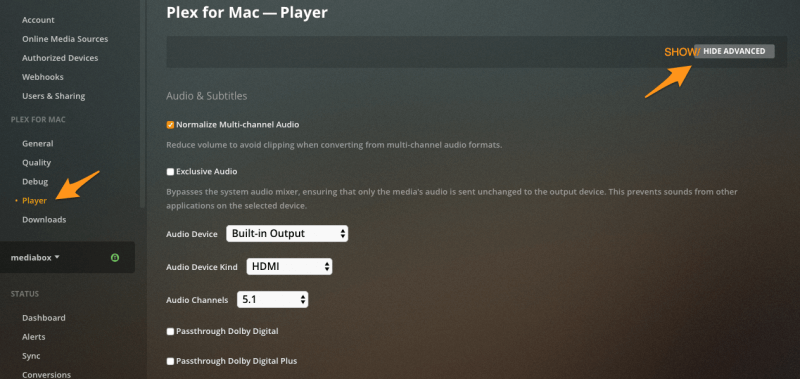
Plex has a setting specifically for this.

Make sure the first one is on at your Plex Server.


Then in your player there is specially a boost option you can set to various levels.
 
Does it have volume boost/amplify? Then lower the volume and then amplify it, if using for example Kodi.

Or if you want to process a video use something like Handbrake and Dynamic Range Compression Audio setting but think it only works on specific format.

Camtasia (Paid) is another option.
Adobe Premier or DaVinci Resolve for fancy pants solutions.
 
Last edited:
Top
Sign up to the MyBroadband newsletter
X