Spam help

Reset Chrome and try again. Alternately, download the new Edge and delete Chrome.

Put a password on the mouse and don't tell wifey what the password is
 
The wife was looking for a missing episode of her favourite show. She must have clicked a banner somewhere now I'm stuck with these damn constant popus.

Windows defender was active and updated.

I install malwarebyte but after a scan it didn't pick anything up.

Help!

I tried hooking up with Julia but her Nigerian accent put me straight off.
d1f474963faeafe7b0a1fba9e23ead66.jpg
She wanted to hookup :unsure:
 
I tested this (same link) on more than 8 pcs this past week.
It didn't work on any of them.
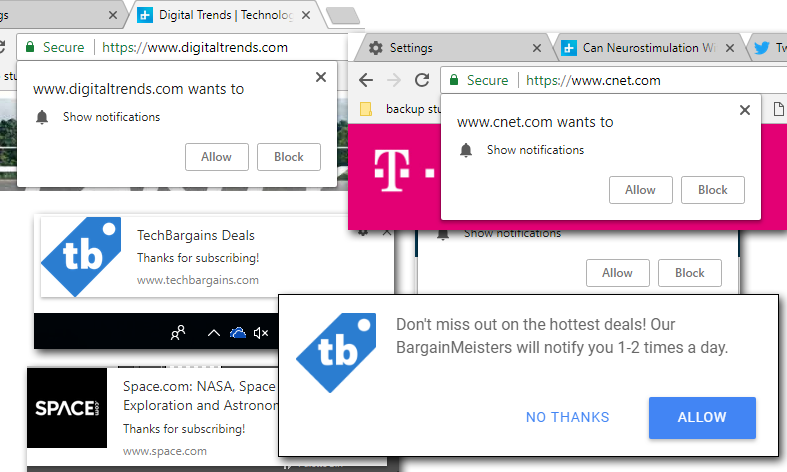
Chrome notifications that request you Allow or Block push notifications still popup.
I've mentioned it before, but browsers available don't even have proper functioning popup blockers. I haven't used a browser where the popups are completely blocked when not using a plugin or extension for it.
I bet this will be the same with the push notifications. There probably is an extension for it.
 
I might be misunderstanding you, bit this isn't supposed to block chrome notifications, but notifications from other sites when you've accidentally said "yes" to receive those notifications. That popup to request permission comes from Chrome itself. Annoying. I also wish there was a way to opt out without having to click it every time. I do not want to share my location or get notifications from any website.
I was under the impression that the settings change blocked the requests of notifications as well. My mistake then.
I hate it just as much to have to deny the notification requests as well.
It seems it's the same on other Chrome based browsers as well.
 
It's a PITA - google were seriously shortsighted with that one. To be fair it seems like a feature all the browsers are supporting. Bad for privacy and bad for security.
Completely agree. Web users with less experience will definitely be caught with this.
 
One project I work on - the in house IT guy with keys to most of the system had these alerts going all day while I was helping him remotely. I can only imagine the average user.
Sounds like something that happened years ago. I was a Techie for a Franchise store. It doubled up as an Internet Café.
A young guy walks in and asks me to make a copy of his IT diploma. He asks for Internet accesa to check his mail.
I look at him for about 10 minutes. He is clearly way confused. I ask him if he's cool. He says he can't login to his mail account.
I walk over. He has Google search open and is literally Googling his own email address.
Always have a laugh when I tell that story :p
 
Top
Sign up to the MyBroadband newsletter
X