This problem can't be solved (Middle Mouse Button Click and Hold Emulator)

RedViking

Nord of the South
Joined
Feb 23, 2012
Messages
87,314
Reaction score
73,418
Location
>> CLICK HERE TO FIND COFFEE <<
So I sometimes quickly need to jump into a 3D model and then I use my laptop trackpad. It works pretty well in my CAD software. There is just one option missing which I tried to google or perhaps is impossible.

Middle Mouse Button Click and Hold (To Pan)

I can 3 finger tap. But that just acts as a middle mouse click. I can see in the software it switches to the Pan function for a second. So if there was some sort of way to emulate a middle mouse click and hold with a trackpad or a shortcut, please let me know.

Laptops like the Thinkpad has a dedicated button for this. Not this awesome Dell Precision of mine.

Thank you bespoke windows code junky ninjas.

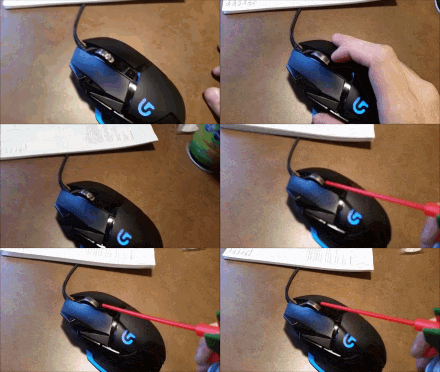
3 Tap Gesture, can't tap and hold:
2025-08-21_13-07-46.gif

Wanted behaviour (Mouse connected and middle mouse button):
2025-08-21_13-08-28.gif
 
Last edited:
So I sometimes quickly need to jump into a 3D model and then I use my laptop trackpad. It works pretty well in my CAD software. There is just one option missing which I tried to google or perhaps is impossible.

Middle Mouse Button Click and Hold (To Pan)

I can 3 finger tap. But that just acts as a middle mouse click. I can see in the software it switches to the Pan function for a second. So if there was some sort of way to emulate a middle mouse click and hold with a trackpad or a shortcut, please let me know.

Laptops like the Thinkpad has a dedicated button for this. Not this awesome Dell Precision of mine.

Thank you bespoke windows code junky ninjas.

3 Tap Gesture, can't tap and hold:
View attachment 1842361

Wanted behaviour:
View attachment 1842362
Gonna put it out there, but have you possibly tried?
mouse-mouse-scrolling.gif
 
Yes 100% it cannot, unless you use an external device :p you're starting to sound like a woman here. Putting up a thread and not expecting a bunch of IT nerds to not try solve it.
I can freaking emulate a Nintendo on my Android but the universe turns a blind eye towards middle mouse emulation.

/throws coffee mug at random person walking past
 
I can freaking emulate a Nintendo on my Android but the universe turns a blind eye towards middle mouse emulation.

/throws coffee mug at random person walking past
There are limits man... The answers cannot all come at once.
 
So I sometimes quickly need to jump into a 3D model and then I use my laptop trackpad. It works pretty well in my CAD software. There is just one option missing which I tried to google or perhaps is impossible.

Middle Mouse Button Click and Hold (To Pan)


3 Tap Gesture, can't tap and hold:


Wanted behaviour (Mouse connected and middle mouse button):
You said you googled so you tried this already I suppose ?

Just trying to help based on your description because sometimes we miss the obvious. Don't shoot me.

To enable a Middle Mouse Button (MMB) click-and-hold on a Dell touchpad, go to Settings > Touchpad (or Dell Touchpad settings) and configure a gesture, such as a three-finger tap, to perform the MMB function. This feature may vary depending on your specific Dell model and the presence of a physical pointing stick, which also has its own middle button with different functions like scrolling.
 
There are limits man... The answers cannot all come at once.
I swear sometimes I just call any of my colleagues on teams after battling to fix defect, demo them what the problem is and while showing "defect", solution comes to me - makes one look pretty silly but it seems it is common. LOL.
 
Top
Sign up to the MyBroadband newsletter
X