troubleshooting short rapid beeps

Jet-Fighter7700

Honorary Master
Joined
Mar 12, 2008
Messages
47,310
Reaction score
23,315
Location
Somewhere Different
Hi Guys,

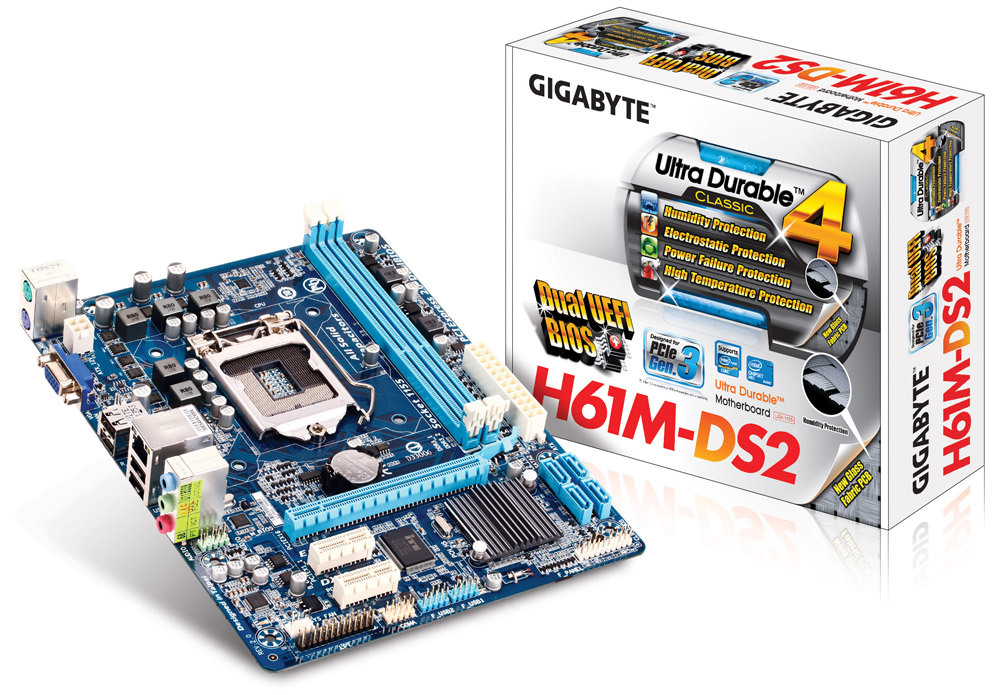
have this M/B:

wont turn on, I've removed quite a few things, to try troubleshoot, but still getting the short continuous beeps,

GPU, HDDS/ SSD's, Fan controller, and 1 stick of RAM, also CMOS Battery

next step is to take the entire M/B out and see if its not shorting somewhere on the Case,
tried in both Slots, no dice.

what else? assuming my PSU isn't the culprit,
 
Hi Guys,

have this M/B:

wont turn on, I've removed quite a few things, to try troubleshoot, but still getting the short continuous beeps,

GPU, HDDS/ SSD's, Fan controller, and 1 stick of RAM, also CMOS Battery

next step is to take the entire M/B out and see if its not shorting somewhere on the Case,
tried in both Slots, no dice.

what else? assuming my PSU isn't the culprit,
How many beeps, how long apart..?

There are a number of different reasons it would beep, and the number of beeps and duration between would tell you the reason..
 
short rapid beeps continuously,

usually it indicates RAM, tried that as well, alternated between different slots, both Sticks.
no bueno.
 
Does it have the same beep with no RAM installed whatsoever..?

If so, you need to try completely different RAM from the existing, same spec though, also known to be working, to isolate whether it's your existing RAM or the motherboard that's faulty..
 
Does it have the same beep with no RAM installed whatsoever..?

If so, you need to try completely different RAM from the existing, same spec though, also known to be working, to isolate whether it's your existing RAM or the motherboard that's faulty..
yip, same exact Beeps,
going to be a bit tricky to get my hands on DDR3 Ram but let me try see what I can come up with,

can it not be its shorting on the case somehow? as it was working perfectly well, and has done this before, and after taking the M/B out of the casing, it starts to work perfectly.
 
Unless you are continuously opening the case or it has big holes where conductive things can fall into and in between the motherboard and backplate, I doubt it.. unless you have conductive dust that's getting stuck behind the motherboard..

Either way, just take out the motherboard and see what happens..
 
Remove all RAM and see if it's the same beep.

If so, remove the board if you suspect a short.

My guess is RAM or motherboard, with CPU a distant 3rd.
 
AWARD BIOS

1 short beep :System normal
2 short beep :CMOS Error
1 long beep and 1 short beep : Memory error
1 long beep and 2 short beep : Graphic card error
1 long beep and 3 short beep : AGP error
1 long beep and 9 short beep : Memory Error
Continuous long beep : Memory not correctly installed
Continuous short beep : Power supply unit failed


AMI BIOS

1 short beep : Memory Error
2 short beep : Memory parity check error
3 short beep : basic memory 64K address check error
4 short beep : Real Time Clock malfunction
5 short beep : CPU error
6 short beep : Keyboard error
7 short beep : CPU interruption error
8 short beep : Graphic card error
9 short beep : Memory error
10 short beep : CMOS error
11 short beep : CPU cache memory malfunction
 
Top
Sign up to the MyBroadband newsletter
X