


B.K
Senior Member
Upgrade to Mac Mini (2011)
I ordered a Seagate 750GB 7200rpm drive and 2x Kingston Value select 4GB 1333 MHz DDR3 memory. Oh and I had a to buy a set of Torx screwdrivers (Got a T5 - T10) from builders warehouse
Putting the hard drive in was pretty easy , watched a few youtube vids for tips.
The memory was simple.
When switching on the machine, all you need to do is hold down cmd-R and a screen comes upi with a picture of the world and a timer, 1:37 (I thought it was a minute and a half, turns out it was hour and a half).
After the timer tuns out you get the standard recovery screen for lion, you partition the new disc, and the select you install options, I went with the Time machine restore which took 1h40m and after reboot it looked like machine had never been off.
Adding the extra memory helps, but I have noticed a difference with the disc lag, so going from a 5400rpm drive to a 7200rpm helps (My VMWare Fusion Windows doesn't seem as laggy)
A side note: I was thinking of getting the Kingston KHX1600C9S3P1K2/8G HyperX 2x4GB DDR3-1600 1.5v CL9 SoDIMM modules, but was worried that there wouldn't be enough space for the heat sinks in the machine, anyone know if some one has used this in a mac mini? I know so one had posted here on MyBB that they had installed the same memory in their new 2011 MBP 13"
But for now I'm quite happy with my upgrade.
Here some pics
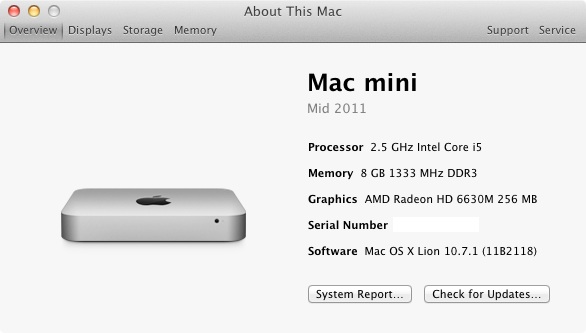
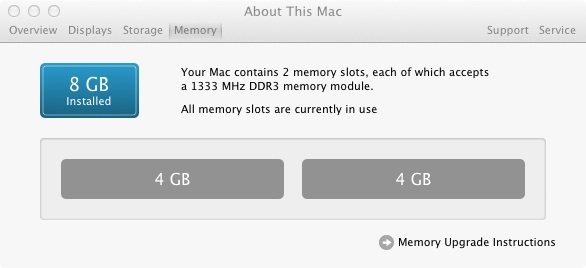
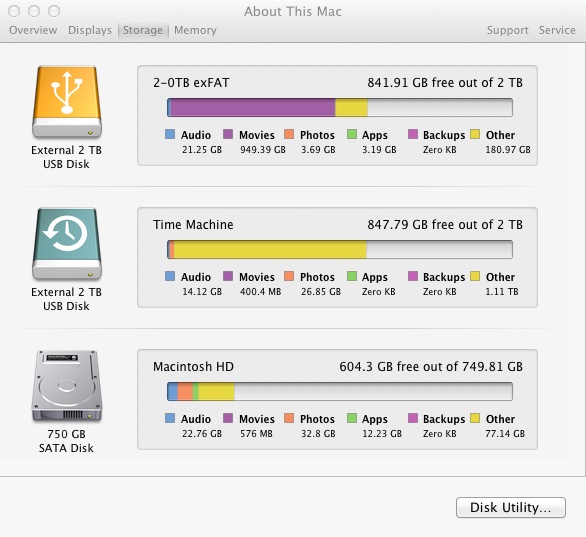
I ordered a Seagate 750GB 7200rpm drive and 2x Kingston Value select 4GB 1333 MHz DDR3 memory. Oh and I had a to buy a set of Torx screwdrivers (Got a T5 - T10) from builders warehouse
Putting the hard drive in was pretty easy , watched a few youtube vids for tips.
The memory was simple.
When switching on the machine, all you need to do is hold down cmd-R and a screen comes upi with a picture of the world and a timer, 1:37 (I thought it was a minute and a half, turns out it was hour and a half).
After the timer tuns out you get the standard recovery screen for lion, you partition the new disc, and the select you install options, I went with the Time machine restore which took 1h40m and after reboot it looked like machine had never been off.
Adding the extra memory helps, but I have noticed a difference with the disc lag, so going from a 5400rpm drive to a 7200rpm helps (My VMWare Fusion Windows doesn't seem as laggy)
A side note: I was thinking of getting the Kingston KHX1600C9S3P1K2/8G HyperX 2x4GB DDR3-1600 1.5v CL9 SoDIMM modules, but was worried that there wouldn't be enough space for the heat sinks in the machine, anyone know if some one has used this in a mac mini? I know so one had posted here on MyBB that they had installed the same memory in their new 2011 MBP 13"
But for now I'm quite happy with my upgrade.
Here some pics
Last edited:

