


Anyone knows whether you can view pictures and videos from your Windows 10 machine on your Xbox 360? Previously you could connect Windows 7 media center to Xbox 360 media center but Windows 10 does not come with Media center anymore?
-
- News
-
Categories
- 5G
- ADSL
- AI
- Banking
- Black Friday
- Broadband
- Broadcasting
- Business
- Business Telecoms
- Cellular
- Cloud and Hosting
- Columns
- Cryptocurrency
- Energy
- Enterprise
- Fibre
- Gadgets
- Gaming
- Government
- Hardware
- Industry News
- Internet
- Internet of Things
- Investing
- IT Services
- Motoring
- Reviews
- Science
- Security
- Smartphones
- Software
- Technology
- Telecoms
- Trending
- Wireless
- Press Office
- Forum
- Industry News
- What's Next
- Company hub
- Speed Test
- About us
- Advertise with us
- Contact
- Careers
-
Join the MyBroadband community
South Africa’s biggest forum. Discuss, discover, and connect with thousands of members.
-
Question of the Day: How do you normally pay for purchases in stores?
You are using an out of date browser. It may not display this or other websites correctly.
You should upgrade or use an alternative browser.
You should upgrade or use an alternative browser.
XBOX 360 and Windows 10
- Thread starter carelvdm
- Start date
-
- Tags
- xbox360;windows10

SauRoNZA
Honorary Master
Yes you can through the the normal streaming functions and media player.
But not as an Extender for Media Centre like before.
http://support.xbox.com/en-ZA/xbox-360/system/media
But not as an Extender for Media Centre like before.
http://support.xbox.com/en-ZA/xbox-360/system/media

Pineapple Smurf
Pineapple Beer Connoisseur
- Joined
- Aug 2, 2016
- Messages
- 47,110
- Reaction score
- 62,882
not the right thread, but im gonna necro this one
i plug in my xbox360 wired controller into windows10 PC and hardware is found and all good
Now when i go into a game like GTA5 for example nothing happens when i try and use the controller
Happened yesterday with Ride 4 as well
Any hints?
i plug in my xbox360 wired controller into windows10 PC and hardware is found and all good
Now when i go into a game like GTA5 for example nothing happens when i try and use the controller
Happened yesterday with Ride 4 as well
Any hints?

Lupus
Honorary Master
- Joined
- Apr 25, 2006
- Messages
- 91,538
- Reaction score
- 62,139
Windows 10 went and changed quite a few things, if it's an original controller try reinstall drivers, if it's pirated there is some tweaking needed.not the right thread, but im gonna necro this one
i plug in my xbox360 wired controller into windows10 PC and hardware is found and all good
Now when i go into a game like GTA5 for example nothing happens when i try and use the controller
Happened yesterday with Rive 4 as well
Any hints?
Pineapple Smurf
Pineapple Beer Connoisseur
- Joined
- Aug 2, 2016
- Messages
- 47,110
- Reaction score
- 62,882
Original xBox360 controller that came with my xbox when i bought it brand newWindows 10 went and changed quite a few things, if it's an original controller try reinstall drivers, if it's pirated there is some tweaking needed.
Pineapple Smurf
Pineapple Beer Connoisseur
- Joined
- Aug 2, 2016
- Messages
- 47,110
- Reaction score
- 62,882
The games see the controller when i go into Settings of the game just by the way
Lupus
Honorary Master
- Joined
- Apr 25, 2006
- Messages
- 91,538
- Reaction score
- 62,139
Than i have no idea sorry :-(The games see the controller when i go into Settings of the game just by the way
Pineapple Smurf
Pineapple Beer Connoisseur
- Joined
- Aug 2, 2016
- Messages
- 47,110
- Reaction score
- 62,882

Bummer, i'll try another controller then.
and look for drivers

Datura
Captain Faptastic
Have you got the game running on the XBox and the controller plugged into PC? Daytime drinking does that schit.

Herr der Verboten
Honorary Master
Are you using wired or wireless? If its wireless and you do not have a real and authentic MS adapter, the cheap chinese ones stopped working in windows 10 a while ago. I had to go and get one myself for this very reason...not the right thread, but im gonna necro this one
i plug in my xbox360 wired controller into windows10 PC and hardware is found and all good
Now when i go into a game like GTA5 for example nothing happens when i try and use the controller
Happened yesterday with Ride 4 as well
Any hints?
steps to follow how to install it (the metod has changed)
edit
Same thing for drivers and steam setup. Quite sure the cable is not as critical as an authentic ms wireless adapter.i plug in my xbox360 wired controller
Last edited:
Herr der Verboten
Honorary Master
steps:
Actually, this is the new way
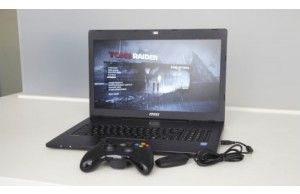
 www.laptopmag.com
You don't use the drivers from the disks or downloads anymore, you add it via the list from ms from Xbox 360 Peripherals
Actually, this is the new way
How to Use a Wireless Xbox 360 Controller on a PC
Ever wanted to know how to use your Xbox 360 wireless controller with your gaming notebook? Here's a step-by-step tutorial.
You don't use the drivers from the disks or downloads anymore, you add it via the list from ms from Xbox 360 Peripherals
Herr der Verboten
Honorary Master
Finally, you need to turn all the steam **** off. It should be as an xbox360 controller without any steam hookins, looking for that...
Seems I've got the support lot unticked, these might give you issues of selected afaik/idk. haha.

Seems I've got the support lot unticked, these might give you issues of selected afaik/idk. haha.
Pineapple Smurf
Pineapple Beer Connoisseur
- Joined
- Aug 2, 2016
- Messages
- 47,110
- Reaction score
- 62,882
Many thanx @Nemoneiros
Im trying wired at the moment with the charge cable that i normally use for xbox console as my onboard batteries are pretty flat.
Windows picks up the new hardware when i plug it into a USB port
i can see the controller in settings on the games
None of the games im trying are from Steam
Is there any pairing to be done first in windows?
Im trying wired at the moment with the charge cable that i normally use for xbox console as my onboard batteries are pretty flat.
Windows picks up the new hardware when i plug it into a USB port
i can see the controller in settings on the games
None of the games im trying are from Steam
Is there any pairing to be done first in windows?
Lupus
Honorary Master
- Joined
- Apr 25, 2006
- Messages
- 91,538
- Reaction score
- 62,139
Not for the chinese knockoffs which worked for ages, but now don't.steps:
Actually, this is the new way
How to Use a Wireless Xbox 360 Controller on a PC
Ever wanted to know how to use your Xbox 360 wireless controller with your gaming notebook? Here's a step-by-step tutorial.
You don't use the drivers from the disks or downloads anymore, you add it via the list from ms from Xbox 360 Peripherals
Herr der Verboten
Honorary Master
Herr der Verboten
Honorary Master
No pairing needed when you go wired, but you need to set the driver explicitly to the one you see listed from Xbox 360 Peripherals when you use update driver -> browse -> pick.Many thanx @Nemoneiros
Im trying wired at the moment with the charge cable that i normally use for xbox console as my onboard batteries are pretty flat.
Windows picks up the new hardware when i plug it into a USB port
i can see the controller in settings on the games
None of the games im trying are from Steam
Is there any pairing to be done first in windows?
Otherwise I don't know. I've tossed my x360 controller for a xb1 controller...
Pineapple Smurf
Pineapple Beer Connoisseur
- Joined
- Aug 2, 2016
- Messages
- 47,110
- Reaction score
- 62,882
3 months later and still no joy getting games to see my xbox360 controller, tried another controller and still nothing
I give up


I give up