Move Homeserver into cupboard - Watercooling?

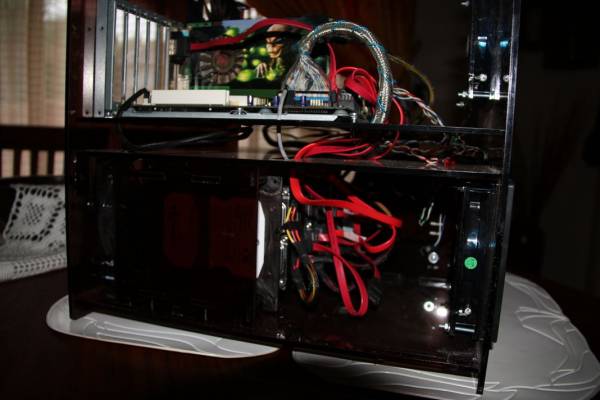
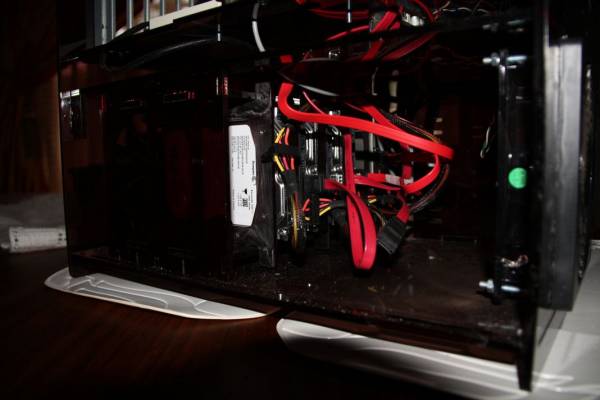
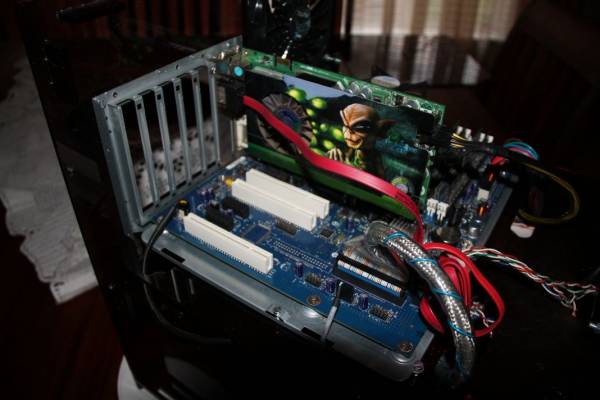
To limit the depth, I decide to built a double layer case, with the bottom srction containing the hard drives, DVD writer and power supply and the top section containing the motherboard.

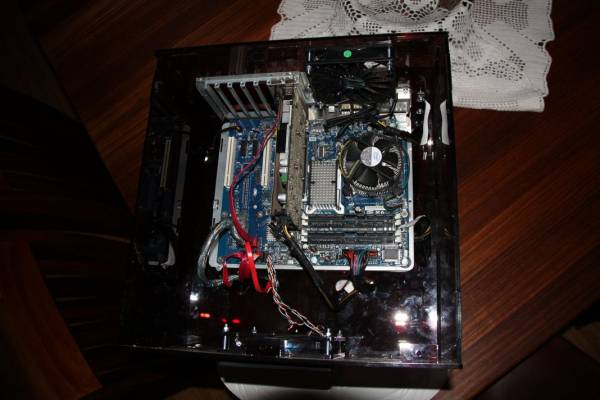
Case with top open:
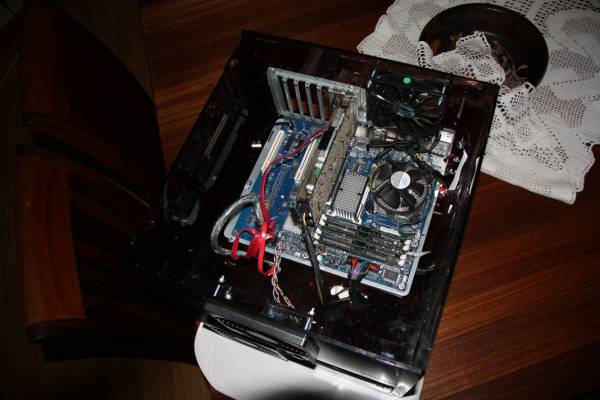
09_ServerCaseTopOpen.jpg


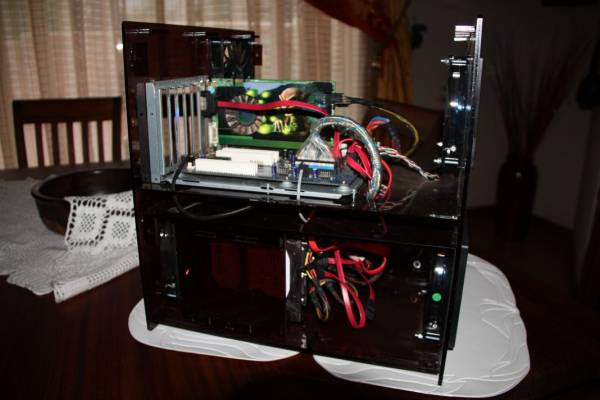
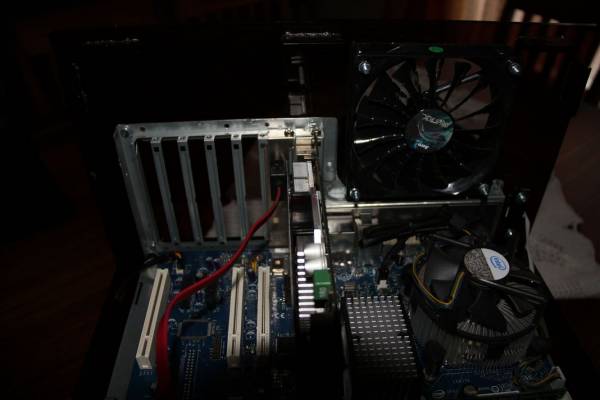
and

10_ServerCaseTopOpen2.jpg
 
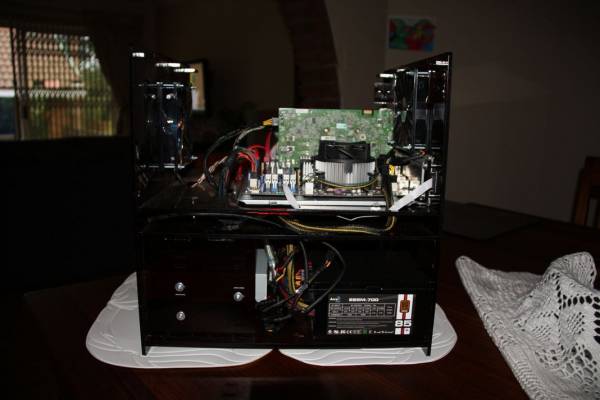
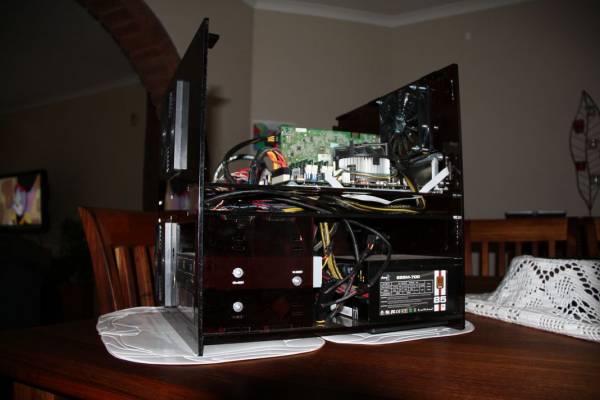
To improve cable management, I added a third small section in between the bottom an top part, through which all cables are routed.

14_ServerCaseCableManagement.jpg


If you look at one of the top pictures, you will see that the cables are neatly managed. I still need to do some cleanup with the Sata cables near the HDD cage.
 
The hard drive cage can be removed by unscreaing 4 screas at the bottom, but this is normally not necessary. The cage can take 5 hard drive trays with one 2.5" or 3.5" hard drive per tray. The hard drive is screwed to the tray and the tray slide into and out of the cage without needing any tools. Thus each hard drive can be removed from the machine without removing the cage.

15_ServerCaseHddCage.jpg
 
I planned to buy an I/O back panel, but with the cost ($20) and the time I had to wait for delivery, I decided to cannibalize an old case. I cut it out using a dremel like tool with a small cutting disk. This was a lot easier than I expected.

17_ServerCaseIOShield.jpg


I initially planned to mount the motherboard directly on the perspex, but after seeing the amount of flex in the perspex, I decided to use the motherboard tray from the cannibalized case.

16_ServerCaseBackplane.jpg
 
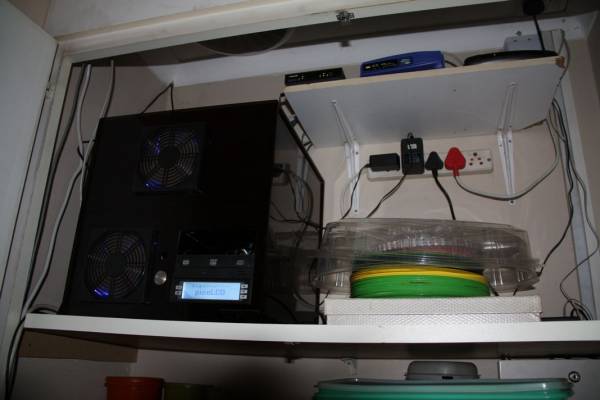
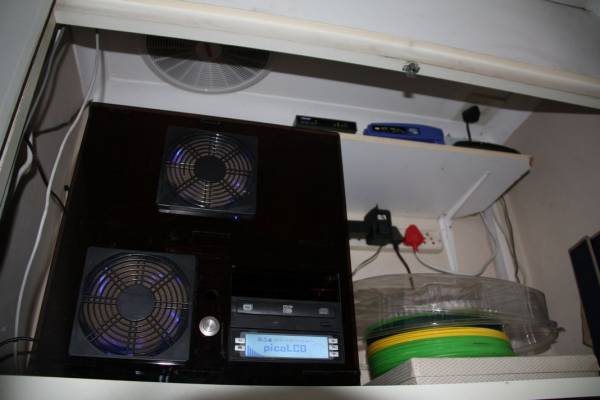
And the end result: Server in cupboard

02_ServerRoom2.jpg


Because this server is headless, I added a PicoLCD which is a 256x64 pixel display which also has 5 buttons for navigation.

01_ServerRoom.jpg


I still need a lot of work on the software side for this to work as I wanted to, but at least I can currently monitor the temperatures on it.
 
Be sure to check for dust build-up and fan failure regularly.

All the intake fans have dust filters on it. After about a month in the cupboard, it still looks fairly clean, although you can start to see the dust pattern on the filters.

I will most likely create a script which will email me in case of fan failure, as soon as I can figure out the stupid Intel motherboard. At this stage, I cannot monitor any fans, voltages or temperatures on it except for the CPU temperatures. This is on linux. I will upgrade to a newer linux version in about a months time, and then I will try again.

I think this will be the last Intel motherboard I buy in my life. It gave me problems from the start. When I initially bought it and tried to install Windows XP on it, I ran into problems because it only have USB for keyboard and mouse. I also could not install F6 drivers during installation, as it does not support a stiffie drive. But at least it is still working!
 
I have a question ..

What do you guys use the home servers for?

Each member of the family connecting to the server to save file or get files? Or how does it work? Ive never actually thought of the idea for a home server.
 
I have a question ..

What do you guys use the home servers for?

Each member of the family connecting to the server to save file or get files? Or how does it work? Ive never actually thought of the idea for a home server.

I use it for various things.

As a central repository for all out music and movies. Any device with a web browser can listen to the music! Even on my cellphone. The movies can also be streamed to certain devices.

As a backup for all the PCs and notebooks.

As a home website for all our photos. (Not on internet, but can be)

I am also playing with home automation, and the server will soon control a few devices in my home.

What is nice about it, is that you can sync your cellphone with your home server and all your contacts will be safe. We have a shared calender on the server so me and the wife can find out if the other has any plans for say the weekend.

I am also planning on using the server as my PVR so that it can record the TV shows for me.

It can also be set up as a torrent/news server downloader, but I have not yet used this functionality.

Have a look at Amahi. This will give you an idea of some possibilities.
 
Some years back I had a Prescott PC in a cupboard, with CPU, GPU, NB and PSU cooled by a Koolance Exos external liquid-cooling rig. The Exos was outside the cupboard on a high shelf. Worked fine for about 18m. Only once had to top up the Exos reservoir.
 
Excellent!

Would have gone with the extractor fan at the top (cupboard ceiling) myself.

Looks neat overall! Well done! :)


edit : What is your server/setup's power usage per month? In kilowatts as well as in Rands? ;)
 
Excellent!

Would have gone with the extractor fan at the top (cupboard ceiling) myself.

Looks neat overall! Well done! :)


edit : What is your server/setup's power usage per month? In kilowatts as well as in Rands? ;)

Currently I have no idea! As it is an old q6600 processor (power hungry), as well as a 2000VA ups, so it might by quite substantial. I still needs to include some power meter in my setup, but it is not a high priority at the moment.

The ceiling fan is being controlled by the server. If the temperature in the cupboard reaches 33 degrees, it will switch on until it drops down to 28 degrees, when it will switch off. With the current heat here in Gauteng, it is almost running full stop! So add another 80W power usage for the fan...
 
Its a home server not a IBM Blade runner super computer.

Build a couple of fans in the cupboard. Just like you would do with a case. You add your intake and your exhaust fans. If you got a old fan lying around use that as a intake or a exhaust
 
Top
Sign up to the MyBroadband newsletter
X