


acidrain
Executive Member
very cool indeed. No one has time for these cloud connected protocols.
South Africa’s biggest forum. Discuss, discover, and connect with thousands of members.

yup smartpad is doing great things for us home automation people in SAFor in-wall, look at the CBI Astute Smart Plug (ASP)
For initial setup, instead of using the CBI phone app, use the Tuya Smart phone app.
After that, you can use HA's native Tuya integration if you don't mind cloud connected. If you prefer full local control, make use of the Tuya Local HACS integration
**edit** Wooo. I've just seen this on the Smartpad site. The above mentioned plug but with ESPHome
We're excited to announce that our ESPHome plugs are now available!I see they have new plugs coming with esp32 chips. Coming soon too
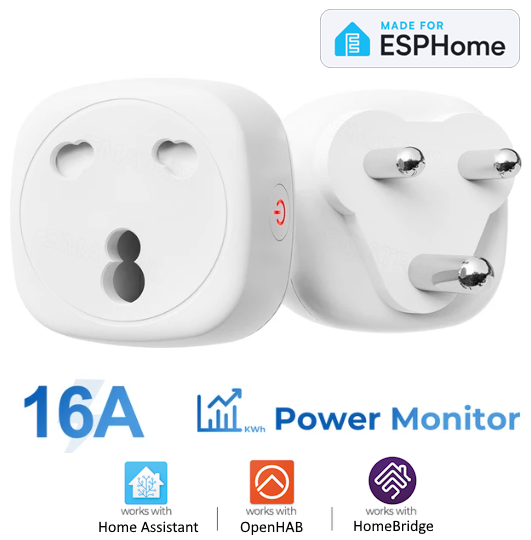
ESPHome Smart Plug 16A Energy Monitoring SA | SmartPad
Cloud-free ESPHome Smart Plug with energy monitoring for native Home Assistant integration. Local control, real-time power tracking for SA homesstore.smartpad.co.za


We are thinking about getting some of the Brazilian form factor manufactured and brough into SA in Zigbee, ESP Home and Tasmota. We are just not too sure that there would be a lot of interest in these.So do not use that website again... They let me know a couple days later that they do not have stock and I am still waiting for my refund...
In the meantime, I found this from Communica - Ordered, Delivered and working as expected.
The plugs that we are planning on manufacturing have a small form factor.I like the new plug standard as a more compact form factor. So long as the smart plugs don't spread too much beyond the usual "charger" size, I'd be keen for one or two. I do already have a Sonoff S26 with those plugs, though it is MUCH larger than I would like. I do think that the market for the new plugs will be smaller initially, but will grow once more people start having wall sockets with that type of plug installed.

I would buy 20 of these immediately if I can connect them to TuyaLocal!The plugs that we are planning on manufacturing have a small form factor.
Something like this:
View attachment 1818808
I would buy 20 of these immediately if I can connect them to TuyaLocal!
The one I have now are connected via Sonoff which is fine, but the footprint is quite large and they aren't cheap.
I have migrated most of my devices over to this Standard as my entire house has 3 x New ZA Plugs and 1 x Old ZA Plug - So I have been using less multiplugs and more rewire to the new standard

Also, if these can come in Zigbee or Wifi, that would be amazing!!The plugs that we are planning on manufacturing have a small form factor.
Something like this:
View attachment 1818808
We are currently working with the manufacturer focusing on Tasmota and ESPHome versions of these plugs, they will have power monitoring capabilities,I would buy 20 of these immediately if I can connect them to TuyaLocal!
The one I have now are connected via Sonoff which is fine, but the footprint is quite large and they aren't cheap.
I have migrated most of my devices over to this Standard as my entire house has 3 x New ZA Plugs and 1 x Old ZA Plug - So I have been using less multiplugs and more rewire to the new standard
We will be bringing in some Zigbee units as well. were finalising details with the manufacturer at the moment, and were hoping to have stock landing fairly soon.Also, if these can come in Zigbee or Wifi, that would be amazing!!
Found these ones, Wifi and Zigbee, 16 and 20A options.
Get me 4 x Zigbee and 1 x Wifi from that first batch! Where do I sign upWe will be bringing in some Zigbee units as well. were finalising details with the manufacturer at the moment, and were hoping to have stock landing fairly soon.


What do you mean it acts as a router? Is it also a Zigbee gateway?Finally got around to installing my new Zigbee Smart Breaker, rated at 63A. Although my OCD hurts a bit that it doesn't look like my two Astute's, it has been a game changer for my Zigbee mesh! My DB board is central to my house, and with this acting as a router it has really boosted things! The power monitoring is really nice.
It was also super easy to install. Very happy.
View attachment 1820492
The Gateway takes the role of the Zigbee Mesh "Coordinator" by design your Zigbee mesh can only have one coordinator.What do you mean it acts as a router? Is it also a Zigbee gateway?
Awsome, thanks!The Gateway takes the role of the Zigbee Mesh "Coordinator" by design your Zigbee mesh can only have one coordinator.
The other devices connected to the Zigbee network will either act as an "End Device" or a "Router"
Devices that are Zigbee Routers, can allow other devices to connect to them and the "Mesh" grows as more devices with this capability are added.
Typically, battery powered devices will be End devices while many permanently powered devices like Plugs and Light Switches will act as Routers (this is not a guarantee, so its good to check the device specs per device).
By adding additional Zigbee Routers into your environment, you can extend the coverage of your ZigBee network, without having to have multiple gateways, since the devices that act as Routers will relay back to the gateway.
These devices act as Routers, but not Gateways unfortunately. Depending on your setup you will still either need a gateway device, or a dongle or similar device connected to Home Assistant.

