Apple iPhone 17 thread

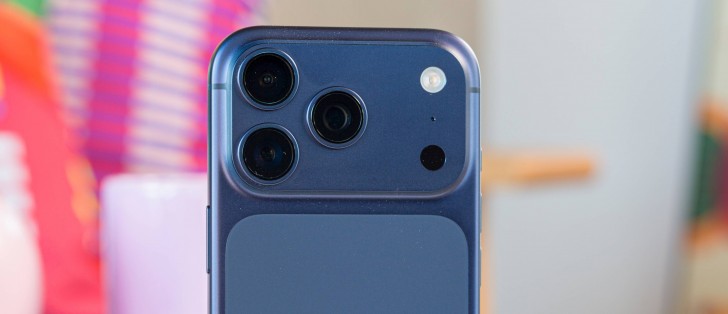
Actually much better to see the form factor with the tips off…

3s on top

IMG_5596.jpeg

IMG_5597.jpeg

I know it’s the iPhone 17 thread, sorry if it’s too OT. I reckon most folks will be interested though and not really worth a new thread at this stage.
 
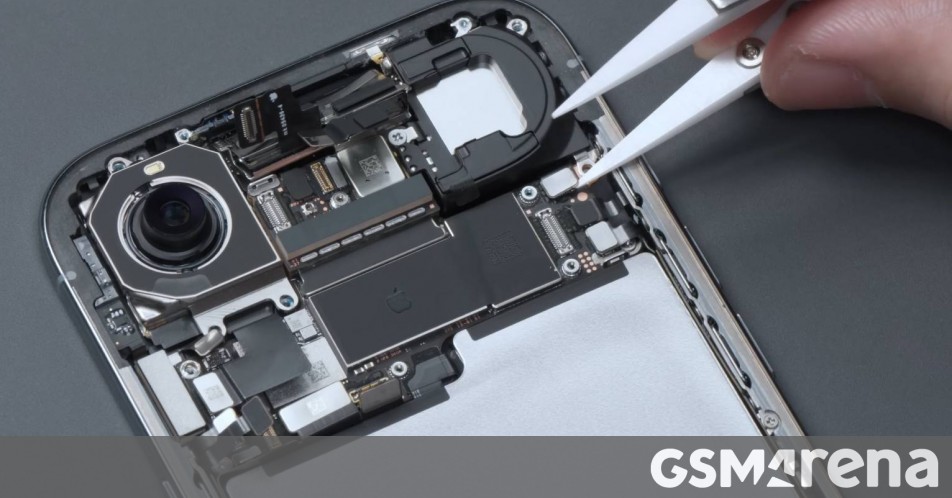
iPhone Air teardown video focuses on how thin the components are

There have been several teardown videos of the Apple iPhone Air already, but this one from WekiHome is still worth a look. It explores how Apple managed to make the Air as thin as it is – just 5.6mm.

It’s a very complicated 3D puzzle with components stacked on top of each other and having complex shapes with very little tolerance between them. Apple engineers did an impressive amount of work to fit as much as possible in the internal volume available.

WekiHome took measurements as the teardown progressed and arrived at some interesting numbers. For starters, the rear glass panel on the iPhone Air is thicker than that of the iPhone 17 Pro – 0.6mm vs. 0.45mm. However, the screen is a bit thinner at 0.919mm vs. 0.987mm.

Interestingly, the Air motherboard has a bigger footprint than that of the 17 Pro (as you can see in the screen grab above). That is because there was a limit to how much Apple could stack components – it had to keep things thin. The other interesting tidbit is that the FaceID module seems to be mirrored between the two phones.

The chassis of the Air is a mixture of different materials. The perimeter is titanium for strength (which bears out in durability tests), but the inside frame is aluminum. Super thin aluminum at points – the battery bay measures just 0.255mm thick. Just for comparison, the typical aluminum foil you find at home is around 0.016mm.


Actually much better to see the form factor with the tips off…

3s on top

View attachment 1852191

View attachment 1852192

I know it’s the iPhone 17 thread, sorry if it’s too OT. I reckon most folks will be interested though and not really worth a new thread at this stage.
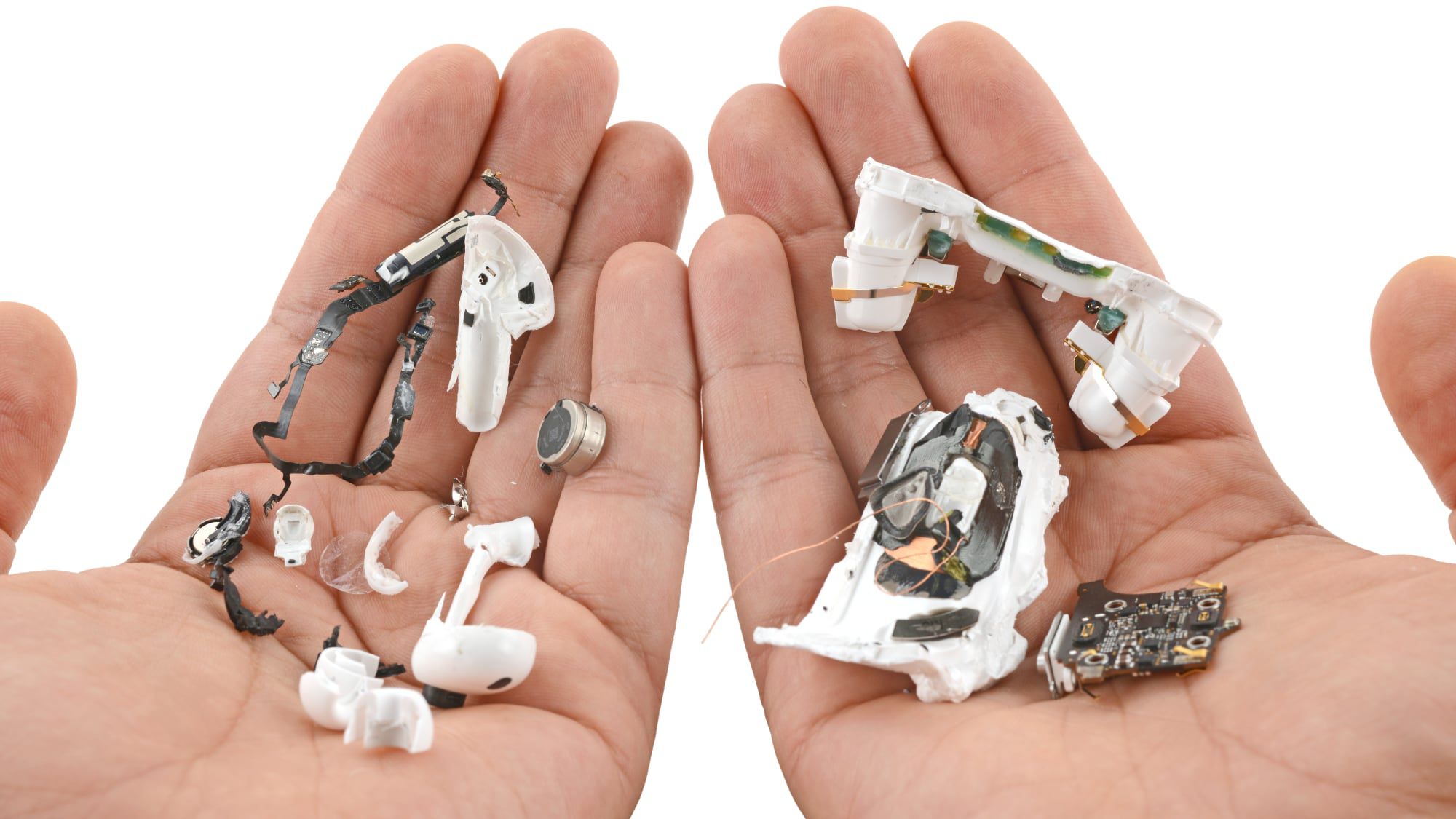
Thanks. My brother popped around with his 3’s - glory be, they fit my ears - now I just need to find a set 😊


2’s in my ear

1759253495483.jpeg


3’s in my ear

1759253572085.jpeg
 
Thanks I wasn't aware of the cash back thing, I had to dig, but it looks like it is true. On the trade in page on their website right at bottom it says:

1. Cash back applies to any iStore hardware purchase (iPhone, MacBook, iMac, iPad or Apple Watch) provided both the hardware purchase and trade-in are completed within 30 days. Simply bring your trade-in device and proof of purchase; the exchange must be like-for-like (for example, iPhone for iPhone). Cash back will be deposited directly into your bank account.

Can confirm, I got my 17 a couple of days ago after ordering from the iStore app and traded in my 15 pro today at the local iStore for the cash back into my bank account. You have 30 days after ordering. No hassles. They wanted the device and charging cable only. Had to give my ID for copies, mailed a bank confirmation letter and had to type in and sign a few things. Now waiting for a nice payback.
 
Unless MTN has advanced in the last few months; it’ll be a sim swap needed in store, no idea on price though. Believe the MVNOs and Telkom are the only ones doing this for free. Voda you also pay

The transfer of data was a bit glitchy at first but got it to work eventually with the devices side by side wireless. When it got going it was like 10 mins to transfer everything. Not a single network in SA supports esim transfer though. On MTN, Telkom and Cell C prepaid I could delete from old device and re-add onto new device without issue. With Vodacom prepaid I lost the sim, the old QR wouldn’t work after deletion on the old device. Luckily you can now buy and RICA a Vodacom esim online. Got it up and running again within minutes. Me&you allows to delete and re-add. Melon had to do a sim swop. This was all done on WhatsApp and took about 2 hours to complete. Bit of a hassle, but not too much sweat. Apple Pay cards were a struggle, specifically ABSA cards. Had to repair Bluetooth devices which is understandable. Everything else was exactly as with the old device, had to login and authenticate a couple of apps only. Mostly banking apps, Google apps and Microsoft apps. WhatsApp transferred surprisingly easy. All in all, a lot smoother than an Android transfer.

Sorry for the long post, just leaving it here for anyone to use as a future reference.
 
Woke to my 17 Pro Max running pretty warm this morning, I usually plug my phones into a slow charger overnight sometimes, and last night was one of those nights.
I wonder if it was doing its first iOS backup, I see the backup is double the size of the 15 Pro Max’s backup…will monitor this over the next few days.
IMG_1814.jpeg
 
Top
Sign up to the MyBroadband newsletter
X