BSOD suddenly. Need advice

ViciousClone

Expert Member
Joined
Apr 26, 2012
Messages
4,203
Got new hardware
The 5800x, RTX 3080, Trident Z 8GBx2 3600Mhz and the Corsair h115i premium

Everything was fine, running normal for easy 2 weeks. Now randomly i get BSOD's, but not the same ones, "kernel, Pagefile, Memory dump" there's more. I've uninstalled windows 3 times now, even rolled back to version 1909 and still i'm getting this.

I've googled and tried several fixes and no success. I've turned off updates to check. I have nothing installed, except Brave browser, discord and battle.net at the moment.

Wife's pc is fine, work laptop is fine, colleagues pc is fine. All of them are on the latest windows update.

I just don't know where to test next, google has nothing left for me to try
 

|tera|

Master of Messengers
Joined
Mar 31, 2006
Messages
25,906
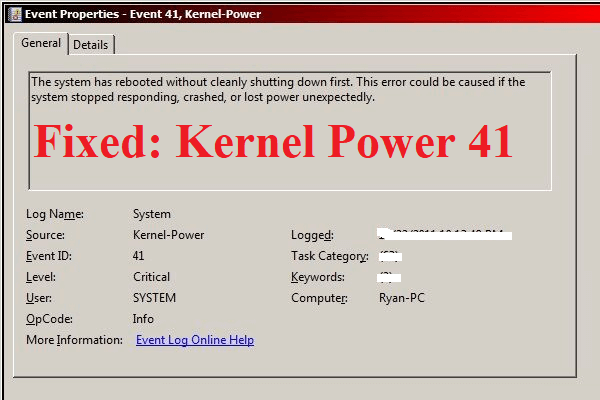
Check your Event Viewer logs.
Always start there with this type of thing.
You can also download bluescreenview from Nirsoft to have a clearer view at the dumps.
 

craiglotter

Well-Known Member
Joined
Jul 11, 2014
Messages
263
Got new hardware
The 5800x, RTX 3080, Trident Z 8GBx2 3600Mhz and the Corsair h115i premium

Everything was fine, running normal for easy 2 weeks. Now randomly i get BSOD's, but not the same ones, "kernel, Pagefile, Memory dump" there's more. I've uninstalled windows 3 times now, even rolled back to version 1909 and still i'm getting this.

I've googled and tried several fixes and no success. I've turned off updates to check. I have nothing installed, except Brave browser, discord and battle.net at the moment.

Wife's pc is fine, work laptop is fine, colleagues pc is fine. All of them are on the latest windows update.

I just don't know where to test next, google has nothing left for me to try
Maybe Monitor CPU heat? - that's often enough to bring down a machine.
 

ViciousClone

Expert Member
Joined
Apr 26, 2012
Messages
4,203
Maybe Monitor CPU heat? - that's often enough to bring down a machine.
Like i've stated, it's a H115i, i've had it in for a while and temps were stable at 67 while stress testing. It was a few weeks after when it just started BSOD
 

ViciousClone

Expert Member
Joined
Apr 26, 2012
Messages
4,203
Doing a Memtest86 to check ram.

All that's still "old files" is the secondary ssd with all my files and games on, battle.net installation and steam installations.

I can't think that's a issue?
 

Rickster

EVGA Fanatic
Joined
Jul 31, 2012
Messages
20,429
Like i've stated, it's a H115i, i've had it in for a while and temps were stable at 67 while stress testing. It was a few weeks after when it just started BSOD
Are you using Prime95 for CPU stressing?

Whats your Vcore under load? What PSU do you have?
 

r4nd0m

Expert Member
Joined
Dec 29, 2016
Messages
1,057
Check your VRM temperatures.

If you've swapped from an air cooler to a liquid cooler, you're no longer actively cooling around the CPU.

If it's been fine even on the liquid cooler for two weeks, then this probably isn't the issue.

I have a 2700x so your CPU is way better in many aspects, but maybe set the RAM to default (non-enhanced/OC speeds) to rule out that being the issue. I think that's 2400Mhz.
 

Willie Trombone

Honorary Master
Joined
Jul 18, 2008
Messages
60,038
RAM, CPU temperatures are the most common BSOD culprits but could also be other faulty hardware. It's likely quickest to test with replacement hardware trial and error style... just not practical if you don't have spares.
 

Praeses

Expert Member
Joined
Oct 29, 2005
Messages
4,932
BSODs with no specific cause is usually a RAM issue, so as above, declock the memory and see if that works.

You can also try updating your BIOS to solve possible incompatibilities (e.g. with RAM)
 

ViciousClone

Expert Member
Joined
Apr 26, 2012
Messages
4,203
Check your VRM temperatures.

If you've swapped from an air cooler to a liquid cooler, you're no longer actively cooling around the CPU.

If it's been fine even on the liquid cooler for two weeks, then this probably isn't the issue.

I have a 2700x so your CPU is way better in many aspects, but maybe set the RAM to default (non-enhanced/OC speeds) to rule out that being the issue. I think that's 2400Mhz.
Ram has been defaulted back to 2133mhz

Previous cooler was also liqued aio.
 

ViciousClone

Expert Member
Joined
Apr 26, 2012
Messages
4,203
RAM, CPU temperatures are the most common BSOD culprits but could also be other faulty hardware. It's likely quickest to test with replacement hardware trial and error style... just not practical if you don't have spares.
That's the problem, I've got no one or spares to use. Cpu tems were at 67 under stress test in passmark, several ran over and over again
Temps max once at 70.

Ram is currently being tested in memtest86, rebooted on flash drive to test.
 

ViciousClone

Expert Member
Joined
Apr 26, 2012
Messages
4,203
BSODs with no specific cause is usually a RAM issue, so as above, declock the memory and see if that works.

You can also try updating your BIOS to solve possible incompatibilities (e.g. with RAM)
Bios is most current version due to X570 to accept 5800x cpu.

Like i mentioned before, all was fine and suddenly bsod with every bsod having a different error code.

I can think of two things:
I still have all my installations on secondary drive, games and platforms like steam and origin etc. Sata drive
Main driver is a NVMe samsung as my bootable.
Another thing i did, i tried to undervolt my gpu a little bit, but reset that shortly after, after seeing no noticeable difference. But i cant see that being the culprit
 

newklear

Expert Member
Joined
Apr 15, 2008
Messages
1,458
Shot in the dark, from your error paste 'updating Windows Defender status' have you checked ?
try:
run > services.msc
> Security Center
• Properties - Make sure its running and has the correct service name: wscsvc with delayed Automatic startup
• Log On - Change to run as local/ service system account
> Remote Procedure Call - Make sure its running and has correct service name: RpCSs with delayed Automatic startup
 

ViciousClone

Expert Member
Joined
Apr 26, 2012
Messages
4,203
Shot in the dark, from your error paste 'updating Windows Defender status' have you checked ?
try:
run > services.msc
> Security Center
• Properties - Make sure its running and has the correct service name: wscsvc with delayed Automatic startup
• Log On - Change to run as local/ service system account
> Remote Procedure Call - Make sure its running and has correct service name: RpCSs with delayed Automatic startup
First I've heard of these. Will check it out thanks
 

ViciousClone

Expert Member
Joined
Apr 26, 2012
Messages
4,203
If all else fails use Windows debug to analyse the crash dump logs.

*******************************************************************************
* *
* Bugcheck Analysis *
* *
*******************************************************************************

NTFS_FILE_SYSTEM (24)
If you see NtfsExceptionFilter on the stack then the 2nd and 3rd
parameters are the exception record and context record. Do a .cxr
on the 3rd parameter and then kb to obtain a more informative stack
trace.
Arguments:
Arg1: 00000000001904fb
Arg2: fffff88008f94c48
Arg3: fffff88008f944a0
Arg4: fffff80002ddde2e

Debugging Details:
------------------


KEY_VALUES_STRING: 1

Key : AV.Fault
Value: Read

Key : Analysis.CPU.Sec
Value: 1

Key : Analysis.DebugAnalysisProvider.CPP
Value: Create: 8007007e on DESKTOP-TJ4UU2H

Key : Analysis.DebugData
Value: CreateObject

Key : Analysis.DebugModel
Value: CreateObject

Key : Analysis.Elapsed.Sec
Value: 8

Key : Analysis.Memory.CommitPeak.Mb
Value: 77

Key : Analysis.System
Value: CreateObject


BUGCHECK_CODE: 24

BUGCHECK_P1: 1904fb

BUGCHECK_P2: fffff88008f94c48

BUGCHECK_P3: fffff88008f944a0

BUGCHECK_P4: fffff80002ddde2e

EXCEPTION_RECORD: fffff88008f94c48 -- (.exr 0xfffff88008f94c48)
ExceptionAddress: fffff80002ddde2e (nt!FsRtlNotifyFilterReportChange+0x0000000000000122)
ExceptionCode: c0000005 (Access violation)
ExceptionFlags: 00000000
NumberParameters: 2
Parameter[0]: 0000000000000000
Parameter[1]: ffffffffffffffff
Attempt to read from address ffffffffffffffff

CONTEXT: fffff88008f944a0 -- (.cxr 0xfffff88008f944a0)
rax=9cfff8a0028aa358 rbx=fffffa8003fc3060 rcx=0000000000000082
rdx=fffffa80030d76b0 rsi=fffff8a002df33e0 rdi=fffff8a002df3410
rip=fffff80002ddde2e rsp=fffff88008f94e80 rbp=0000000000000002
r8=fffff8a0038a56f0 r9=0000000000000000 r10=0000000000000060
r11=fffff88008f94fa8 r12=fffff88008f94f40 r13=fffff8a0038a56f0
r14=0000000000000000 r15=0000000000000000
iopl=0 nv up ei ng nz na po nc
cs=0010 ss=0000 ds=002b es=002b fs=0053 gs=002b efl=00010286
nt!FsRtlNotifyFilterReportChange+0x122:
fffff800`02ddde2e 66833800 cmp word ptr [rax],0 ds:002b:9cfff8a0`028aa358=????
Resetting default scope

CUSTOMER_CRASH_COUNT: 1

PROCESS_NAME: qw.exe

READ_ADDRESS: fffff80002c42068: Unable to get Flags value from nt!KdVersionBlock
fffff80002c42068: Unable to get Flags value from nt!KdVersionBlock
Unable to get MmSystemRangeStart
GetUlongPtrFromAddress: unable to read from fffff80002d002e0
GetUlongPtrFromAddress: unable to read from fffff80002d00490
ffffffffffffffff

ERROR_CODE: (NTSTATUS) 0xc0000005 - The instruction at 0x%p referenced memory at 0x%p. The memory could not be %s.

EXCEPTION_CODE_STR: c0000005

EXCEPTION_PARAMETER1: 0000000000000000

EXCEPTION_PARAMETER2: ffffffffffffffff

EXCEPTION_STR: 0xc0000005

STACK_TEXT:
fffff880`08f94e80 fffff880`01648a54 : fffffa80`02ea6980 fffffa80`030d76b0 fffff8a0`038a56f0 01ceb348`37570060 : nt!FsRtlNotifyFilterReportChange+0x122
fffff880`08f94fb0 fffff880`016ce9bd : 00000000`00000000 fffff8a0`02c635c0 fffff8a0`02c636f0 fffff8a0`038a56f0 : Ntfs!NtfsReportDirNotify+0x104
fffff880`08f95070 fffff880`0163f639 : 00000000`00000098 fffff800`02dbf576 fffff880`08f955d0 00000000`00006000 : Ntfs!NtfsCommonCleanup+0xe9d
fffff880`08f95490 fffff800`02ad4878 : fffff880`08f955d0 fffff8a0`019db3a0 fffffa80`018fb550 fffff880`08f95650 : Ntfs!NtfsCommonCleanupCallout+0x19
fffff880`08f954c0 fffff880`0163f6b2 : fffff880`0163f620 00000002`0008002c 00000000`00000000 00000000`00000000 : nt!KeExpandKernelStackAndCalloutEx+0xd8
fffff880`08f955a0 fffff880`016dcba4 : fffff880`08f95670 fffff880`08f95670 fffff880`08f95670 00000000`00000000 : Ntfs!NtfsCommonCleanupOnNewStack+0x42
fffff880`08f95610 fffff800`02f71d26 : fffff880`08f95670 fffffa80`02c45460 fffffa80`02c45460 fffffa80`030d7030 : Ntfs!NtfsFsdCleanup+0x144
fffff880`08f95880 fffff880`01143bcf : fffffa80`02c45800 fffff880`08f95920 fffffa80`02c95350 fffffa80`02c54010 : nt!IovCallDriver+0x566
fffff880`08f958e0 fffff880`011426df : fffffa80`02ef69e0 fffffa80`02ef69e0 fffffa80`02d43000 fffffa80`02c45460 : fltmgr!FltpLegacyProcessingAfterPreCallbacksCompleted+0x24f
fffff880`08f95970 fffff800`02f71d26 : fffffa80`02c45460 00000000`00000002 fffffa80`02ef69e0 00000000`00000000 : fltmgr!FltpDispatch+0xcf
fffff880`08f959d0 fffff800`02dd196f : fffffa80`02c45460 fffffa80`03df8950 00000000`00000000 fffffa80`02548420 : nt!IovCallDriver+0x566
fffff880`08f95a30 fffff800`02dbf964 : 00000000`00000000 fffffa80`03df8950 fffff880`01160101 fffffa80`02530f01 : nt!IopCloseFile+0x11f
fffff880`08f95ac0 fffff800`02dbf721 : fffffa80`03df8950 fffffa80`00000001 fffff8a0`02f50500 00000000`00000002 : nt!ObpDecrementHandleCount+0xb4
fffff880`08f95b40 fffff800`02dbfce4 : 00000000`00000418 fffffa80`03df8950 fffff8a0`02f50500 00000000`00000418 : nt!ObpCloseHandleTableEntry+0xb1
fffff880`08f95bd0 fffff800`02ac7e53 : fffffa80`03fc3060 fffff880`08f95ca0 00000000`7efdb000 00000000`7efdb000 : nt!ObpCloseHandle+0x94
fffff880`08f95c20 00000000`76df13aa : 00000000`00000000 00000000`00000000 00000000`00000000 00000000`00000000 : nt!KiSystemServiceCopyEnd+0x13
00000000`001ae088 00000000`00000000 : 00000000`00000000 00000000`00000000 00000000`00000000 00000000`00000000 : 0x76df13aa


SYMBOL_NAME: nt!FsRtlNotifyFilterReportChange+122

MODULE_NAME: nt

IMAGE_NAME: ntkrnlmp.exe

IMAGE_VERSION: 6.1.7601.18247

STACK_COMMAND: .cxr 0xfffff88008f944a0 ; kb

FAILURE_BUCKET_ID: X64_0x24_VRF_nt!FsRtlNotifyFilterReportChange+122

OS_VERSION: 7.1.7601.18247

BUILDLAB_STR: win7sp1_gdr

OSPLATFORM_TYPE: x64

OSNAME: Windows 7

FAILURE_ID_HASH: {13ccbb6f-9ab6-8211-c685-1556472c30e3}

Followup: MachineOwner
---------
 

|tera|

Master of Messengers
Joined
Mar 31, 2006
Messages
25,906
This was the BSOD error displayed just now
View attachment 997596

Another

View attachment 997608
Look for the Event ID number, like 41 in Google. Example: Event ID 41 Kernel power.

It basically just says a shutdown or BSOD occured.
You can check this out anyway:

The Windows Defender error is most likely a conflict with a seperate antivirus tool or antimalware tool,

So, since you know it's not software now. It's definitely hardware related.
 
Top