


JerryMungo
Honorary Master
- Joined
- Jul 18, 2008
- Messages
- 37,677
- Reaction score
- 6,426
.
Last edited:
South Africa’s biggest forum. Discuss, discover, and connect with thousands of members.

 Thanks.


Anyone know if there's a Windows 7 freebie out there?
Also - anyone know why XP networking / ie on XP is so dog slow? My login times out after a while lol. I'll try 7 - it should have the same vulnerable browser I'm looking for out of the box LOL
*EDIT* Oh look - here are a ton of different VHDs: https://www.microsoft.com/en-us/download/details.aspx?id=11575

You popped in to swing your e-peen in my thread? Lockdown getting to you?
We're not all techies who work with this stuff all day


Did mine from scratch.. although this was done a while back.. I just reloaded the VM drive now. Great to test all these free software on it.I grabbed the DL and am going to install it today


That looks like Netscape.
That looks like Netscape.


That's cheating. We want windows, let me see if I can find windows 1
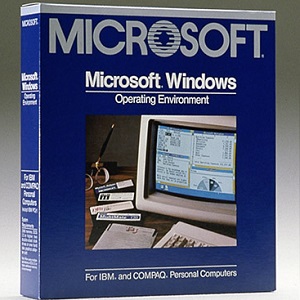
 isoriver.com
Marvellous. You win!
isoriver.com
Marvellous. You win!
How about OS/2 Warp 4.0? That should be fun!
In case you are ever in need of one for emergencies, you can download the XP mode from here: https://www.microsoft.com/en-us/download/confirmation.aspx?id=8002 and open it with your fav archiver tool (instead of launching it). I use 7zip. Next, double click the /sources/xpm 'file' which appears to be an archive and extract the VirtualXPVHD file then rename it with a .vhd extension.
Now install virtual box and create a new virtual box machine of type Windows XP (32-bit) and from 500Mb to 3.25 Gb RAM (this is a 32-bit install and it won't use more). Next, attach the .vhd image file from the previous step as the primary HDD and make it the first boot item. You may want to increase video RAM to 128 Mb as well.
If your mouse doesn't work out the box, use tab, arrows, space and enter to navigate to the install screens, using Ctrl-R to reboot at the final (black) screen. On reboot cancel any auto updates or hardware installation screens then click 'Devices' - 'Install guest additions cd' and reboot.
You'll now have a 30 day installation useful for whatever the heck you needed it for to start with (hopefully not a production system LMAO).
In my case I had to access an ancient system that refused to operate in a modern browser and OS. IE 0.1 FTW LOL.