How to pick the perfect printer

Bradley Prior

MyBroadband Journalist
Staff member
Super Moderator
Joined
Oct 16, 2018
Messages
5,009
Reaction score
1,581
How to pick the perfect printer

Picking the right printer is an important decision, whether you are a large business or an everyday user.

There are various variables to consider - including which features and printing technologies best suit your needs.
 
Been using the L355/L365 printers for a while.
Recently, the printer went into error mode and wanted me to take it in for a service.
To fix you need to replace the waste ink-pad, very simple, very cheap, and only one screw.
1583599917045.png
Problem is there is no way to reset the waste ink-pad full error code.
It's an internal counter with no relationship to the actual state of the the pad.
Basically a method to extort service fees from customers.
Read all about the Epson extortion here:
https://epson.com/Support/wa00369

Very unhappy. :mad::mad: :mad: :mad: :mad: :mad: :mad:
 
Busy changing mine now.......posted my Canon MX394 on OLX and Gumtree today so I can buy the TR4540 as I need wi - fi to be able to print direct from my phone. Good plan ?
 
The solution is to stop printing as a whole and find ways to make that possible.

There is no such thing as a good printer. They are all garbage.
 
Well my Canon is a piece of kak. They promise X amount of pages per cartridge, I get a tenth of that.

Buying legit cartridges.

Edit: example of how kak it is. I once ran out of a single colour. Took the cartridge out, and the printer no longer worked. No more any printing. Could not even scan until 'n bought a new cartridge. Blackmail scumbag tactics
 
Do you know if Brother ink tank printers suffers the same fate?

Yes, they do. On top of that, the software also sucks, but at least you don't have to use it to work with most Brother MFCs.

Well my Canon is a piece of kak. They promise X amount of pages per cartridge, I get a tenth of that.

Edit: example of how kak it is. I once ran out of a single colour. Took the cartridge out, and the printer no longer worked. No more any printing. Could not even scan until 'n bought a new cartridge. Blackmail scumbag tactics

Well, Canon and HP both base their page print ratings for 5% coverage. So if you do more than 5% coverage on a page, naturally you will run out of ink faster.

The cartridge problem is spreading to more brands though. Some HP Inkjets will not work if the colour carts are depleted. This is why I recommend ink tanks to people instead, it is far cheaper.
 
Strange never had any problems with the Kyocera's we had.

It’s just that they are all supremely backwards products that simply haven’t progressed into the modern world.

The very same issues that always existed still do and are simply taken as acceptable.
 
No, even the industrial standard most expensive printers you can buy are still garbage.

100%...

Printers are the devil by and large..... even the bloody expensive large scale ones will occasionally just go FY and not work the way you expect them to.
 
The problem is that you can't really get a once size fits all. Different printers have different uses.
We have a Samsung laserjet b/w printer and recently acquired HP inkjet. Both are wifi enabled as well. (I was actually particularly impressed with the HP as it runs its own webserver that allows you to do various configs on it via a browser).
 
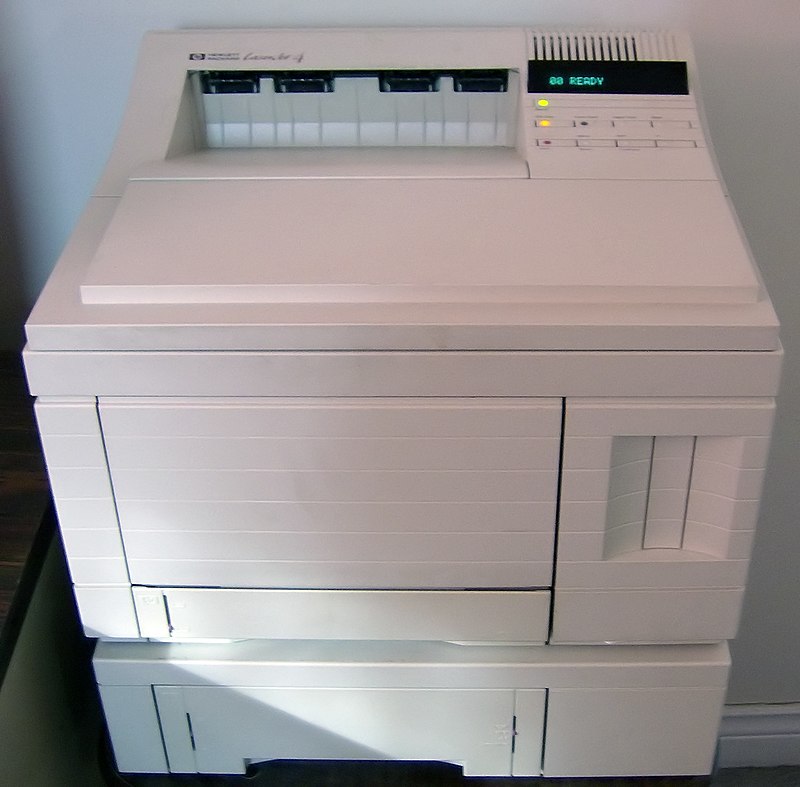
I see your OKI Microline, and raise you an HP LaserJet 4.
800px-HP_LaserJet_4.jpg
 
Top
Sign up to the MyBroadband newsletter
X