How to to access a (sleeping) pc using teamviewer.

jlct021

Well-Known Member
Joined
May 24, 2009
Messages
121
Reaction score
0
How does one access a PC that's gone to sleep using teamviewer?
A Wake on LAN tool isn't an option here as the clients laptops don't have this feature in the BIOS.
I also need to keep it simple for the client.
There are 4 laptops in the office that the client wants to access after hours; but doesn't want to leave running all night. Ive considered switching off sleep mode and simply scheduling them to shut down at a certain time. But was wondering if anyone knew of a another way. Thanks.
 
How does one access a PC that's gone to sleep using teamviewer?
A Wake on LAN tool isn't an option here as the clients laptops don't have this feature in the BIOS.
I also need to keep it simple for the client.
There are 4 laptops in the office that the client wants to access after hours; but doesn't want to leave running all night. Ive considered switching off sleep mode and simply scheduling them to shut down at a certain time. But was wondering if anyone knew of a another way. Thanks.

Logmein allows you to start a PC that is turned off.
 
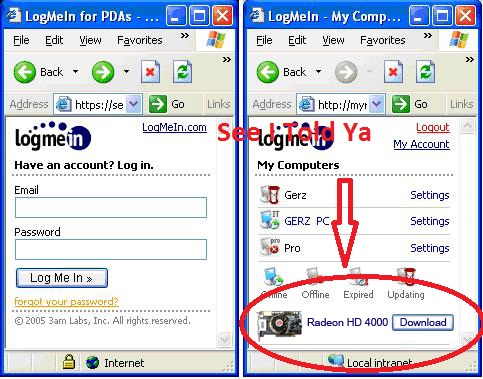
logmein can also replace graphics cards remotely...
 
You can actually set the laptops to wake up at a specified time of day, its in the BIOS.

Yes in power management; this is really useful but brings me back to a similar obstacle - how does one get past the Windows Log On Screen where the clients user name and password is required - from outside of Windows? It might as well be asleep...
 
LogMeIN does allow ATI Card Downloads See -
LogMeInPro_PC.jpg
 
Yes in power management; this is really useful but brings me back to a similar obstacle - how does one get past the Windows Log On Screen where the clients user name and password is required - from outside of Windows? It might as well be asleep...

I forgot Windows, see I'm doing the same thing for my wifes PC at work but she runs Linux. Is it perhaps not possible to have services start up in Windows without users logged in? I remember playing around with remote logins for XP but that was years back and I've forgotten all of it (was attempting a MCSE so cannot remember if users had to be members of a domain to achieve this)
 
Actually you need to download the alarm clock, then it will just wake up the sleeping PC :)

Thanks, but don't think that will work. Going to try installing Teamviewer to run as a system service instead.

http://www.teamviewer.com/download/version_4x/teamviewer_manual.pdf

"When running TeamViewer as a Windows® system service:
TeamViewer will run during your whole Windows® session.
TeamViewer will be installed as a Windows® system service - so your
Computer is reachable even before you log in to Windows®.
You setup a permanent password for authentication.
Your computer is reachable whenever your computer is started.
This mode is e.g. perfect for servers you want to reach when nobody
is on the remote side. It is also the best mode if you need the ability
to restart the remote machine and reconnect with TeamViewer afterwards."
 
Last edited:
Useful.
But no joy.
Whats the link for that alarm clock again?
 
Thanks, but don't think that will work. Going to try installing Teamviewer to run as a system service instead.

http://www.teamviewer.com/download/version_4x/teamviewer_manual.pdf

"When running TeamViewer as a Windows® system service:
TeamViewer will run during your whole Windows® session.
TeamViewer will be installed as a Windows® system service - so your
Computer is reachable even before you log in to Windows®.
You setup a permanent password for authentication.
Your computer is reachable whenever your computer is started.
This mode is e.g. perfect for servers you want to reach when nobody
is on the remote side. It is also the best mode if you need the ability
to restart the remote machine and reconnect with TeamViewer afterwards."

OK, thats perfect as you want exactly this.

Not a LINUX fanboi moment, but this is what still sucks about Windows, you need to use 3rd party software to achieve something that is available in your most basic LINUX distro.
 
Top
Sign up to the MyBroadband newsletter
X