-
- News
-
Categories
- 5G
- ADSL
- AI
- Banking
- Black Friday
- Broadband
- Broadcasting
- Business
- Business Telecoms
- Cellular
- Cloud and Hosting
- Columns
- Cryptocurrency
- Energy
- Enterprise
- Fibre
- Gadgets
- Gaming
- Government
- Hardware
- Industry News
- Internet
- Internet of Things
- Investing
- IT Services
- Motoring
- Reviews
- Science
- Security
- Smartphones
- Software
- Technology
- Telecoms
- Trending
- Wireless
- Press Office
- Forum
- Industry News
- What's Next
- Company hub
- Speed Test
- About us
- Advertise with us
- Contact
- Careers


-
Join the MyBroadband community
South Africa’s biggest forum. Discuss, discover, and connect with thousands of members.
-
Question of the Day: If you could pick one South African to have dinner with, who would it be?

You are using an out of date browser. It may not display this or other websites correctly.
You should upgrade or use an alternative browser.
You should upgrade or use an alternative browser.
iBurst better without aerial?
- Thread starter da-goods
- Start date

isie
Honorary Master
- Joined
- Jan 16, 2010
- Messages
- 13,284
- Reaction score
- 2,213
My iBrust modem was getting like 80% signal, and I unplugged the aerial and boom! it shot up to 100% and has stayed that way without the aerial. Is this normal?
happend to me a while ago, the conector on the aeriel could have been damaged thats proably y signal was bad

Mine was like that from the start and no, there wasn't any damage to the connectors...
isie
Honorary Master
- Joined
- Jan 16, 2010
- Messages
- 13,284
- Reaction score
- 2,213
Mine was like that from the start and no, there wasn't any damage to the connectors...
I thought that at first...ut my wife cam clean and told me droped the modem


eltherza
Expert Member
My iBrust modem was getting like 80% signal, and I unplugged the aerial and boom! it shot up to 100% and has stayed that way without the aerial. Is this normal?
This happens with mine too, I've just got an extension usb cable and moved the modem to where the arial used to be. I get +10-20% signal boost. Not sure how it effects error rates though.
Durandal
Expert Member
My friend uses his laptop modem without an aerial and he sails through what ever he does. For some reason if I unplug mine, the modem refuses to activate...

r00igev@@r
Honorary Master
- Joined
- Dec 14, 2009
- Messages
- 15,649
- Reaction score
- 14,162
- Location
- Draadloos Bantha poo doo in 4ways
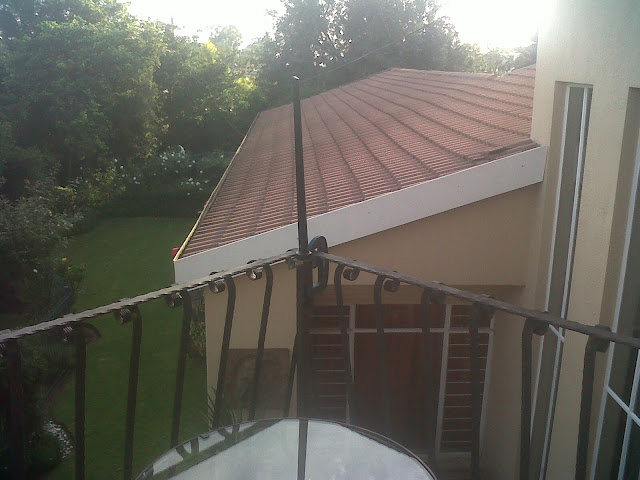
It provides me maximum possible throughput. The line in the background is used by the pigeons for roosting.
It provides me maximum possible throughput. The line in the background is used by the pigeons for roosting.
Love the clamp.
Edit: BTW, how can a broken connector give you worst signal? It either improves it or does nothing.

isie
Honorary Master
- Joined
- Jan 16, 2010
- Messages
- 13,284
- Reaction score
- 2,213
Love the clamp.
Edit: BTW, how can a broken connector give you worst signal? It either improves it or does nothing.
from what i figure, (and this is just an uneducated guess
) if its conected to an external airiela the modem doesnt use the normal aeriel and if the external is damegd somewhere along theline, its still using that.
Could be true, but how does it know there is a external aerial?
Now my uneducated guess. On a aerial, you have the inner cable, which is the the "actual" aerial and the outer part, which is ground. It is highly unlikely that the outer part can break and if the the modem has some sort of "sensing" to detect the external aerial, then it would work on the inter cable. If that is the broken part, then it can't "sense" that there is an external aerial connected...
If that makes sense at all.
Now my uneducated guess.
On a aerial, you have the inner cable, which is the the "actual" aerial and the outer part, which is ground. It is highly unlikely that the outer part can break and if the the modem has some sort of "sensing" to detect the external aerial, then it would work on the inter cable. If that is the broken part, then it can't "sense" that there is an external aerial connected...If that makes sense at all.
isie
Honorary Master
- Joined
- Jan 16, 2010
- Messages
- 13,284
- Reaction score
- 2,213
Could be true, but how does it know there is a external aerial?
Now my uneducated guess.
If that makes sense at all.
odly enough it does make sense
r00igev@@r
Honorary Master
- Joined
- Dec 14, 2009
- Messages
- 15,649
- Reaction score
- 14,162
- Location
- Draadloos Bantha poo doo in 4ways

Without 300kb/s - with 800kb/s (Moreletta Park)
r00igev@@r
Honorary Master
- Joined
- Dec 14, 2009
- Messages
- 15,649
- Reaction score
- 14,162
- Location
- Draadloos Bantha poo doo in 4ways
Awsome pic's of the Clamps
Considering selling some nice orange coloured ones.
isie
Honorary Master
- Joined
- Jan 16, 2010
- Messages
- 13,284
- Reaction score
- 2,213
Considering selling some nice orange coloured ones.
dont think the body corporate in my complex will aprove of orrange clamps out side

Considering selling some nice orange coloured ones.
Is installation included in the price?
r00igev@@r
Honorary Master
- Joined
- Dec 14, 2009
- Messages
- 15,649
- Reaction score
- 14,162
- Location
- Draadloos Bantha poo doo in 4ways
Is installation included in the price?
Self install.
Here was a suggestion when I asked about the cantenna. Rather take the USB modem and connect it to a 5m USB extension cable. Take a dstv dish, remove the LNB and duct tape the USB modem in the position of the LNB. Now point the dish at the nearest tower.
The theory on my the should work sounds good and if anyone tries it please send pictures.


Jagtiger
Expert Member
- Joined
- Mar 3, 2009
- Messages
- 1,683
- Reaction score
- 251
Self install.
Here was a suggestion when I asked about the cantenna. Rather take the USB modem and connect it to a 5m USB extension cable. Take a dstv dish, remove the LNB and duct tape the USB modem in the position of the LNB. Now point the dish at the nearest tower.
The theory on my the should work sounds good and if anyone tries it please send pictures.
USB extensions not working properly. For example, my laptop or other laptop cannot recognise some USB devices on extension. My desktop does same, unless you install specific OS from certain manufacturer. Looks like this happens to high power USB devices.