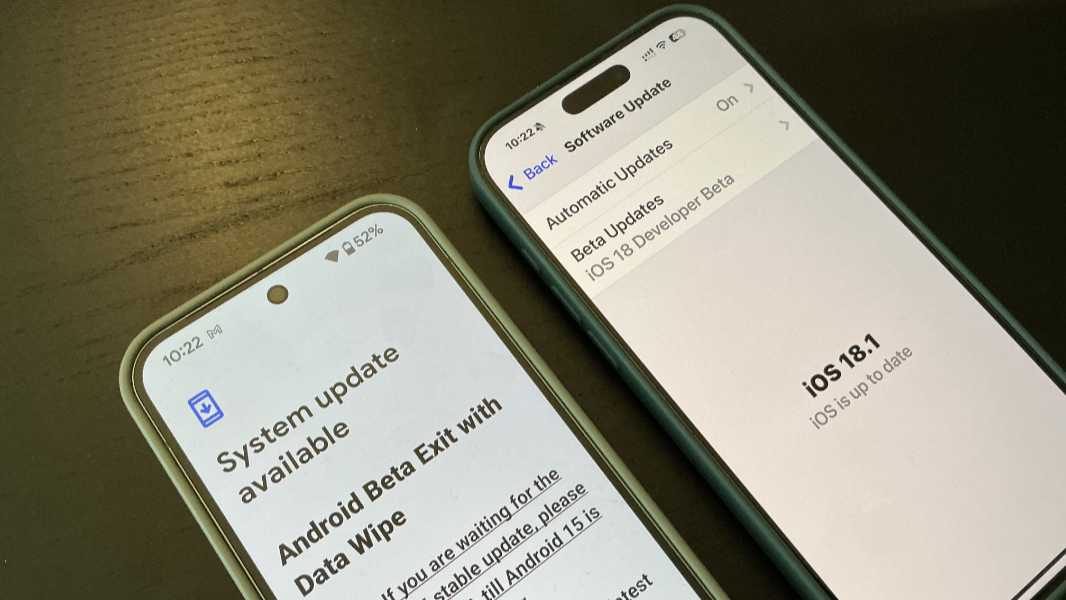
I'm doing it: Going from Android to iPhone

SAguy

Honorary Master
Joined
Nov 4, 2013
Messages
12,122
Reaction score
14,543
Location
CoCT
Been a macbook user for 10 years, using iPad for 3 or so
Have always had an Android phone, but I've decided it's time to finally take the move

I don't do much on my iPad other than use it for sheet music when I play in orchestras, so I really don't know iOS well
It's gonna be an interesting learning curve, but we'll see!
 
Been a macbook user for 10 years, using iPad for 3 or so
Have always had an Android phone, but I've decided it's time to finally take the move

I don't do much on my iPad other than use it for sheet music when I play in orchestras, so I really don't know iOS well
It's gonna be an interesting learning curve, but we'll see!

I converted many years ago (iPhone 7) and the thing I missed the most was the customisation options.

I haven't looked back tbh
 
I converted many years ago (iPhone 7) and the thing I missed the most was the customisation options.

I haven't looked back tbh
Like what though? I see a lot of people speak about customization as being a big difference, but what kind of customizations are we talking?
 
Like what though? I see a lot of people speak about customization as being a big difference, but what kind of customizations are we talking?
It was true back then. Not much anymore.
Apple has finally closed the loop on the personalization advantages that Android has long provided. No, more than that. The ways I can now customize my iPhone that are meaningful to me now exceed what I can do on Pixel. For example, Google doesn't let you remove the At a Glance widget or Search bar from the Pixel home screen.
 
The one thing I'm definitely going to miss though is the Android hidden folder option, it basically allows you a whole second OS on your phone, duplicating apps, etc.

Apple doesn't seem to have anything similar to hide apps, well, not as comprehensive.
I like to hide banking apps
 
Like what though? I see a lot of people speak about customization as being a big difference, but what kind of customizations are we talking?
Mostly cosmetic and the ability to completely skin/alter the UI.

iOS 18 has basically caught up with the resizeable widgets and the ability to place icons anywhere on the screen.

At the time, iOS (the UI and ability to sideload apps) was heavily constrained and you lived with what Apple gave you - Android was much more customisable via skins and themes, etc.

By the way, which model iphone are you getting?
 
The one thing I'm definitely going to miss though is the Android hidden folder option, it basically allows you a whole second OS on your phone, duplicating apps, etc.

Apple doesn't seem to have anything similar to hide apps, well, not as comprehensive.
I like to hide banking apps
Never used the option myself even though it is there - would be interested in knowing what the difference is between the Apple and Android implementation of hidden folders and apps
 
Mostly cosmetic and the ability to completely skin/alter the UI.

iOS 18 has basically caught up with the resizeable widgets and the ability to place icons anywhere on the screen.

At the time, iOS (the UI and ability to sideload apps) was heavily constrained and you lived with what Apple gave you - Android was much more customisable via skins and themes, etc.

By the way, which model iphone are you getting?
Most likely the 16 Pro Max - maybe 512GB
 
Never used the option myself even though it is there - would be interested in knowing what the difference is between the Apple and Android implementation of hidden folders and apps
Android allows you to have a whole separate OS on the device almost, and you can use a different password or fingerprint
iOS seems to just hide apps, and then puts it in your app tray in an empty looking folder called "Hidden", and uses the same password as your phone to unlock

iOS definitely has a less mature feature here
 
Android allows you to have a whole separate OS on the device almost, and you can use a different password or fingerprint
iOS seems to just hide apps, and then puts it in your app tray in an empty looking folder called "Hidden", and uses the same password as your phone to unlock

iOS definitely has a less mature feature here
Move to a proper bank like FNB that allows you to hide accounts in app.
 
Top
Sign up to the MyBroadband newsletter
X