Dolby
Honorary Master
- Joined
- Jan 31, 2005
- Messages
- 39,202
- Reaction score
- 6,175
If you want to find out why I'm asking this - the story is at the end
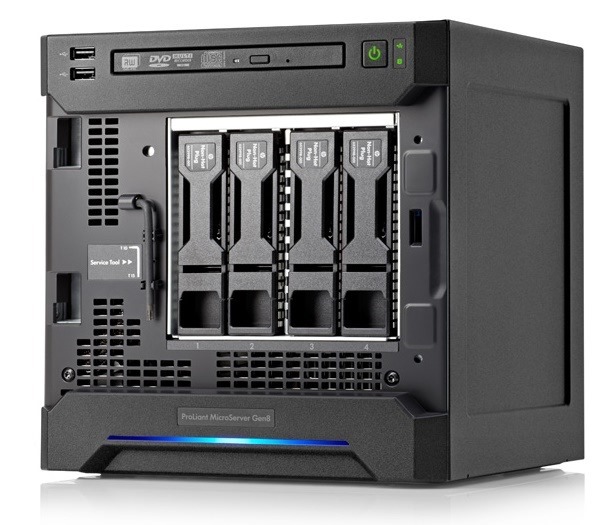
Basically if you have two drives in a PC (one with the OS and another clean & formatted) - is it possible to install Windows onto the clean drive, and then remove and put in another computer (HP microserver)? I cannot for the life of me get Windows to install while in the HP microserver ...
** Why I'm asking >>> .... the HP Gen 8 Microserver that I've been using for ages was in the lounge. I decided to move it to the study and, while there, reset the Windows 10 to have it all clean and fresh! Reset was perfect until it asked for a reboot after some update.
Since then, I've got numerous errors and it won't boot up - something with PXE and another with non bootable etc . I tried for hours (not really knowing what I was doing) in BIOS and gave up. Pulled the drive out and placed it in another computer. Used Disk Management and formatted / made it visible. Now I'm trying to use it as a primary back in the HP...
Basically if you have two drives in a PC (one with the OS and another clean & formatted) - is it possible to install Windows onto the clean drive, and then remove and put in another computer (HP microserver)? I cannot for the life of me get Windows to install while in the HP microserver ...
** Why I'm asking >>> .... the HP Gen 8 Microserver that I've been using for ages was in the lounge. I decided to move it to the study and, while there, reset the Windows 10 to have it all clean and fresh! Reset was perfect until it asked for a reboot after some update.
Since then, I've got numerous errors and it won't boot up - something with PXE and another with non bootable etc . I tried for hours (not really knowing what I was doing) in BIOS and gave up. Pulled the drive out and placed it in another computer. Used Disk Management and formatted / made it visible. Now I'm trying to use it as a primary back in the HP...


 Hope you get sorted.