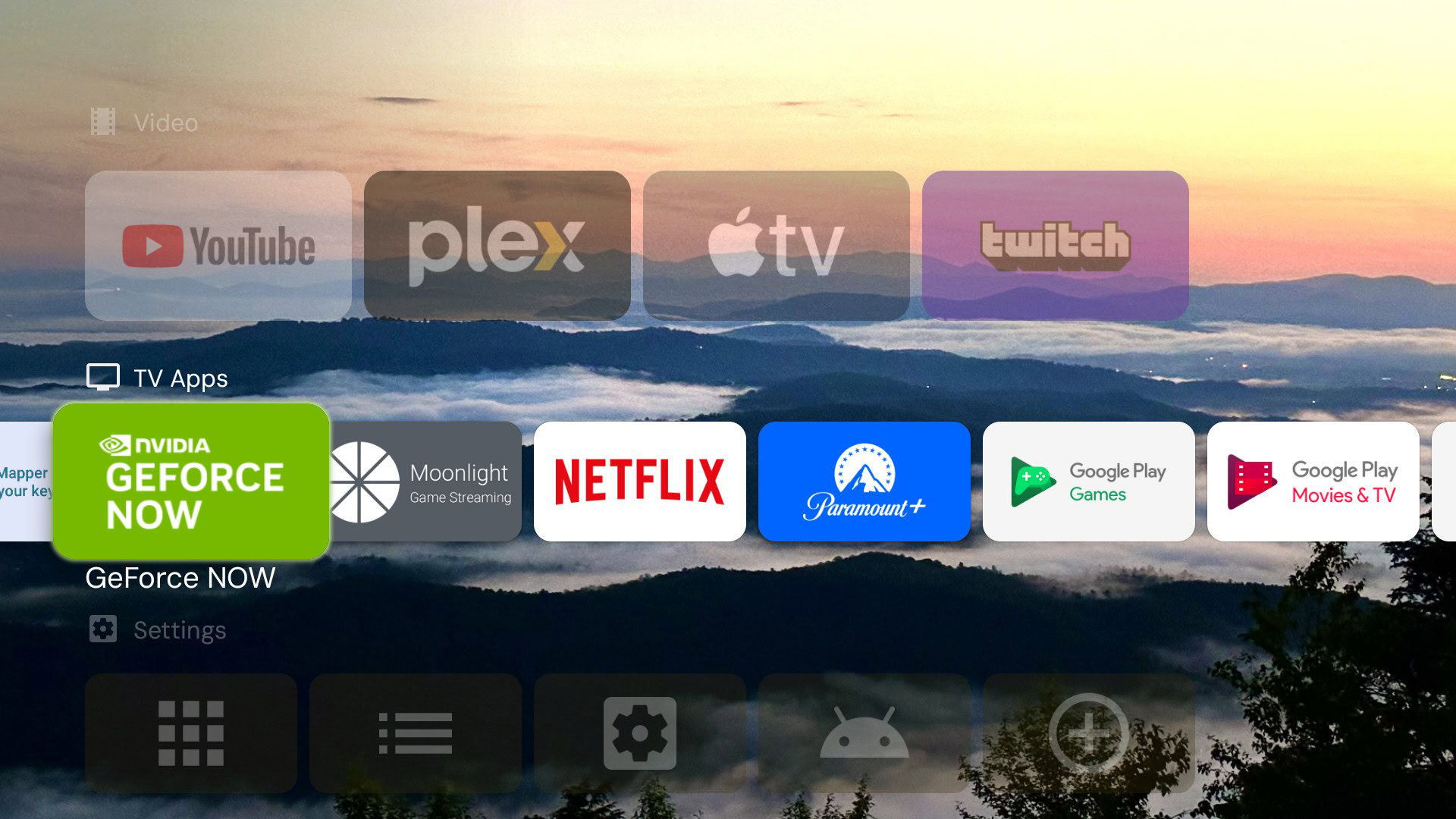
Looking for a decent streaming Android box

I have both the Netogy Nova 10 (in the bedroom & connected via wi-fi to a Philips mini data projector / JVC soundbar - it has a Sandisk 64GB SD card installed for extra storage) and the Acer AiTV unit (in the lounge, connected directly via a Huawei B525 LTE router & a LAN cable to a SONY Blu-Ray Home Theatre System & a JVC 32" HD TV - it has a Sandisk 256GB SD card installed for extra storage).

I have noticed that Google TV on the Acer is noticeably more responsive than Android 11 on the Nova - but when the Nova eventually gets its promised Android 14 update, I will see if that makes any difference to it.

the update wont make up the difference - the chip in the Acer is a new generation apparently the CPU is around 25% faster and the GPU around 130% faster - in fact the update probably needs the faster new chips and might make things slower - you will still notice the boxes using the new chips as faster and more stable

the Nova uses the AMLogic S905Y4 chip and features the Mali G31 GPU (2.0GHZ) while the mibox gen 2 uses the AMLogic S905X and also a Mali G31 GPU (2.0GHZ) and the Gen 3 uses the AMLogic S905X5M which features a Mali G310 GPU chipset (2.5GHZ and significantly faster graphics) ..... all different chips but the Nova and the 2nd gen are very similar while the Gen 3 is the newest version with increased speed and functionality - right now the Acer and MiBox gen 3 both use that X5M chip - have had the Nova and Gen 2 and Gen 3 at varying times - getting the Acer for now is a sidegrade and i will get a newer box when i can get one with 4 gigs of system ram with possibly a newer chip than the X5M to see how much better that will work if some manufacturer ever gets around to it :thumbsup:
 
Last edited:
You should go with Appletv (with lan) unless you prefer the ads ads ads ads ads ads....

switch those off - i use my Mibox around 4 to 5 hours a day - i see zero ads but you cant understand that because you just read about ads somewhere like Reddit (but in actual reality those ads are like bigfoot, fairies and ghosts ...... often talked about but never seen)

It doesnt have ethernet, none of them do

can easily add ethernet to any box which doesn't have plus additional USB if you want to add extra hard drives permanently connected so that the apps you use can have a functioning library including all the content metadata and coverart etc

mibox hub 2.jpg

my older setup - Mibox Gen 2 with powered active hub - USB to ethernet in first port and 32gig flash drive for extra system storage and two external hard drives - now, i have the Gen 3 mibox and the flash drive has been removed and there is one extra external hard drive connected - and for those who are genuinely interested don't waste time and money on external SSDs - the USB ports on the mibox are only just USB2 (so the port speed is still restricted anyway) and you wont get too many 4TB external SSDs (or bigger) for cheap or reasonable prices 😉
 
Last edited:
switch those off - i use my Mibox around 4 to 5 hours a day - i see zero ads but you cant understand that because you just read about ads somewhere like Reddit (but in actual reality those ads are like bigfoot, fairies and ghosts ...... often talked about but never seen)


can easily add ethernet to any box which doesn't have plus additional USB if you want to add extra hard drives permanently connected so that the apps you use can have a functioning library including all the content metadata and coverart etc

View attachment 1893834

my older setup - Mibox Gen 2 with powered active hub - USB to ethernet in first port and 32gig flash drive for extra system storage and two external hard drives - now, i have the Gen 3 mibox and the flash drive has been removed and there is one extra external hard drive connected - and for those who are genuinely interested don't waste time and money on external SSDs - the USB ports on the mibox are USB2 and you wont too many 4TB external SSDs (or bigger) 😉
u smart
 

A Google TV update may have broken one of the best ways to avoid home screen ads - Android Authority​

Some users say Projectivy Launcher no longer replaces the Google TV home screen after a recent update.

1773756785793.png

TL;DR
  • Some Google TV users say a recent update prevents Projectivy Launcher from overriding the default home screen.
  • The popular third-party launcher still opens manually, but may no longer replace Google TV automatically.
  • A Reddit thread suggests a workaround that involves resetting settings and re-enabling Projectivy’s override permissions.
Read the full article at the link below:


A Google TV update may have broken one of the best ways to avoid home screen ads - Android Authority​

Some users say Projectivy Launcher no longer replaces the Google TV home screen after a recent update.

View attachment 1893931

TL;DR
  • Some Google TV users say a recent update prevents Projectivy Launcher from overriding the default home screen.
  • The popular third-party launcher still opens manually, but may no longer replace Google TV automatically.
  • A Reddit thread suggests a workaround that involves resetting settings and re-enabling Projectivy’s override permissions.
Read the full article at the link below:

My appletv has like 4 buttons and that is.

youtube, netflix, chrunchyroll, prime and plex.

So much better than that android kak all the time.
 

A Google TV update may have broken one of the best ways to avoid home screen ads - Android Authority​

Some users say Projectivy Launcher no longer replaces the Google TV home screen after a recent update.

View attachment 1893931

TL;DR
  • Some Google TV users say a recent update prevents Projectivy Launcher from overriding the default home screen.
  • The popular third-party launcher still opens manually, but may no longer replace Google TV automatically.
  • A Reddit thread suggests a workaround that involves resetting settings and re-enabling Projectivy’s override permissions.
Read the full article at the link below:


i am sure though you can still switch on projectivy after the unit is switched on - so the only time you might see ads is on initial startup

Any idea what brands of TV boxes are affected by this botched update? And i'm pretty confident that before long you will get a projectivy update too, that will allow the app to continue working as it did before :thumbsup:
 
Any idea what brands of TV boxes are affected by this botched update?

as per Google search - heres the reply to this

A recent
March 2026 Google TV update has reportedly deactivated the "Override" setting in Projectivy Launcher, preventing it from automatically superseding the default home screen on various devices.


Affected Devices

While the update is broadly affecting Google TV and Android TV platforms, users have specifically reported issues on the following hardware:

  • Nvidia Shield TV (2017 & 2019 models): Numerous reports indicate that after recent updates (including version 9.2.4), the device defaults back to the stock Shield launcher upon reboot.
  • Sony Bravia TVs: Users on Android 12 have noted that system updates cause Projectivy to lose its override permissions or fail to launch automatically.
  • TCL Google TVs: Some users identified a TCL-specific version update as the cause for deactivating Projectivy's automatic startup.
  • Chromecast with Google TV: Reports suggest recent backend changes to the Google TV Home app have disrupted the launcher's ability to take over the home screen.
  • Amazon Firestick: While a different issue, Amazon has actively patched exploits that previously allowed Projectivy to function as a home screen replacement.

Common Causes

The disruption typically occurs because system updates can:

  • Reset Accessibility Permissions: The "Accessibility Service" required by Projectivy to intercept the Home button may show as "on" but is effectively deactivated by the OS after an update.
  • Update the Stock Launcher: Updates to the "Android TV Home" or "Google TV Home" apps (often delivered silently via the Play Store) can override third-party launcher settings.

Known Workarounds

If your device is affected, the Projectivy community suggests these steps to restore functionality:

  1. Toggle the Override: Go to Projectivy Settings > General > Override current launcher, turn it OFF, then turn it back ON.
  2. Refresh Accessibility: Go to your device's Android Settings > Accessibility, disable Projectivy Launcher, and then re-enable it.
  3. ADB Method: For a more permanent fix, users often use ADB TV to completely disable the stock launcher (e.g., com.google.android.apps.tv.launcherx for Google TV).
 
I know you said Android but unless you need Chromecast an Apple TV is pretty much platform agnostic and is without a doubt the best TV box there is and really not that expensive relative to an Android box, even cheaper if you get one secondhand on Facebook Marketplace. I had many of the high end Android TV boxes and they were all garbage in comparison.
Just my 5c but if you have to have an Android box for whatever reason all good.

And @Smiggles sht the fk up about how Apple is this or that, it’s not the time or place.
 

A Google TV update may have broken one of the best ways to avoid home screen ads - Android Authority​

Some users say Projectivy Launcher no longer replaces the Google TV home screen after a recent update.

View attachment 1893931

TL;DR
  • Some Google TV users say a recent update prevents Projectivy Launcher from overriding the default home screen.
  • The popular third-party launcher still opens manually, but may no longer replace Google TV automatically.
  • A Reddit thread suggests a workaround that involves resetting settings and re-enabling Projectivy’s override permissions.
Read the full article at the link below:

Journalism is pathetic. It is the TCL Android TV that is the problem. Nothing to do with Google TV. Do you believe all the crap you read online?
 
my Gen 3 box updated and as expected it does not automatically boot into Projectivy on startup - so i disabled the setting to "override current launcher" then rebooted and then re-enabled it and rebooted - and now it seems to work as it used to ie the box starts up with Projectivy without having to remove the GoogleTV launcher

note it doesn't say anywhere that you need to reboot at any time BUT i was just being thorough so i don't need to redo things if it did require a reboot somewhere along the line and the procedure did not work .... so you know how they say "better to be lucky ......" and i was lucky 😉
 
my Gen 3 box updated and as expected it does not automatically boot into Projectivy on startup - so i disabled the setting to "override current launcher" then rebooted and then re-enabled it and rebooted - and now it seems to work as it used to ie the box starts up with Projectivy without having to remove the GoogleTV launcher

note it doesn't say anywhere that you need to reboot at any time BUT i was just being thorough so i don't need to redo things if it did require a reboot somewhere along the line and the procedure did not work .... so you know how they say "better to be lucky ......" and i was lucky 😉
That happens whenever the mibox updates. It resets everything. Also when the power goes off mine resets (Gen 2). Need to connect it to my inverter.
 
Top
Sign up to the MyBroadband newsletter
X