


prod
Executive Member
Appears to have universal dislike pretty much everywhere.
"VERY bad", what's so bad about it?
How much time do these people spend in system preferences that it irks them this much?

South Africa’s biggest forum. Discuss, discover, and connect with thousands of members.
Appears to have universal dislike pretty much everywhere.

"VERY bad", what's so bad about it?
How much time do these people spend in system preferences that it irks them this much?
 I haven't accessed System Preferences since upgrading
I'd say very different, but also pretty bad."VERY bad", what's so bad about it?
The problem is trying to find something now takes longer because it's so different.How much time do these people spend in system preferences that it irks them this much?
Everyone complaining about the new "Settings" - is it just because it is so different than System Preferences and takes longer to find stuff as bwana says above, or is it also visually unappealing and/or not so user friendly?
I would have thought making it more like iOS would appeal to users in the ecosystem...as a relatively new MacOS user (just over a year now), I still sometimes struggle to find something in System Preferences, so I'm using the search function a lot. So I'm very curious to see if the new Settings would be more likeable...planning to update within the next week or two when Ventura 13.1 comes out.

Everyone complaining about the new "Settings" - is it just because it is so different than System Preferences and takes longer to find stuff as bwana says above, or is it also visually unappealing and/or not so user friendly?
I would have thought making it more like iOS would appeal to users in the ecosystem...as a relatively new MacOS user (just over a year now), I still sometimes struggle to find something in System Preferences, so I'm using the search function a lot. So I'm very curious to see if the new Settings would be more likeable...planning to update within the next week or two when Ventura 13.1 comes out.
For instance I still have no idea how to get to the Software Update screen manually, I always end up having to search for it because there’s just no obvious path to it.


It’s been the same for at least the last 15 years, so most of us will be on autopilot. So have to retrain now.Everyone complaining about the new "Settings" - is it just because it is so different than System Preferences and takes longer to find stuff as bwana says above, or is it also visually unappealing and/or not so user friendly?
I would have thought making it more like iOS would appeal to users in the ecosystem...as a relatively new MacOS user (just over a year now), I still sometimes struggle to find something in System Preferences, so I'm using the search function a lot. So I'm very curious to see if the new Settings would be more likeable...planning to update within the next week or two when Ventura 13.1 comes out.
But it's now exactly the same place as it is on iOS and iPadOS? Guess because I always tend to search I'm less annoyed by it


/cdn.vox-cdn.com/uploads/chorus_asset/file/22046476/vpavic_4291_20201113_0366.0.jpg)
 www.theverge.com
I seem to have a weird issue where I can't seem to pin my Desktop* to the Finder favourites.
It sticks around for a bit, but disappears shortly afterwards. If I restart the Finder process, it remains, so it seems like a random event that is taking it away.
*My Desktop is nested within my OneDrive folder, FYI. But so are my Documents, Downloads, Picture folders too, so I don't know why Finder is holding a grudge against my Desktop folder specifically.
View attachment 1445657

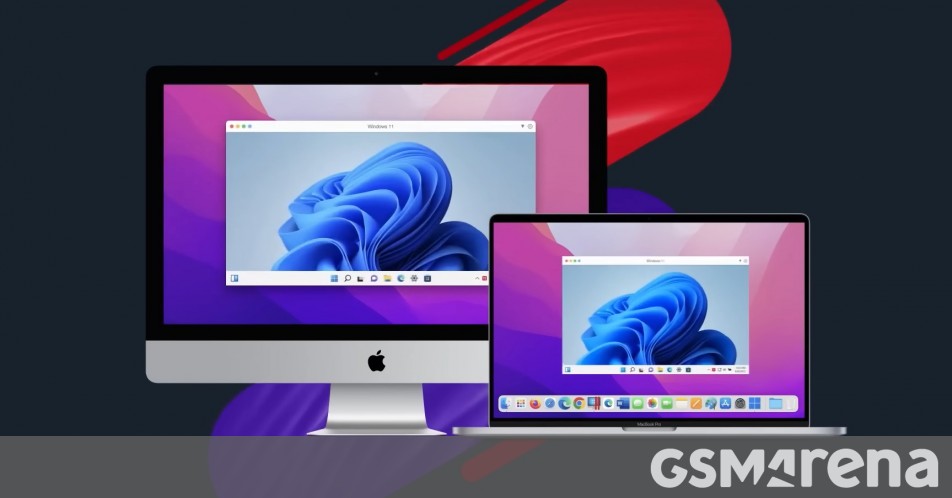

Why would you want to run Windows on a Mac ? Might as well get an Asus ROG Zephyrus. Then again I'd rather use remote development or spin up a VM on either AWS or Azure than to run Windows on Mac.Parallels Desktop can now run Windows 11 on Apple silicon powered Macs
This allows users to run Windows-only software but also enables them to run Android thanks to the native support from Windows 11.www.gsmarena.com
Some professional applications are Windows only, this way you can have your cake & eat it.Why would you want to run Windows on a Mac ? Might as well get an Asus ROG Zephyrus. Then again I'd rather use remote development or spin up a VM on either AWS or Azure than to run Windows on Mac.

It's like mixing sheet and ice cream. You don't improve the taste of the sheet, but you sure fark up the ice cream...Some professional applications are Windows only, this way you can have your cake & eat it.
